Managing appointments efficiently stands as one of the most critical operational challenges for salon owners. A robust wordpress reservation system transforms how beauty professionals handle bookings, reduce administrative overhead, and improve client satisfaction. With over 43% of all websites built on WordPress, the platform offers salon owners a powerful foundation for implementing sophisticated booking capabilities without requiring extensive technical expertise.
Understanding WordPress Reservation Systems for Salon Businesses
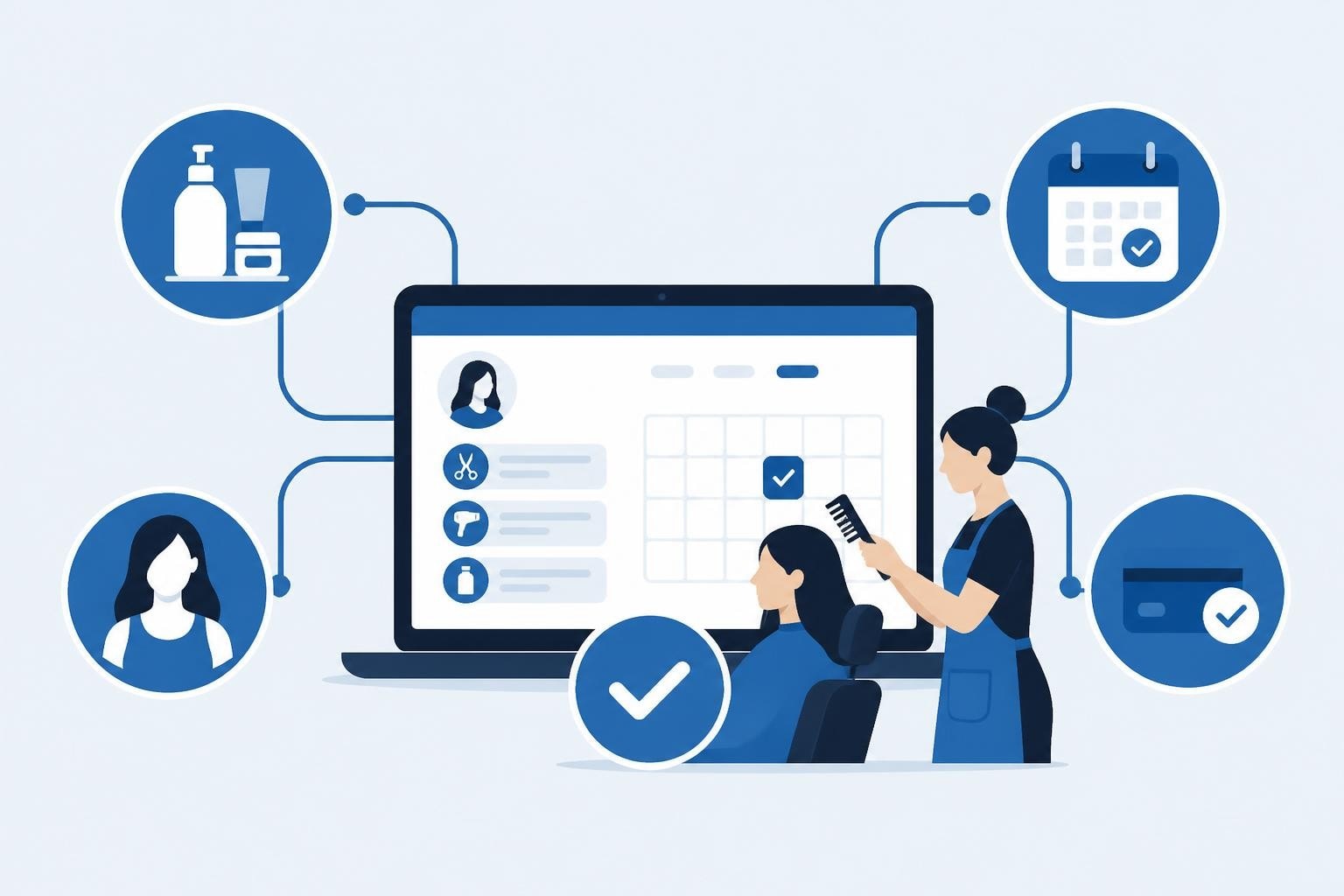
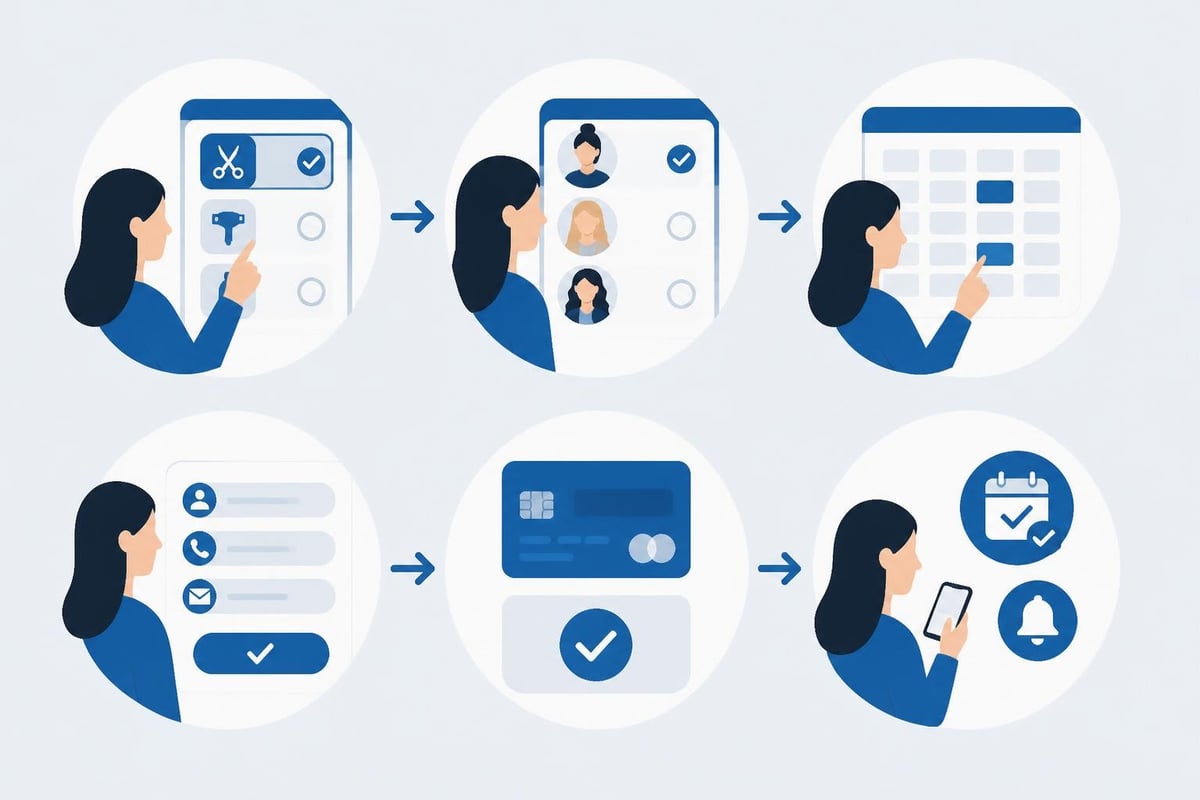
A wordpress reservation system operates as a specialized plugin or integrated solution that enables clients to book appointments directly through your salon's website. These systems synchronize with your calendar, process payments, send automated notifications, and maintain detailed client records.
The fundamental architecture consists of three core components: the front-end booking interface where clients select services and times, the administrative dashboard where staff manage schedules and client information, and the database layer that stores all appointment data securely. Understanding this structure helps salon owners evaluate different solutions based on their specific operational needs.
Key Features That Matter for Salon Operations
Professional salon booking solutions require capabilities beyond basic calendar functionality. Online payment processing ranks among the most valuable features, with research showing that businesses requiring deposits experience 40% fewer no-shows compared to those accepting walk-ins only.
Automated notifications through email and SMS keep clients informed about upcoming appointments, reducing missed bookings and freeing staff from manual reminder calls. According to industry data from 2025, automated reminders decrease no-show rates by up to 35%.
Service duration management allows different treatments to occupy appropriate time slots automatically. A basic haircut might require 30 minutes, while color treatments need 2-3 hours. Advanced systems handle these variations seamlessly.
Consider these essential features when evaluating options:
- Staff scheduling and assignment to match specific stylists with their specialties
- Resource management for equipment like styling chairs or spa rooms
- Recurring appointment booking for regular clients
- Waiting list functionality to fill cancellation slots automatically
- Multi-location support for salon chains or expanding businesses
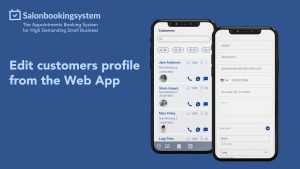
- Client history tracking for personalized service recommendations
Integration Methods and Technical Considerations
WordPress offers multiple approaches for implementing reservation functionality, each with distinct advantages depending on your technical resources and customization requirements.
Plugin-Based Solutions
The WordPress plugin directory for reservation systems contains hundreds of options ranging from simple booking forms to comprehensive management platforms. Plugin-based implementations offer the fastest deployment path, typically requiring 1-2 hours for basic setup.
Most reputable plugins follow WordPress coding standards and integrate seamlessly with existing themes. They provide visual interfaces for configuration, eliminating the need for custom code. However, extensive customization may require developer assistance or premium add-ons.
When evaluating plugins, examine update frequency and support responsiveness. Plugins abandoned for 12+ months pose security risks and compatibility issues with newer WordPress versions. The analysis of WordPress plugin vulnerabilities highlights the importance of regular maintenance and security patches.
Custom Development Approaches
Larger salon chains or businesses with unique workflow requirements may benefit from custom-built solutions. The WordPress REST API enables developers to create sophisticated booking interfaces that integrate with existing business systems.
Custom development typically costs $5,000-$25,000 but delivers precisely tailored functionality. This approach makes sense when:
- Existing plugins cannot accommodate complex business rules
- Integration with specialized point-of-sale systems is required
- Multiple revenue streams (retail, services, memberships) need unified management
- Advanced reporting and analytics exceed standard plugin capabilities
| Approach | Setup Time | Cost Range | Customization | Maintenance |
|---|---|---|---|---|
| Plugin Solution | 1-4 hours | $0-$500/year | Moderate | Low |
| Premium Plugin + Customization | 1-2 weeks | $500-$3,000 | High | Moderate |
| Custom Development | 2-4 months | $5,000-$25,000 | Complete | High |
| Hybrid (Plugin + Custom Features) | 2-6 weeks | $1,500-$8,000 | High | Moderate |
Optimizing Your WordPress Reservation System for Maximum Bookings
Implementing a booking system represents only the first step. Optimization determines whether the system generates substantial new business or sits unused while clients continue calling during business hours.
Strategic Placement and User Experience
Position booking call-to-action elements prominently throughout your website. Heat mapping studies reveal that visitors spend 80% of their viewing time above the fold, making header placement crucial for conversion.
Navigation menu integration ensures booking access from every page. Consider these high-conversion placements:
- Sticky header button that remains visible during scrolling
- Homepage hero section with immediate booking option
- Service description pages with context-specific booking links
- Footer booking forms for users who browse extensively before deciding
Mobile optimization cannot be overstated. Data from 2025 indicates that 68% of salon bookings originate from mobile devices. Test your wordpress reservation system thoroughly on smartphones, ensuring:
- Touch-friendly buttons sized at minimum 44×44 pixels
- Simplified forms requiring minimal typing
- Auto-fill compatibility for contact information
- Payment fields optimized for mobile keyboards
Performance and Loading Speed
Booking systems that load slowly frustrate potential clients and damage search engine rankings. Google's 2024 Core Web Vitals update penalizes pages with Largest Contentful Paint exceeding 2.5 seconds.
Performance optimization tactics include:
- Lazy loading for calendar displays to render initial view quickly
- Asynchronous script loading to prevent booking widgets from blocking page rendering
- Database query optimization through proper indexing of appointment tables
- CDN integration for faster asset delivery across geographic regions
The framework for deploying WordPress on AWS provides advanced strategies for scaling booking systems that handle high traffic volumes or multiple locations.
Security and Compliance Requirements
Salon reservation systems store sensitive personal information including names, phone numbers, email addresses, and payment details. Protecting this data represents both a legal obligation and a trust factor that influences client decisions.
Data Protection Fundamentals
SSL certificates (HTTPS) encrypt all data transmitted between client browsers and your server. This basic security measure has become mandatory, with browsers displaying prominent warnings for non-secure sites. Most hosting providers now include free SSL certificates through Let's Encrypt.
Payment Card Industry Data Security Standard (PCI DSS) compliance applies to any business processing credit cards. Rather than storing payment information directly, integrate with certified payment processors like Stripe or PayPal that handle compliance requirements. This approach reduces liability and simplifies security management.
GDPR and privacy regulations require clear consent mechanisms and data access controls. Your wordpress reservation system should include:
- Explicit opt-in for marketing communications
- Client data export functionality
- Complete data deletion capabilities
- Transparent privacy policy linked during booking
Regular security audits identify vulnerabilities before exploitation. Schedule quarterly reviews examining:
- Plugin and WordPress core version currency
- User permission levels and admin account security
- Database backup integrity and recovery testing
- Failed login attempt monitoring and IP blocking rules
Advanced Features for Competitive Advantage
Distinguished salon booking systems extend beyond basic appointment scheduling to create comprehensive client relationship platforms.
Intelligent Scheduling Rules
Dynamic pricing adjusts service costs based on demand, time of day, or stylist experience level. Weekend appointments might carry a 15% premium, while Tuesday morning slots offer discounts to balance capacity utilization. This strategy, common in hospitality industries, increased revenue by 22% for early-adopting salons in 2025.
Stylist-specific booking logic respects individual schedules, skill sets, and client preferences. Senior stylists may only accept certain advanced services, while newer team members build their client base with fundamental offerings. Complex assignment rules ensure optimal matching without manual intervention.
Buffer time automation prevents back-to-back scheduling that leaves no room for cleanup or preparation. Setting 10-15 minute buffers between appointments improves service quality and reduces stress for staff.
Client Engagement Tools
Membership and package systems encourage repeat business through prepaid service bundles. Clients purchasing a six-haircut package receive a discount while committing to long-term patronage. According to 2025 industry analysis, package buyers visit 3.2 times more frequently than per-service clients.
Loyalty point integration rewards regular customers with perks, discounts, or complimentary services. Points earned per dollar spent create psychological incentives for choosing your salon over competitors.
Post-appointment follow-up automation sends personalized messages requesting reviews, offering product recommendations, or suggesting the next booking based on service type. Hair coloring clients might receive reminders after six weeks, while regular cuts trigger outreach at four-week intervals.
| Feature Category | Business Impact | Implementation Complexity | Client Value |
|---|---|---|---|
| Dynamic Pricing | +18-25% revenue | High | Moderate |
| Automated Reminders | -35% no-shows | Low | High |
| Loyalty Programs | +40% retention | Moderate | High |
| Membership Packages | +22% revenue/client | Moderate | High |
| Resource Management | -30% scheduling conflicts | Moderate | Moderate |
Selecting the Right WordPress Reservation System
The extensive directory of WordPress reservation plugins presents both opportunity and overwhelming choice. Systematic evaluation based on your specific requirements streamlines the selection process.
Assessment Framework
Begin by documenting your operational requirements across these dimensions:
Service complexity: Simple businesses offering standard-duration services need basic booking calendars. Salons providing diverse treatments with variable durations, multiple steps, or equipment dependencies require sophisticated resource management.
Team size: Solo practitioners manage availability differently than teams of ten stylists. Multi-staff scheduling demands robust assignment logic and individual calendar management.
Revenue goals: Businesses prioritizing growth need systems supporting marketing automation, client segmentation, and detailed analytics. Maintenance-mode operations may require only fundamental booking functionality.
Technical capability: Evaluate your comfort level with WordPress administration and troubleshooting. User-friendly interfaces with visual configuration tools suit non-technical owners, while developers may prefer flexible systems offering extensive API access.
Budget considerations: Calculate total cost of ownership including subscription fees, payment processing rates, add-on costs, and potential customization expenses. A seemingly inexpensive plugin requiring $3,000 in custom development exceeds the total cost of a comprehensive premium solution.
Testing and Evaluation Process
- Create a shortlist of 3-5 systems meeting your basic criteria
- Install demo versions on a staging WordPress site to avoid disrupting your live website
- Simulate realistic booking scenarios including edge cases like same-day appointments, recurring services, and complex staff scheduling
- Test mobile experience thoroughly across different devices and screen sizes
- Evaluate support responsiveness by submitting pre-sales questions and gauging response time and helpfulness
- Review documentation quality to ensure adequate guidance for setup and troubleshooting
The comprehensive guide to WordPress booking systems provides additional evaluation criteria and integration considerations.
Migration and Implementation Strategy
Transitioning from manual booking or legacy systems to a wordpress reservation system requires careful planning to avoid appointment conflicts, data loss, or client confusion.
Pre-Launch Preparation
Data migration transfers existing client information, appointment history, and service details into your new system. Export client databases to CSV format, then map fields to match your new platform's structure. Common mapping challenges include:
- Phone number formatting variations
- Service name standardization
- Historical appointment data structure
- Client preference and note consolidation
Staff training ensures team members understand the new workflow before launch. Conduct hands-on sessions covering:
- Appointment creation and modification procedures
- Client record management and note-taking
- Payment processing and refund handling
- Schedule adjustment and time-off requests
- Report generation and performance tracking
Parallel operation period runs both old and new systems simultaneously for 1-2 weeks. This safety net catches migration errors while building confidence in the new platform.
Client Communication Timeline
- Four weeks before launch: Announce the upcoming change through email and social media, emphasizing improved convenience
- Two weeks before launch: Demonstrate the booking process through video tutorials and social posts
- Launch week: Send direct booking links and offer assistance for first-time users
- Two weeks post-launch: Survey client experience and address any friction points
Monitor booking volume daily during the first month. Decreased online bookings may indicate usability issues requiring immediate attention. The goal is reaching 60-70% online booking within 90 days for most salon types.
Analytics and Continuous Improvement
Data-driven optimization separates high-performing reservation systems from basic implementations. WordPress booking platforms generate valuable insights about client behavior, capacity utilization, and revenue patterns.
Key Performance Indicators
Track these metrics monthly to identify trends and opportunities:
Booking conversion rate: Percentage of website visitors who complete appointments. Industry benchmarks range from 2-5% for cold traffic and 15-25% for returning clients. Low conversion suggests user experience problems or unclear value propositions.
Average booking value: Total service revenue divided by number of appointments. Increasing this metric through upselling, package promotions, or service bundling directly impacts profitability without adding capacity.
Time-to-book: Hours between website visit and scheduled appointment. Reducing friction in the booking process decreases this interval, capturing impulse decisions before clients comparison shop.
Staff utilization rate: Percentage of available time slots filled with appointments. Optimal rates vary by service type but generally fall between 70-85%. Higher rates risk burnout, while lower rates indicate pricing or marketing opportunities.
Client retention: Percentage of first-time bookers who return within six months. Retention rates above 40% indicate strong service quality and effective follow-up systems.
A/B Testing Opportunities
Systematic testing identifies highest-converting approaches:
- Booking button placement and color variations
- Service description length and detail level
- Pricing display methods (starting at vs. exact prices)
- Required fields in booking forms (minimal vs. comprehensive)
- Confirmation page upsell offers and next-step suggestions
Implement changes individually to isolate impact. Run tests for minimum two weeks or 100 bookings, whichever comes first, to achieve statistical significance.
Integration Ecosystem Considerations
Modern wordpress reservation systems function as central hubs connecting various business tools and services. Strategic integration creates seamless workflows that save time and improve client experience.
Essential Integration Categories
Email marketing platforms like Mailchimp or Constant Contact sync client lists automatically, enabling targeted campaigns based on service history, visit frequency, or spending patterns. Clients who haven't visited in 90 days receive different messaging than weekly regulars.
Point-of-sale systems unify online bookings with walk-in traffic and retail sales. Integrated inventory management prevents double-booking resources and provides comprehensive business analytics.
Accounting software such as QuickBooks or Xero automatically records revenue, categorizes expenses, and simplifies tax preparation. Real-time financial visibility enables better business decisions.
Review management tools automate request timing and platform distribution. Send review requests via email 24 hours after appointments, increasing response rates by 40% compared to immediate post-service requests.
Social media scheduling connects promotions and content calendars with booking availability. Highlight open slots during typically slow periods to balance demand throughout the week.
The strategic value of integrations extends beyond convenience. Salons using three or more integrated systems report 28% higher revenue per client according to 2025 industry research, demonstrating the compounding benefits of connected operational tools.
Implementing the right wordpress reservation system transforms salon operations by automating administrative tasks, reducing no-shows, and creating convenient booking experiences that modern clients expect. The investment in a robust booking platform pays dividends through improved efficiency, higher client satisfaction, and increased revenue opportunities.
For salon owners seeking a proven solution designed specifically for beauty industry needs, Salon Booking System delivers comprehensive appointment scheduling with online payments, automated notifications, and advanced booking rules trusted since 2016. The platform simplifies booking management while enhancing client satisfaction through seamless, professional scheduling experiences tailored to salon workflows.