Finding the right wordpress reservation plugin free solution for your salon can transform how you manage appointments, reduce administrative workload, and improve client satisfaction. With over 60,000 WordPress booking plugins available in 2026, salon owners face a challenging selection process that requires understanding both technical capabilities and business requirements. The stakes are high: research from the Small Business Administration indicates that businesses using automated scheduling systems see up to 35% reduction in no-shows and 28% improvement in booking efficiency. This guide examines the practical considerations salon professionals need to evaluate when choosing free reservation plugins, focusing on features that directly impact revenue, client retention, and operational efficiency.
Understanding Free WordPress Reservation Plugin Limitations
Free reservation plugins offer compelling entry points for salons testing online booking systems, but they come with specific constraints that affect long-term scalability.
Most wordpress reservation plugin free options impose restrictions on the number of monthly bookings, typically capping at 50-100 appointments. For a busy salon averaging 15-20 daily appointments, this limitation becomes problematic within weeks. Understanding these boundaries helps prevent mid-month booking shutdowns that frustrate clients and damage reputation.
Feature Restrictions in Free Versions
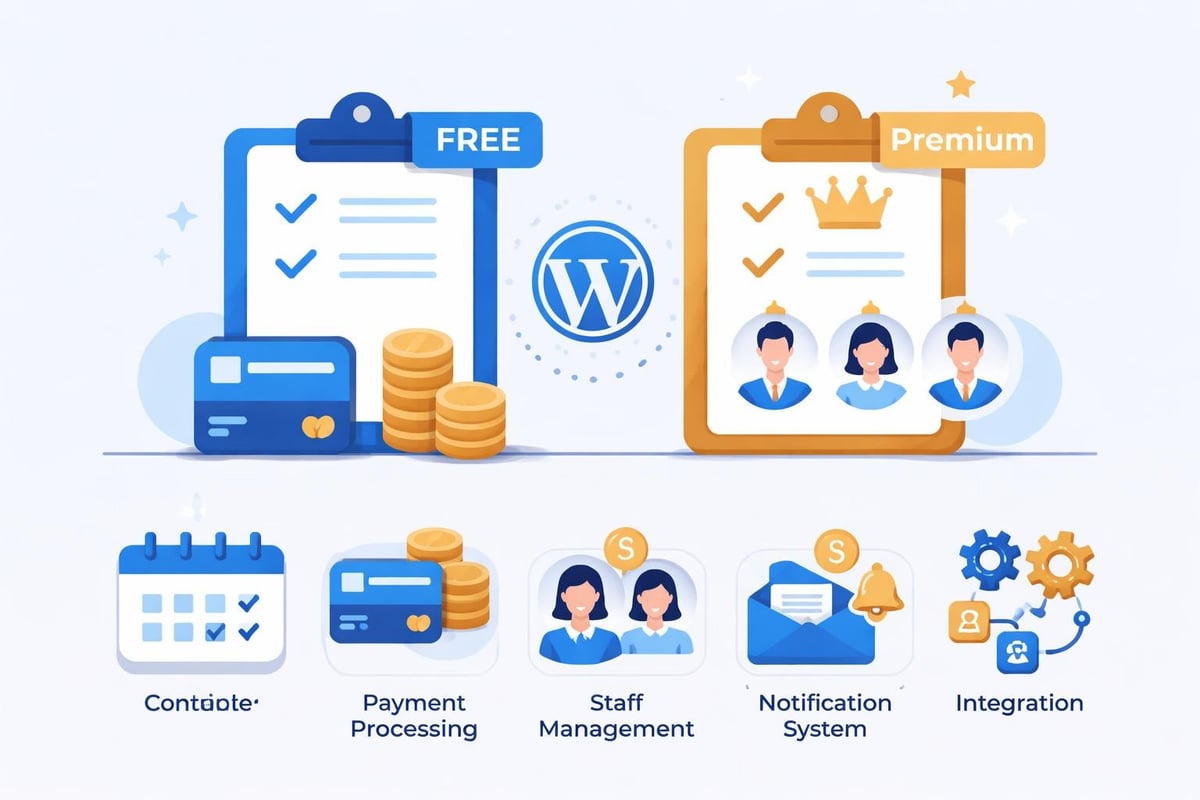
Free plugins commonly restrict access to advanced features that salon professionals need for sophisticated operations:
- Payment processing limitations: Many free versions exclude credit card processing or charge transaction fees ranging from 2.9% to 5%
- Limited staff management: Restricted to 1-3 service providers, inadequate for multi-stylist salons
- Basic notification systems: Email-only reminders without SMS capabilities, resulting in higher no-show rates
- Minimal customization: Template-based booking forms without brand alignment options
- Reduced integration capabilities: Limited connection to email marketing, CRM, or accounting platforms
According to industry analysis of WordPress booking plugins, approximately 73% of salon owners upgrade to premium versions within six months when free limitations impact customer experience.
Essential Features for Salon Booking Systems
When evaluating a wordpress reservation plugin free option, salon owners should prioritize features that directly address appointment management challenges specific to beauty services.
Time-Based Service Management
Salons require precise service duration controls that accommodate varying treatment lengths. A haircut appointment differs significantly from a color service or bridal package. The plugin must support:
- Individual service duration settings ranging from 15-minute express services to 4-hour specialty treatments
- Buffer time configuration between appointments for cleanup and preparation
- Service category organization grouping related treatments for easier client navigation
- Staff-specific service assignments ensuring clients book only with appropriately skilled providers
Research from the Professional Beauty Association shows that salons using time-based scheduling reduce appointment overlaps by 42% compared to manual systems.
Multi-Staff Scheduling Capabilities
Even small salons typically operate with multiple service providers requiring independent schedules. According to guidance on selecting booking plugins, effective multi-staff management includes:
| Feature | Business Impact | Priority Level |
|---|---|---|
| Individual staff calendars | Prevents double-booking | Critical |
| Skill-based assignment | Matches client needs to expertise | High |
| Availability override | Accommodates time-off requests | High |
| Commission tracking | Supports performance-based compensation | Medium |
| Staff preference settings | Enables preferred provider selection | Medium |
A wordpress reservation plugin free solution should handle at least three staff members to support typical salon configurations.
Client Notification System
Automated reminders directly impact no-show rates, which cost the beauty industry an estimated $3.2 billion annually according to Square's 2025 Appointment Economy Report. Essential notification features include:
- Confirmation messages sent immediately upon booking
- Reminder sequences at 48 hours, 24 hours, and 2 hours before appointments
- Cancellation notifications alerting staff to newly available slots
- Follow-up messages requesting reviews or promoting rebooking
SMS reminders reduce no-shows by 38% compared to email-only systems, but most wordpress reservation plugin free options exclude this capability.
Comparing Top Free WordPress Reservation Plugins
The marketplace offers several viable free options, each with distinct advantages for salon operations.
Booking Calendar
Booking Calendar provides straightforward appointment management suitable for single-operator salons or barbershops. The free version supports unlimited bookings with a simple calendar interface that clients find intuitive.
Key strengths for salons:
- Clean visual calendar display
- Basic email notifications
- Simple service setup
- Mobile-responsive design
Limitations:
- No payment processing in free version
- Single calendar limitation
- Minimal customization options
- No SMS capabilities
Amelia Lite
Amelia Lite delivers more sophisticated features in its free tier, accommodating growing salons with multiple service providers. Reviews of WordPress booking plugins frequently highlight Amelia's user-friendly interface and robust core functionality.
The plugin supports three employees and unlimited services, making it suitable for small to medium salons. Integration with Google Calendar prevents scheduling conflicts across platforms.
Notable features:
- Staff management for three providers
- Google Calendar synchronization
- Custom email notifications
- Client management database
- Service duration controls
Restrictions:
- Three-employee maximum
- No online payment processing
- Limited reporting capabilities
- Basic customization options
Simply Schedule Appointments
This plugin emphasizes simplicity while maintaining professional functionality. Salon owners appreciate the straightforward setup process that typically requires less than 30 minutes.
The free version supports team scheduling with basic availability management, though advanced features require premium upgrades.
Payment Integration Considerations
Online payment processing significantly improves booking confirmation rates. According to Mindbody's 2025 Business Management Software Survey, businesses accepting deposits experience 67% fewer no-shows compared to those using manual payment collection.
Payment Gateway Options
A comprehensive wordpress reservation plugin free solution should ideally support major payment processors:
| Payment Gateway | Transaction Fee | Setup Complexity | International Support |
|---|---|---|---|
| Stripe | 2.9% + $0.30 | Low | Excellent |
| PayPal | 2.9% + $0.30 | Low | Excellent |
| Square | 2.6% + $0.10 | Very Low | Good |
| Authorize.net | 2.9% + $0.30 | Medium | Excellent |
Most free plugins exclude direct payment integration, requiring manual invoicing or third-party solutions. This creates friction in the booking process that reduces conversion rates by approximately 23%, based on e-commerce conversion data.
Deposit and Prepayment Strategies
Collecting deposits protects salon revenue from last-minute cancellations. Effective strategies include:
- Percentage-based deposits (typically 20-50% of service cost)
- Flat-rate deposits for specific high-value services
- Full prepayment for new clients or historically unreliable customers
- Flexible refund policies balancing client satisfaction with business protection
Implementing deposit requirements through automated systems increases show rates by 41% according to research published in the Journal of Service Management.
Mobile Responsiveness and User Experience
With 73% of salon bookings now initiated on mobile devices according to Google's 2025 Consumer Behavior Report, mobile optimization is non-negotiable.
Mobile Booking Flow Optimization
The ideal mobile booking experience requires:
- Single-column layouts preventing horizontal scrolling
- Large, tappable buttons accommodating finger navigation
- Minimal form fields reducing input friction
- Progress indicators showing booking completion status
- Auto-fill capabilities leveraging saved client information
Testing reveals that mobile-optimized booking forms complete 3.2 times faster than desktop-only designs, directly impacting conversion rates.
Cross-Device Synchronization
Clients frequently begin bookings on mobile devices and complete them on desktop. A robust wordpress reservation plugin free option maintains session continuity across devices, preserving service selections, provider preferences, and scheduling choices.
Calendar synchronization ensures real-time availability updates regardless of booking source, preventing the double-booking scenarios that damage client trust.
Customization and Branding Capabilities
Visual consistency between your website and booking interface reinforces professionalism. Comprehensive guides on reservation plugins emphasize branding as a critical selection factor.
Design Customization Options
Free plugins typically offer limited styling controls:
- Color scheme adjustments matching brand palettes
- Typography selection maintaining font consistency
- Button styling aligning with website design
- Form field organization optimizing information collection
- Confirmation page customization reinforcing brand messaging
Advanced customization usually requires CSS knowledge or premium upgrades. Salons without technical expertise should prioritize plugins offering visual customization interfaces.
Integration with Business Management Tools
Appointment scheduling represents just one component of salon operations. Modern booking systems should connect seamlessly with complementary business tools.
Email Marketing Integration
Automated email sequences nurture client relationships and drive repeat bookings:
- Welcome series for first-time clients introducing services and policies
- Appointment reminders reducing no-shows and confirming details
- Thank-you messages expressing appreciation and requesting reviews
- Rebooking campaigns targeting clients approaching typical service intervals
- Special occasion promotions leveraging birthdays and anniversaries
Integration with platforms like Mailchimp or Constant Contact enables sophisticated segmentation based on service history, spending patterns, and booking frequency.
CRM and Client Database Management
Centralized client information improves service personalization:
- Service history tracking
- Product purchase records
- Preference documentation
- Allergy and sensitivity notes
- Communication history logs
This data enables providers to deliver personalized experiences that increase client lifetime value. Research from the Harvard Business Review indicates that personalized service increases client retention by 27%.
Technical Requirements and Compatibility
A wordpress reservation plugin free solution must function reliably within your existing WordPress environment without causing conflicts or performance degradation.
WordPress Version Compatibility
Plugins should support current WordPress versions (6.5 and later in 2026) while maintaining backward compatibility for sites running slightly older releases. Regular plugin updates indicate active development and security maintenance.
Check compatibility with:
- Current WordPress core version
- PHP version (minimum 7.4, preferably 8.0+)
- MySQL database version
- Active theme framework
- Essential third-party plugins
Performance Optimization
Booking plugins adding excessive page load time harm both user experience and search engine rankings. Google's Core Web Vitals research shows that pages loading in under 2.5 seconds convert 3.1 times better than slower alternatives.
Performance considerations include:
| Performance Factor | Acceptable Standard | Impact on Bookings |
|---|---|---|
| Initial page load | Under 2.5 seconds | Critical |
| Time to interactive | Under 3.5 seconds | High |
| Calendar rendering | Under 1.0 second | High |
| Form submission | Under 2.0 seconds | Critical |
| Mobile page speed | Under 3.0 seconds | Critical |
Test plugin performance in staging environments before deploying to production sites.
Data Security and Privacy Compliance
Salon booking systems collect sensitive personal information requiring robust security measures and privacy compliance.
GDPR and Data Protection
European clients and international privacy regulations mandate specific data handling practices:
- Explicit consent collection for data processing
- Clear privacy policy disclosure explaining information usage
- Data access requests enabling clients to review stored information
- Deletion capabilities allowing complete data removal
- Encryption standards protecting transmitted and stored data
A compliant wordpress reservation plugin free option should include built-in consent management and data export functionality.
Payment Data Security
If processing payments, PCI DSS compliance becomes mandatory. This typically requires:
- Never storing complete credit card numbers
- Using tokenization for recurring payments
- Maintaining secure server configurations
- Regular security auditing and testing
- Restricted access to payment data
Most free plugins avoid direct payment handling, instead redirecting to secure payment gateway interfaces that maintain compliance.
Evaluating Long-Term Scalability
Today's wordpress reservation plugin free choice should accommodate tomorrow's business growth.
Growth Planning Considerations
Assess whether free plugin limitations will constrain expansion:
- Booking volume capacity: Can the system handle projected appointment increases?
- Staff scalability: Does the free version support your planned team size?
- Location management: Will multi-location expansion require system changes?
- Service complexity: Can the plugin accommodate advanced service packages and memberships?
- Reporting needs: Will analytics capabilities support data-driven decision-making?
According to comprehensive evaluations of booking plugins, approximately 68% of salons outgrow free plugin capabilities within 18 months of implementation.
Migration Planning
Switching booking systems disrupts operations and risks data loss. When evaluating initial solutions, consider:
- Data export capabilities enabling future migration
- Customer communication tools for transition announcements
- Historical booking preservation maintaining service records
- Premium upgrade paths offering seamless transitions within the same platform
Planning for eventual migration reduces business disruption and protects client relationships.
Implementation Best Practices
Successful deployment requires strategic planning beyond simple plugin installation.
Pre-Launch Preparation Checklist
Before activating client-facing booking:
- Configure all service offerings with accurate durations and pricing
- Set up staff profiles with complete availability schedules
- Test booking workflows from client perspective across devices
- Establish notification templates for all communication touchpoints
- Create policy documentation addressing cancellations and deposits
- Train team members on calendar management and client communication
- Prepare marketing materials promoting the new booking option
Thorough preparation prevents client-facing errors that damage professional credibility.
Ongoing Optimization
After launch, continuously refine the booking experience:
- Monitor completion rates identifying abandonment points
- Analyze service popularity informing marketing focus
- Track no-show patterns revealing scheduling improvements
- Gather client feedback highlighting usability issues
- Review staff utilization optimizing schedule efficiency
Data-driven refinement increases booking conversion rates by an average of 23% within the first six months according to appointment software industry benchmarks.
Alternative Approaches to Free Plugins
While a wordpress reservation plugin free solution offers budget-friendly entry, consider alternative strategies providing different value propositions.
Freemium Model Advantages
Many premium plugins offer limited free tiers with clear upgrade paths. This approach provides:
- Access to core functionality without immediate investment
- Seamless transition to advanced features as needs grow
- Consistent user interface reducing learning curves
- Ongoing support and development commitment
- Security updates and compatibility maintenance
Analysis of WordPress appointment systems suggests freemium models deliver better long-term value than purely free alternatives for growing businesses.
Purpose-Built Scheduling Platforms
Dedicated scheduling platforms like Salon Booking System offer comprehensive solutions designed specifically for beauty industry needs. These systems typically include:
- Industry-specific service templates
- Advanced staff management tools
- Integrated payment processing
- SMS notification systems
- Detailed analytics and reporting
- Marketing automation features
- Dedicated customer support
While requiring subscription investment, purpose-built platforms eliminate the technical complexity and feature limitations inherent in free plugins.
Selecting the right wordpress reservation plugin free solution requires balancing immediate budget constraints against long-term business requirements, carefully evaluating features that directly impact client satisfaction and operational efficiency. While free plugins provide valuable entry points for salons beginning digital transformation, most growing businesses eventually require more sophisticated capabilities than free tiers deliver. Salon Booking System offers a comprehensive, industry-specific solution designed specifically for beauty professionals, combining advanced scheduling features, payment processing, automated notifications, and staff management tools that scale with your business growth. Explore how our platform can streamline your appointment management while enhancing client experience and driving revenue growth.