Managing a salon in 2026 means handling sensitive client information, payment data, and business intelligence across digital platforms. The salon login process serves as the first line of defense against unauthorized access, data breaches, and security vulnerabilities. Whether you operate a single-chair barbershop or a multi-location spa, implementing robust authentication protocols protects your clients' privacy, maintains regulatory compliance, and safeguards your reputation. Understanding the technical and operational aspects of secure access control empowers salon owners to make informed decisions about their software infrastructure.
Understanding Salon Login Architecture
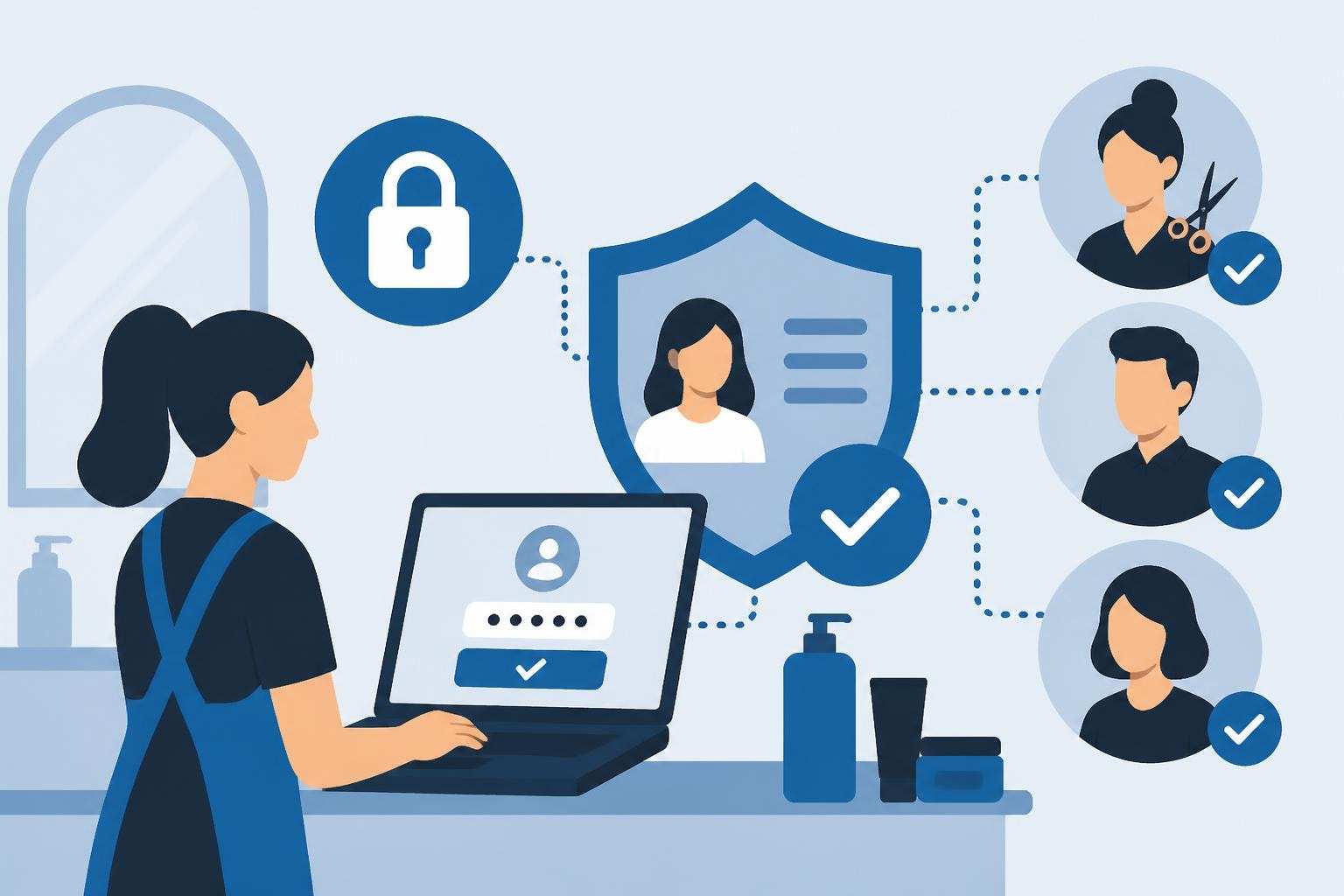
Modern salon management systems employ sophisticated authentication mechanisms that balance security with usability. A salon login typically involves verifying user credentials against encrypted databases, establishing session tokens, and applying role-based permissions that determine what each user can access.
The authentication process begins when staff members enter their username and password. The system compares this information against stored credentials using cryptographic hashing algorithms rather than storing passwords in plain text. Hashing converts passwords into irreversible strings of characters, meaning even if someone gains unauthorized database access, they cannot reverse-engineer actual passwords.
According to software security guidelines from the University of Florida, authentication systems should implement multiple layers of verification to prevent unauthorized access. These layers include password complexity requirements, account lockout mechanisms after failed attempts, and session timeout protocols.
Single Sign-On vs. Individual Credentials
Salon owners face important decisions about how their teams access management software. Single sign-on (SSO) allows staff to use one set of credentials across multiple applications, reducing password fatigue and improving efficiency. However, individual credentials provide more granular audit trails and accountability.
Key considerations for credential strategy:
- Audit requirements: Individual logins create detailed activity logs showing exactly who performed each action
- Staff turnover: Separate credentials simplify access revocation when employees leave
- Shared devices: Multiple staff members using the same workstation need distinct login paths
- Compliance obligations: Regulations like GDPR often require individual accountability for data access
Research on web single sign-on login decisions reveals that displaying clear permission information during the salon login process helps users make informed security choices. When staff understand what data they're accessing and why, they're more likely to follow security protocols consistently.
Role-Based Access Control Implementation
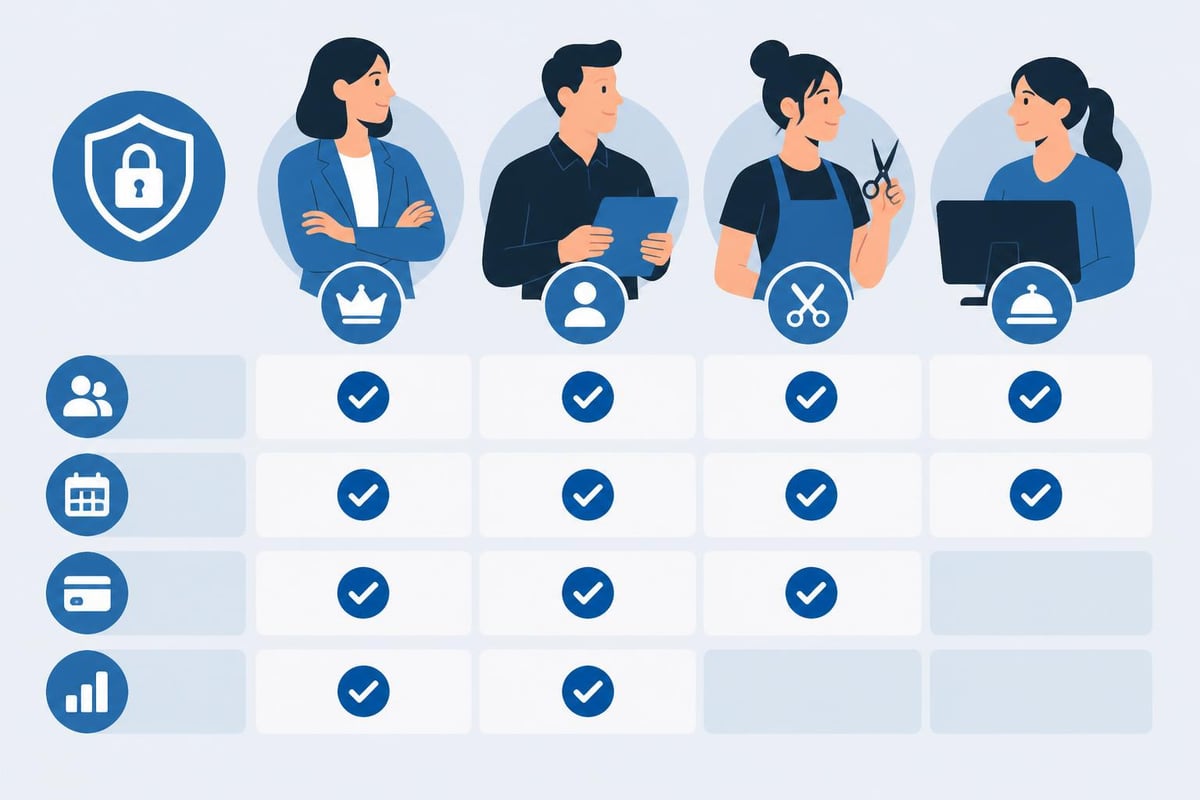
Not every team member needs identical access to your salon management system. A receptionist requires scheduling capabilities but shouldn't necessarily access financial reports. Similarly, stylists need client history but may not require inventory management permissions.
Role-based access control (RBAC) structures permissions around job functions rather than individual users. This approach simplifies administration while enhancing security. When you hire a new stylist, you simply assign them the "stylist" role rather than configuring dozens of individual permissions.
| Role | Typical Permissions | Restricted Areas |
|---|---|---|
| Owner | Full system access, financial reports, settings | None |
| Manager | Scheduling, staff management, inventory, basic reports | System configuration, complete financial data |
| Stylist | Personal schedule, assigned client records, service notes | Other stylists' data, pricing changes, reports |
| Receptionist | Appointment booking, client contact info, payment processing | Financial reports, staff schedules, inventory |
Configuring Access Hierarchies
Effective RBAC implementation requires careful planning aligned with your operational structure. Start by documenting what each position actually needs to accomplish their daily tasks. Avoid the temptation to grant excessive permissions "just in case"-this practice, known as privilege creep, creates unnecessary security vulnerabilities.
The Phorest cybersecurity approach demonstrates how flexible access control protects salon data while maintaining operational efficiency. Their system allows owners to customize permissions at granular levels, ensuring each staff member has exactly the access they need.
Best practices for permission assignment:
- Default to minimum necessary access when creating new user accounts
- Review permissions quarterly to remove unused access rights
- Separate administrative functions from day-to-day operational access
- Document your permission structure so managers understand the security rationale
- Require additional authentication for sensitive operations like refunds or data exports
Password Security Protocols
Weak passwords remain one of the most common security vulnerabilities across all industries, and salons are no exception. According to salon security procedures research, implementing comprehensive password policies significantly reduces the risk of unauthorized access and data breaches.
Your salon login security depends heavily on password strength and management practices. A password policy should balance security requirements with practical usability-overly complex requirements lead to staff writing passwords down, defeating the security purpose.
Establishing Password Requirements
Modern password guidelines have evolved beyond the outdated "8 characters with symbols" approach. Research shows that length matters more than complexity for password strength. A 15-character passphrase like "SalonSuccessFeb2026!" provides better security than "P@ssw0rd" despite having fewer character types.
Essential password policy components:
- Minimum 12-character length requirement
- Prohibition of common passwords and dictionary words
- No reuse of previous 5 passwords
- Mandatory changes every 90 days for administrative accounts
- Optional multi-factor authentication for enhanced security
- Clear guidance on creating memorable but secure passwords
Some salon management systems now incorporate passwordless authentication methods, using temporary codes sent via SMS or email. While convenient, these approaches require careful implementation to avoid creating new vulnerabilities.
Multi-Factor Authentication Benefits
Multi-factor authentication (MFA) adds a second verification step beyond the password during the salon login process. Even if someone obtains a staff member's password, they cannot access the system without the additional factor-typically a code from a smartphone app, SMS message, or hardware token.
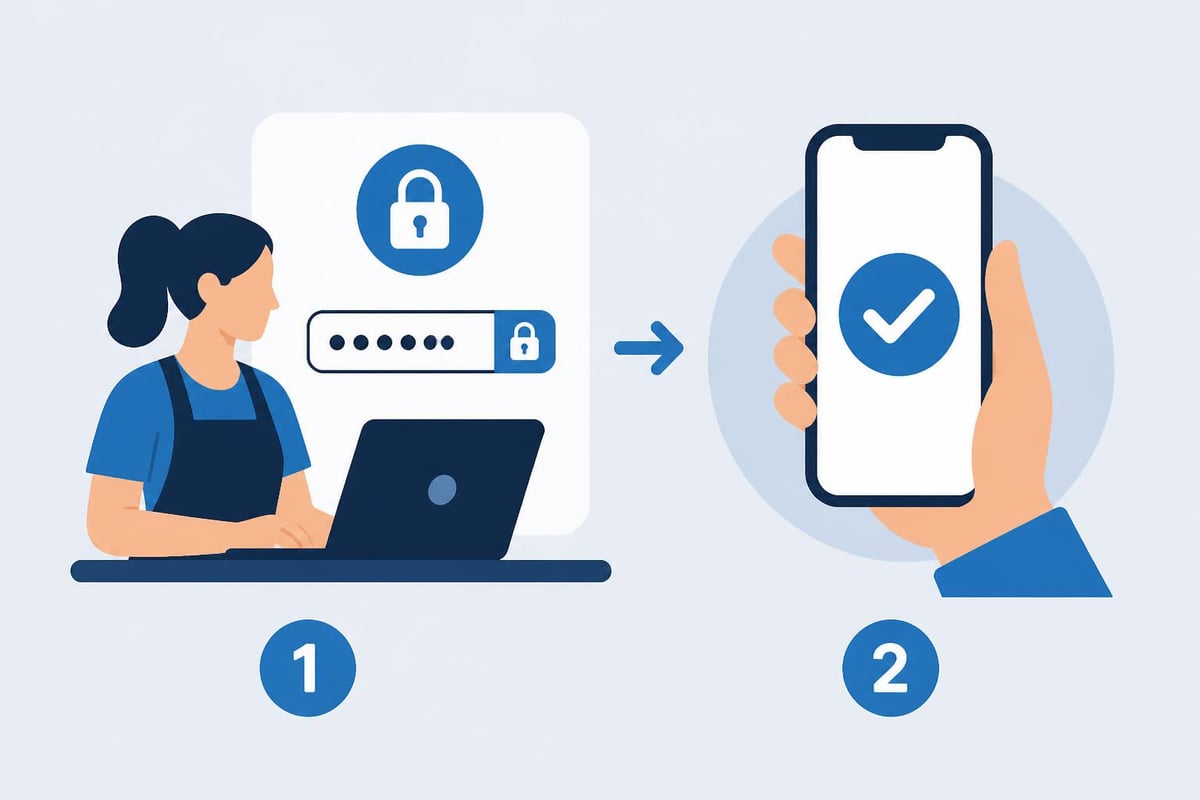
Implementing MFA reduces the risk of credential theft by approximately 99.9%, according to Microsoft security research. For salons handling payment information or sensitive client data, this additional layer provides substantial protection against common attack vectors like phishing and password reuse.
The system best practices from SalonTarget emphasize device authorization as a critical security component for cloud-based salon software. By restricting which devices can access your system, you create an additional barrier against unauthorized access even when credentials are compromised.
Session Management and Timeout Settings
After a successful salon login, the system creates a session that maintains the user's authenticated state. Proper session management prevents scenarios where an employee walks away from a logged-in workstation, leaving client data exposed to anyone who approaches the screen.
Automatic timeout features log users out after a specified period of inactivity. Industry standards typically recommend 15-30 minute timeouts for systems containing sensitive information. High-security areas like payment processing or medical notes might warrant even shorter intervals.
Session management also involves secure token generation and storage. When a stylist logs in on a tablet to view their schedule, the system generates a unique session identifier. This token should expire when the session ends and should never be predictable or reusable.
Mobile Access Considerations
Many salon professionals access their scheduling systems from personal smartphones or tablets. Mobile salon login introduces unique security considerations compared to workstation access. Device loss or theft creates potential exposure of client information if proper security measures aren't implemented.
Mobile security protocols should include:
- Biometric authentication options (fingerprint, face recognition)
- Remote wipe capabilities for lost or stolen devices
- Separate session timeouts for mobile vs. desktop access
- Encryption of all data transmitted between mobile devices and servers
- Required passcode or pattern locks on devices with salon software access
Monitoring and Auditing Access Logs
The most sophisticated salon login systems provide comprehensive logging of all access attempts, successful authentications, and user activities. These audit trails serve multiple purposes: detecting suspicious access patterns, investigating security incidents, and maintaining compliance with data protection regulations.
Regular review of access logs helps identify potential security issues before they escalate. For example, multiple failed login attempts might indicate a brute-force attack, while access at unusual hours could suggest compromised credentials.
| Log Entry Type | What It Reveals | Response Action |
|---|---|---|
| Failed login attempts | Possible credential guessing or forgotten passwords | Lock account after 5 attempts, require password reset |
| After-hours access | Unauthorized use or compromised credentials | Verify legitimacy with employee, review accessed data |
| Permission changes | Modifications to access rights | Confirm changes with authorized personnel |
| Data exports | Large-scale information downloads | Ensure legitimate business purpose exists |
The minimum standards for developer verification of software highlight the importance of comprehensive logging as part of secure software development. When evaluating salon management platforms, confirm that the vendor implements robust audit capabilities that meet your compliance and security needs.
Device Authorization Strategies
Beyond individual user authentication, modern salon login systems often implement device-level authorization. This approach maintains a whitelist of approved devices that can access the system, blocking attempts from unauthorized hardware even when credentials are correct.
Device authorization works particularly well for salons with stable hardware configurations. The front desk computer, manager's laptop, and owner's tablet might be permanently authorized, while temporary devices require additional verification steps.
Implementation approaches include:
- Certificate-based authentication where authorized devices receive digital certificates
- MAC address whitelisting that permits only recognized network hardware
- Geofencing restrictions limiting access to specific physical locations
- Device fingerprinting that identifies unique hardware characteristics
Some salons adopt a hybrid approach: regular workstations have permanent authorization, while mobile devices require both credentials and MFA for each session.
Training Staff on Security Practices
Technical security measures only work when staff understand and consistently follow security protocols. According to research on secure coding awareness in software engineering, human factors often represent the weakest link in security chains, regardless of technological sophistication.
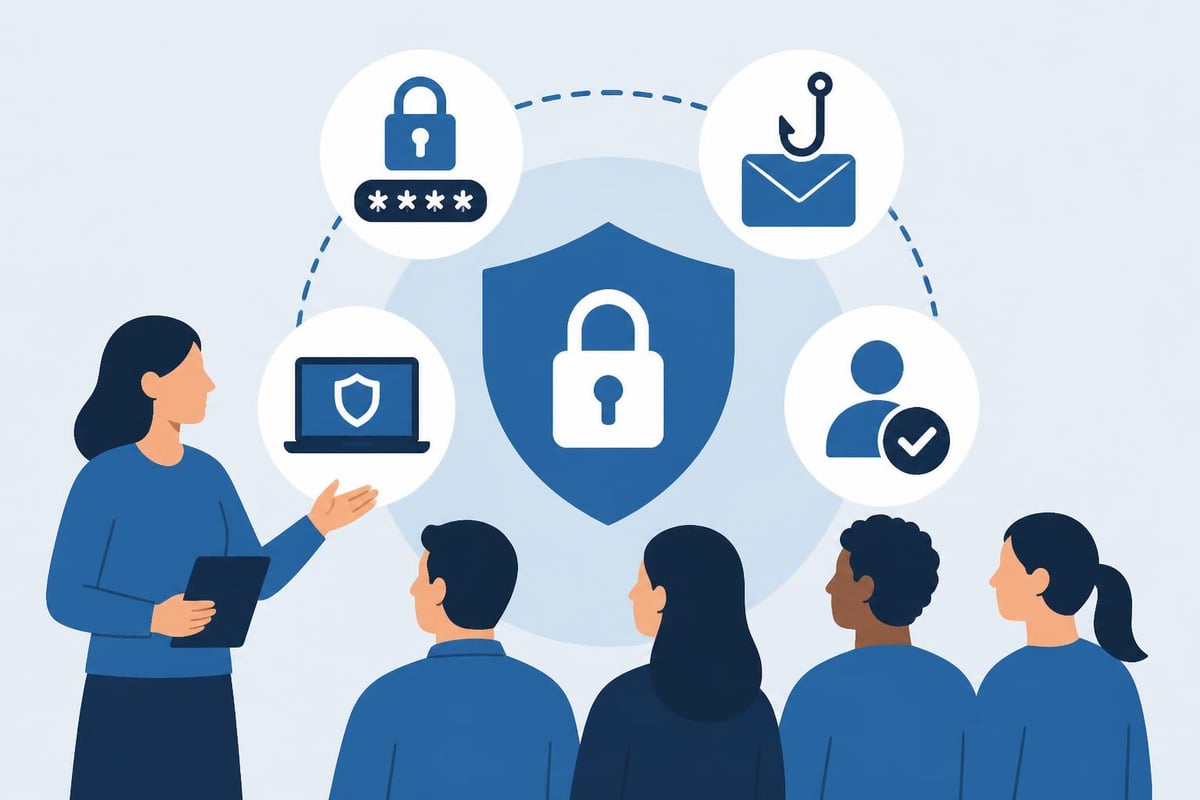
Your salon login security depends on creating a culture where every team member recognizes their role in protecting client information. This requires ongoing education rather than one-time orientation.
Essential Training Topics
Password management education should cover how to create strong but memorable passwords, why password sharing violates security policies, and what to do if they suspect credential compromise. Explain the business and legal consequences of data breaches in terms that resonate with your team.
Phishing awareness helps staff recognize fraudulent emails or messages attempting to steal their salon login credentials. Cybercriminals increasingly target small businesses with sophisticated social engineering attacks that appear to come from legitimate sources.
Physical security encompasses locking workstations when leaving the area, not writing passwords on sticky notes, and understanding the risks of accessing salon systems on public WiFi networks.
According to the comprehensive guide on salon POS systems, choosing salon-specific software with integrated security features simplifies staff training by building security into familiar workflows rather than requiring separate security procedures.
Compliance and Regulatory Requirements
Salons in 2026 operate under increasingly stringent data protection regulations. The California Consumer Privacy Act (CCPA), General Data Protection Regulation (GDPR) for international clients, and industry-specific requirements all impose obligations on how you secure client information.
Your salon login procedures directly impact compliance status. Regulators expect businesses to implement "appropriate technical and organizational measures" to protect personal data. Demonstrating that you've implemented strong authentication, access controls, and audit logging helps establish compliance.
Regulatory compliance checklist:
- Document who has access to client data and why
- Maintain audit logs showing all access to personal information
- Implement procedures for revoking access when staff leave
- Establish processes for clients to request their data
- Create incident response plans for potential breaches
- Review and update security measures annually
Vendor Security Evaluation
When selecting salon management software, the provider's security practices directly affect your risk exposure. Before committing to a platform, thoroughly evaluate their salon login security architecture and overall cybersecurity posture.
Request information about their authentication mechanisms, data encryption standards, penetration testing frequency, and compliance certifications. Reputable vendors willingly discuss their security measures and provide documentation of their practices.
Critical vendor security questions:
- How is password data stored and encrypted?
- What authentication methods are supported (MFA, SSO, biometrics)?
- Where are servers physically located and who has access?
- How frequently are security audits and penetration tests conducted?
- What is the incident response procedure if a breach occurs?
- Are role-based permissions customizable to your specific needs?
- Does the system log all access and changes for audit purposes?
Methods for raising secure coding awareness among developers emphasize that software security begins during the development process. Vendors who prioritize secure coding practices create more robust salon login systems less vulnerable to exploitation.
Backup Authentication Methods
Technology fails occasionally, creating situations where normal salon login procedures don't work. Power outages, internet connectivity issues, or system glitches can prevent staff from accessing the scheduling platform precisely when they need it most.
Establishing backup authentication methods ensures business continuity without compromising security. This might include offline access modes with enhanced logging, temporary credentials with limited duration, or alternative verification procedures that require manager approval.
Backup access considerations:
- Document clear procedures for when primary authentication fails
- Limit backup method capabilities to essential functions only
- Require additional verification or approval for backup access
- Log all backup access events with detailed justification
- Review backup access logs weekly to prevent abuse
- Test backup procedures quarterly to ensure functionality
The key is balancing accessibility during emergencies with maintaining security standards. Backup methods should be significantly less convenient than normal processes to discourage routine use while remaining available when genuinely needed.
Future Trends in Salon Authentication
Authentication technology continues evolving, bringing new opportunities for salons to enhance their login security while improving user experience. Biometric authentication-using fingerprints, facial recognition, or even voice patterns-is becoming increasingly accessible for small businesses.
Behavioral biometrics analyze how users interact with systems, detecting anomalies that might indicate account compromise. If someone logs in with valid credentials but types at an unusual speed or clicks in atypical patterns, the system might require additional verification.
Emerging authentication technologies include:
- Continuous authentication that monitors user behavior throughout sessions
- Passwordless systems using hardware tokens or biometric-only verification
- Risk-based authentication that adjusts security requirements based on context
- Blockchain-based identity verification for decentralized credential management
- AI-powered anomaly detection identifying suspicious access patterns
While these technologies offer exciting possibilities, salons should prioritize mastering current best practices before adopting bleeding-edge solutions. A properly configured password system with MFA provides excellent security for most salon environments.
Securing your salon login process protects client data, maintains regulatory compliance, and builds trust with the customers who depend on you. By implementing strong authentication, role-based access control, and ongoing staff training, you create a security foundation that supports business growth without introducing unnecessary complexity. Salon Booking System incorporates robust security features including customizable access controls, encrypted data storage, and comprehensive audit logging, helping salons of all sizes protect their most valuable asset-client trust. Discover how our platform can streamline your operations while maintaining the highest security standards.