A booking widget for website integration has become essential for salons looking to capture appointments at the moment of highest client intent. When potential clients browse your services at 11 PM on a Sunday, they need immediate access to booking without waiting for business hours. Research from Square shows that businesses offering online booking see up to 25% more appointments compared to phone-only operations, with the convenience factor driving higher conversion rates and reducing administrative workload.
Understanding Booking Widget Functionality
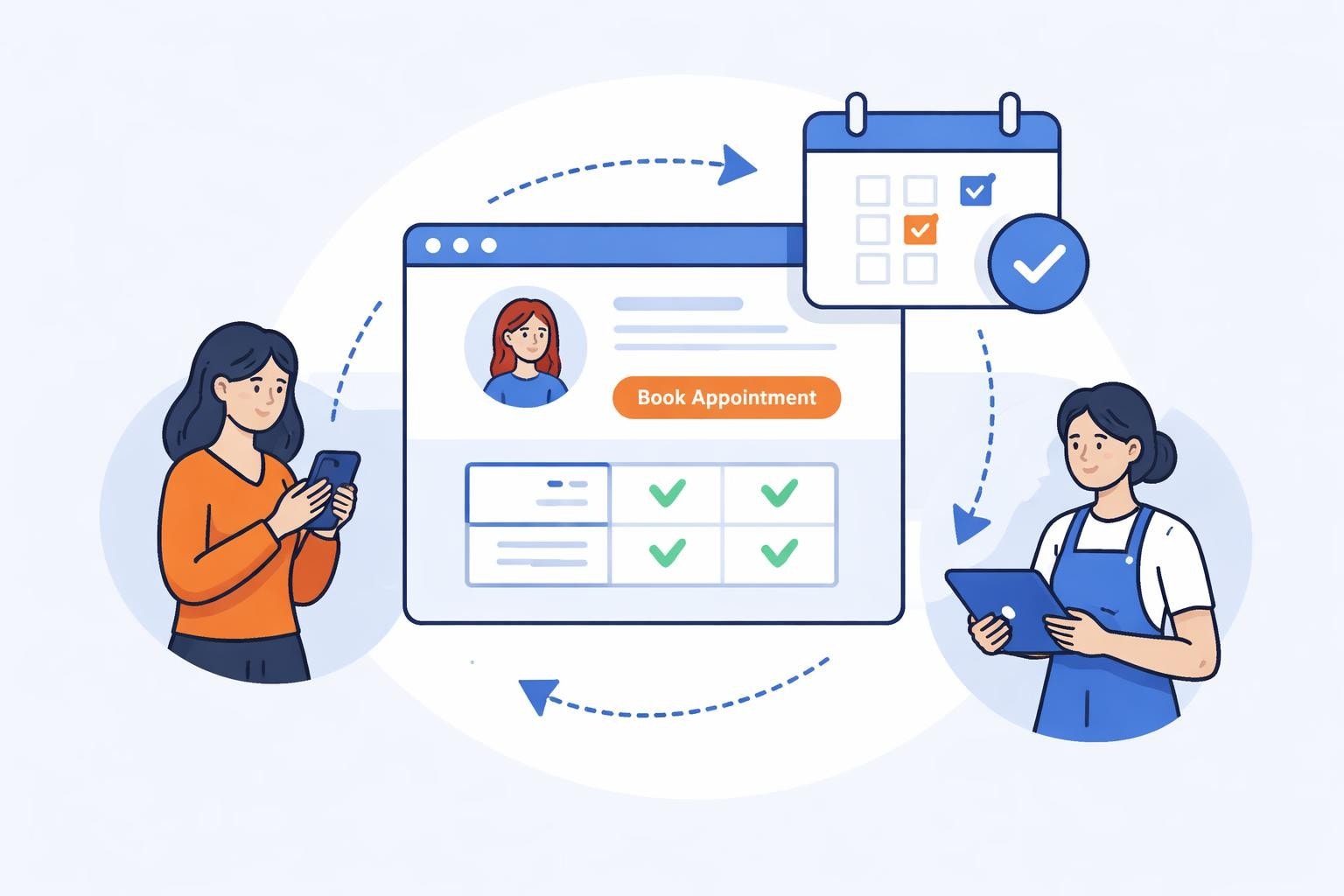
A booking widget for website serves as your digital receptionist, embedded directly into your salon's web pages. This tool allows visitors to view available time slots, select services, choose preferred staff members, and confirm appointments without leaving your site. Unlike redirect-based booking pages that send clients to external platforms, widgets maintain brand continuity and reduce booking abandonment.
Core Components of Effective Booking Widgets
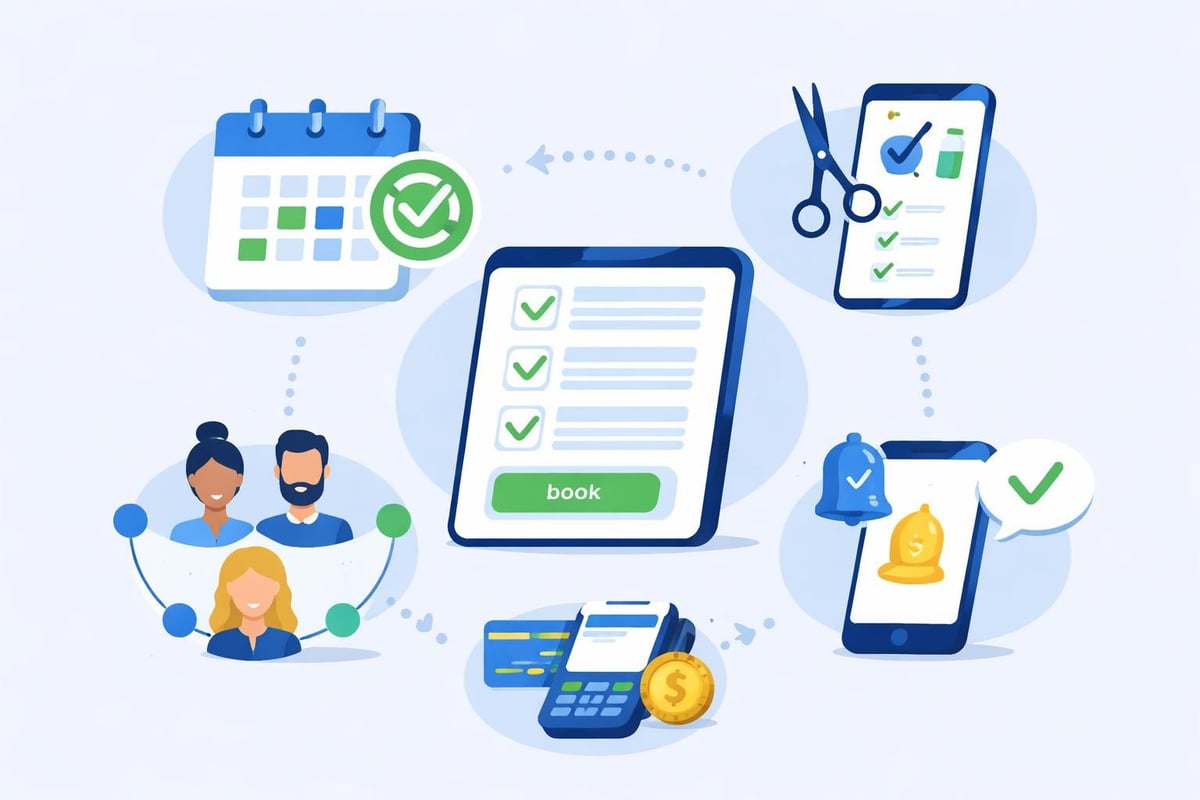
The most successful booking widgets incorporate several critical elements that work together to create seamless experiences. Real-time availability ensures clients see only genuinely available slots, preventing double-bookings and frustrating confirmation delays. Service categorization helps clients navigate your offerings efficiently, whether they're booking a basic haircut or a complex color treatment.
Modern widgets also include:
- Staff selection capabilities allowing clients to book with specific stylists
- Integrated payment processing for deposits or full prepayment
- Automatic confirmation and reminder systems reducing no-show rates
- Mobile-responsive design adapting to smartphones and tablets
- Multi-location support for salons with multiple branches
According to data from the Professional Beauty Association, salons using booking widgets report 40% fewer phone interruptions during peak hours, allowing staff to focus on in-person client experiences rather than administrative tasks.
Implementation Methods and Technical Approaches
Integrating a booking widget for website functionality involves choosing between several technical approaches, each with distinct advantages depending on your platform and technical expertise. The embedding process varies by platform, but most modern booking systems provide straightforward installation options.
Embed Code Installation
The embed code method represents the most common implementation approach. Your booking system generates JavaScript code that you paste into your website's HTML. This method works across virtually all platforms and provides maximum control over widget placement and appearance.
For HTML websites specifically, the process follows these steps:
- Generate your unique embed code from your booking system dashboard
- Access your website's HTML editor or page builder
- Navigate to the page where you want the widget to appear
- Paste the embed code in the desired location
- Save and publish your changes
- Test the widget across different devices
Popular platforms like WordPress, Squarespace, and Wix all support embed code installation through custom HTML blocks or widgets. The advantage of this approach lies in its flexibility, allowing you to position the booking interface exactly where it makes the most strategic sense on your pages.
iFrame Integration
iFrame integration loads your booking interface within a designated frame on your website. This method provides strong isolation between your booking system and website code, reducing potential conflicts. However, iFrames can present challenges with responsive design and may not adapt as smoothly to different screen sizes.
| Method | Ease of Use | Customization | Mobile Performance | SEO Impact |
|---|---|---|---|---|
| Embed Code | High | Excellent | Excellent | Minimal |
| iFrame | Very High | Limited | Good | Slightly Negative |
| Plugin | Varies | Good | Excellent | Minimal |
| Direct Link | Highest | None | Excellent | Moderate |
Platform-Specific Plugins
WordPress, Shopify, and other major platforms often have dedicated plugins for popular booking systems. These plugins simplify installation through guided setup wizards and automatic updates. According to various implementation guides, plugin-based installations typically take less than 15 minutes from start to finish.
Optimizing Widget Placement for Maximum Conversions
Strategic placement of your booking widget for website significantly impacts conversion rates. Heat mapping studies from Hotjar reveal that visitors scan web pages in F-patterns, focusing primarily on the top-left area before scanning rightward and downward. Understanding these patterns helps optimize widget positioning.
High-Conversion Placement Strategies
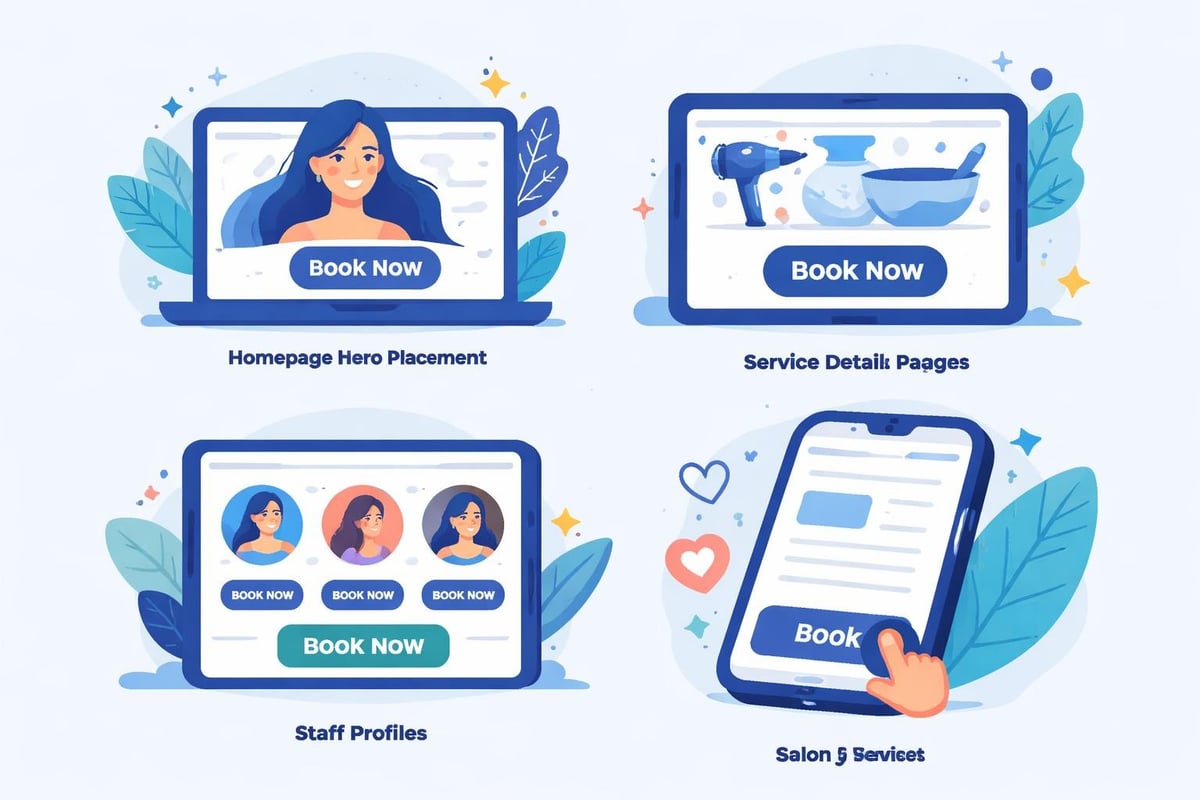
Homepage hero sections provide immediate booking access for visitors with clear intent. Placing a prominent "Book Now" button that triggers a modal booking widget captures appointments from motivated clients without requiring navigation to separate booking pages.
Service pages benefit from inline widget placement directly below service descriptions. When clients finish reading about a specific treatment, the booking interface appears at the natural decision point. This contextual placement increases booking completion rates by up to 35% compared to generic booking pages.
Sticky booking buttons remain visible as users scroll, maintaining constant access to appointment scheduling. These floating elements typically appear as:
- Fixed bottom bars on mobile devices
- Sidebar widgets on desktop layouts
- Floating action buttons in screen corners
- Header-integrated booking access
Research from the Baymard Institute shows that reducing steps between product discovery and purchase increases conversion rates by an average of 21%. The same principle applies to service booking, where minimizing clicks between service exploration and appointment confirmation drives higher booking volumes.
Customization and Brand Integration
A booking widget for website should reflect your salon's unique aesthetic and brand identity. Generic, unbranded booking interfaces create disconnected experiences that may reduce client trust and completion rates. Customization options allow seamless visual integration with your existing website design.
Visual Customization Options
Color schemes should match your brand palette exactly. Most professional booking systems allow customization of:
- Primary action button colors
- Text and heading colors
- Background colors and opacity
- Border styles and spacing
- Font families and sizes
Logo integration reinforces brand recognition throughout the booking process. Displaying your salon logo within the widget maintains visual continuity, particularly important for modal or popup booking interfaces that temporarily overlay your main website content.
Functional Customization Features
Beyond aesthetics, functional customization determines how clients interact with your booking system. Service display options let you control whether clients see all services immediately or navigate through categorized menus. Salons with extensive service menus often benefit from multi-level categorization.
Booking field requirements should balance information gathering with friction reduction. Required fields might include:
- Client name and contact information
- Service selection and duration
- Preferred date and time
- Staff member preference (optional)
- Special requests or notes
According to FormStack research, each additional form field reduces conversion rates by approximately 4%. Successful booking widgets collect essential information without creating overwhelming forms that drive abandonment.
Mobile Optimization and Responsive Design
Mobile devices now account for over 60% of web traffic in the beauty industry, according to Google Analytics benchmarks. Your booking widget for website must perform flawlessly on smartphones and tablets to capture this dominant traffic segment. Poor mobile experiences directly translate to lost appointment revenue.
Mobile-Specific Considerations
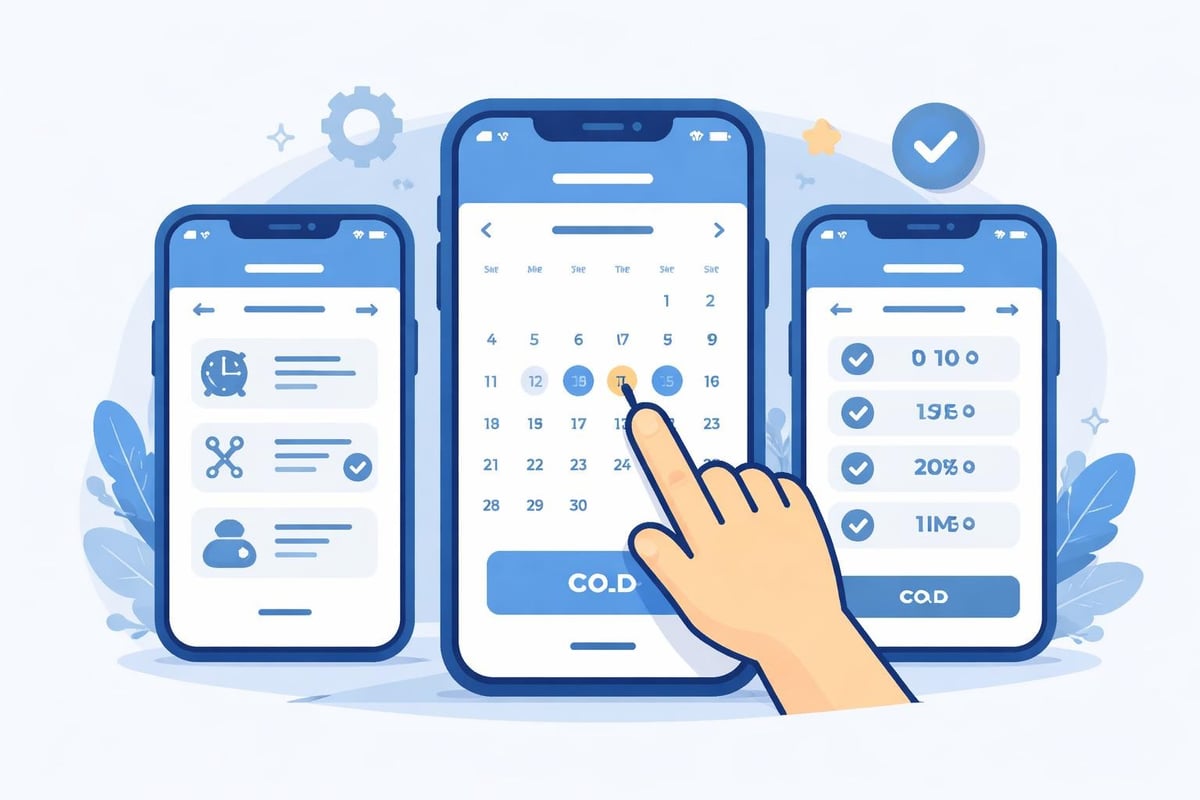
Touch-friendly interfaces require larger buttons and increased spacing compared to desktop designs. The recommended minimum touch target size is 48×48 pixels, preventing accidental taps on adjacent elements. Calendar date selection interfaces prove particularly critical, as cramped date pickers frustrate mobile users.
Simplified navigation reduces cognitive load on smaller screens. Mobile booking widgets often benefit from:
- Single-column layouts instead of multi-column grids
- Progressive disclosure showing one step at a time
- Persistent progress indicators
- Sticky "Continue" buttons always visible
- Auto-advance between completed steps
Loading speed impacts mobile conversions more severely than desktop experiences. Google research shows 53% of mobile users abandon sites taking longer than three seconds to load. Optimized booking widgets load core functionality first, then progressively enhance with additional features.
Testing Across Devices
Comprehensive testing ensures consistent performance across the device ecosystem. Your testing protocol should include:
| Device Category | Screen Sizes | Critical Tests |
|---|---|---|
| Smartphones | 320px – 428px | Portrait orientation, touch accuracy, keyboard behavior |
| Tablets | 768px – 1024px | Both orientations, gesture support, modal sizing |
| Desktop | 1280px+ | Multi-column layouts, hover states, keyboard navigation |
Browser testing matters equally. Safari, Chrome, Firefox, and Edge each handle web technologies slightly differently. According to StatCounter, Chrome dominates with 65% market share, but Safari captures significant iOS traffic essential for beauty businesses.
Integration with Business Operations
The most effective booking widget for website implementations extend beyond client-facing interfaces, connecting deeply with backend operations. Seamless integration between your booking system and operational tools determines overall efficiency and client satisfaction.
Calendar Synchronization
Two-way calendar sync prevents scheduling conflicts when stylists have external commitments. Integration with Google Calendar, Outlook, or Apple Calendar ensures appointments booked through your widget respect existing personal appointments. This synchronization happens in real-time, maintaining accuracy as schedules change throughout the day.
Multi-staff coordination becomes critical for salons with multiple service providers. Advanced booking widgets display combined availability across your team, automatically routing appointments based on:
- Service specializations and certifications
- Individual stylist schedules and time-off requests
- Load balancing to distribute appointments evenly
- Client preferences for specific team members
Payment Processing Integration
Integrated payment systems reduce no-shows while streamlining cash flow. Industry data from the American Salon Magazine indicates that requiring deposits reduces no-show rates from industry averages of 15-20% down to 5-8%. Your booking widget should support:
- Deposit collection at booking time
- Full prepayment for specific services
- Contactless payment options
- Refund and rescheduling policies
- Sales tax calculation and collection
Stripe, Square, and PayPal represent the most common payment gateways, each offering different fee structures and feature sets. Transaction fees typically range from 2.6% to 2.9% plus fixed per-transaction charges.
Client Communication Automation
Automated notifications maintain engagement throughout the appointment lifecycle. Effective communication sequences include:
- Immediate booking confirmation via email and SMS
- 24-hour advance reminders reducing no-show probability
- 2-hour final reminders catching last-minute cancellations
- Post-appointment follow-up requesting feedback and reviews
- Rescheduling prompts for recurring service clients
According to Acuity Scheduling research highlighted in professional reviews, automated reminders alone reduce no-shows by 30-50%, directly impacting revenue stability.
Security and Data Protection Considerations
Client information collected through your booking widget for website requires robust security measures. Data breaches damage reputation and trigger regulatory penalties under frameworks like GDPR in Europe and various state-level privacy laws in the United States.
Essential Security Features
SSL encryption protects data transmitted between client browsers and your booking system. Modern browsers display warning messages for non-HTTPS websites, particularly those collecting personal information. SSL certificates have become standard requirements rather than optional enhancements.
PCI compliance becomes mandatory when processing credit card payments directly. Payment Card Industry Data Security Standards (PCI DSS) establish requirements for handling, storing, and transmitting card data. Most booking systems achieve compliance by using tokenization, where sensitive card data never touches your servers.
Data retention policies should align with both legal requirements and business needs. Consider:
- Client contact information retention periods
- Payment transaction history archival
- Marketing consent documentation
- Right to deletion compliance procedures
Privacy Policy Integration
Your booking widget should link clearly to privacy policies explaining data collection and usage. Transparency builds trust and ensures regulatory compliance. Adding booking tools properly includes configuring consent checkboxes and privacy notices that meet legal standards.
Performance Monitoring and Optimization
Implementing a booking widget for website represents the beginning, not the end, of optimization efforts. Continuous monitoring and refinement based on real performance data maximize appointment volume and revenue generation.
Key Performance Metrics
Conversion rate measures the percentage of widget viewers who complete bookings. Industry benchmarks suggest conversion rates between 2-5% for cold traffic and 15-25% for returning clients. Track conversion rates by:
- Traffic source (organic search, social media, paid ads)
- Device type (mobile, tablet, desktop)
- Time of day and day of week
- Service category or price point
Abandonment analysis reveals where clients drop out of the booking process. Common abandonment points include:
- Initial service selection (overwhelming options)
- Calendar date selection (insufficient availability)
- Payment information entry (unexpected costs)
- Account creation requirements (unnecessary friction)
Average booking value indicates the revenue impact per completed appointment. Booking widgets offering service add-ons or package suggestions increase average transaction values by 15-30% compared to basic booking interfaces.
A/B Testing Strategies
Systematic testing identifies improvements without guesswork. Effective tests might compare:
| Element | Variation A | Variation B | Metric |
|---|---|---|---|
| Button Text | "Book Now" | "Schedule Appointment" | Click-through rate |
| Calendar Display | Month view | Week view | Selection completion |
| Payment Timing | Deposit required | Pay at salon | Booking completion |
| Service Display | Grid layout | List layout | Time to selection |
Run tests for minimum two-week periods to account for day-of-week variations and gather statistically significant data. According to Optimizely research, tests requiring at least 250-350 conversions per variation achieve reliable results.
Advanced Features and Future Capabilities
Modern booking widget for website implementations increasingly incorporate advanced capabilities that differentiate premium solutions from basic scheduling tools. These features address sophisticated operational needs while enhancing client experiences.
Artificial Intelligence Integration
Smart scheduling uses machine learning to optimize appointment distribution. AI algorithms analyze historical booking patterns, service durations, and stylist performance to suggest optimal scheduling that maximizes both revenue and client satisfaction. These systems adapt continuously, learning from outcomes to improve recommendations.
Predictive no-show detection identifies high-risk appointments based on client history, booking patterns, and behavioral signals. Salons can implement targeted confirmation protocols for flagged appointments, reducing revenue loss from empty appointment slots.
Advanced Customization Options
Conditional logic adapts the booking flow based on client selections. For example, color services might trigger additional questions about previous treatments, allergies, or desired results. This intelligent questioning gathers necessary information without overwhelming clients with irrelevant fields.
Dynamic pricing adjusts service costs based on demand, time slots, or stylist experience levels. Peak-hour surcharges and off-peak discounts optimize chair utilization while maximizing revenue per hour.
Integration Ecosystems
Comprehensive booking systems connect with broader business software ecosystems. Valuable integrations include:
- CRM systems for comprehensive client relationship management
- Email marketing platforms for targeted promotional campaigns
- Inventory management tracking product usage per service
- Accounting software automating financial record-keeping
- Review platforms requesting feedback on completed services
These integrations transform booking widgets from simple scheduling tools into central operational hubs that drive efficiency across your entire business.
Accessibility and Inclusive Design
A booking widget for website must serve all potential clients, including those with disabilities. Accessible design isn't merely ethical, it's legally required under the Americans with Disabilities Act and represents significant market opportunity, as one in four adults in the United States lives with a disability according to the CDC.
Accessibility Standards
WCAG 2.1 compliance provides specific guidelines for web accessibility. Level AA compliance represents the generally accepted standard for commercial websites. Key requirements include:
- Sufficient color contrast ratios (minimum 4.5:1)
- Keyboard navigation for all functions
- Screen reader compatibility and proper ARIA labels
- Text alternatives for non-text content
- Consistent, predictable navigation patterns
Form accessibility proves particularly important for booking interfaces. Proper label association, error identification, and input assistance help users with various disabilities complete appointments successfully. According to WebAIM research, 67% of screen reader users navigate forms by jumping between form fields, making proper labeling critical.
Testing for Accessibility
Comprehensive accessibility testing requires both automated tools and manual evaluation:
- Automated scanners like WAVE or axe identify technical violations
- Keyboard-only navigation testing ensures full functionality
- Screen reader testing with NVDA or JAWS confirms compatibility
- Color blindness simulation checks visual clarity
- User testing with people who have disabilities provides authentic feedback
Proper booking widget implementation includes accessibility configuration options that help meet these standards without requiring extensive technical expertise.
Strategic implementation of a booking widget transforms your salon website from a digital brochure into an active revenue generator, capturing appointments 24/7 while reducing administrative burden and no-show rates. The combination of seamless integration, mobile optimization, and thoughtful user experience design creates competitive advantages that drive sustainable business growth. Salon Booking System provides all these capabilities in a comprehensive platform trusted since 2016, offering advanced scheduling rules, integrated payments, and automated notifications that simplify appointment management while enhancing client satisfaction.