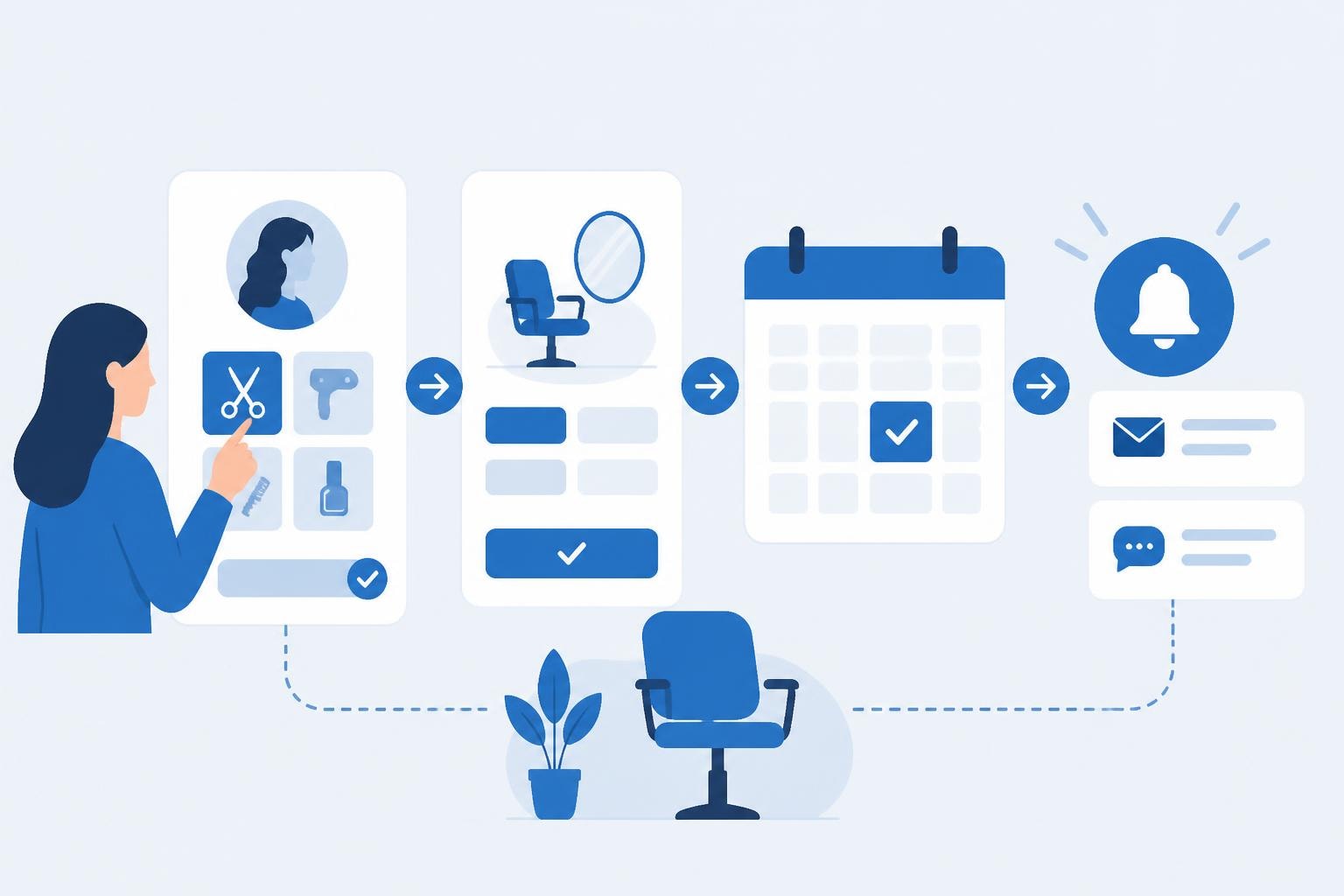
Managing appointments efficiently stands as one of the most critical operational challenges for salon owners in 2026. According to a 2025 report by Grand View Research, the global online appointment scheduling software market reached $546.31 million, with beauty and wellness businesses representing a significant portion of that growth. For salon professionals seeking to reduce administrative burden while improving client experience, booking on WordPress offers a powerful, customizable solution that transforms how appointments are managed. WordPress powers over 43% of all websites globally, making it an accessible platform for salons to implement professional booking capabilities without requiring extensive technical expertise.
Why Salons Choose WordPress for Booking Systems
WordPress provides salon owners with unprecedented flexibility when implementing appointment scheduling. Unlike proprietary platforms that lock businesses into rigid structures, WordPress allows complete customization of booking workflows, branding, and client touchpoints.
The platform's extensibility through plugins means salons can start with basic scheduling and gradually add features like client management, inventory tracking, and marketing automation. This scalability proves particularly valuable for growing businesses that need systems to evolve alongside their operations.
Key advantages for salon businesses include:
- Complete ownership of client data and booking information
- Integration capabilities with existing websites and marketing tools
- Cost-effective solutions compared to standalone booking platforms
- Customizable branding that maintains consistent visual identity
- Extensive plugin ecosystem for specialized salon needs
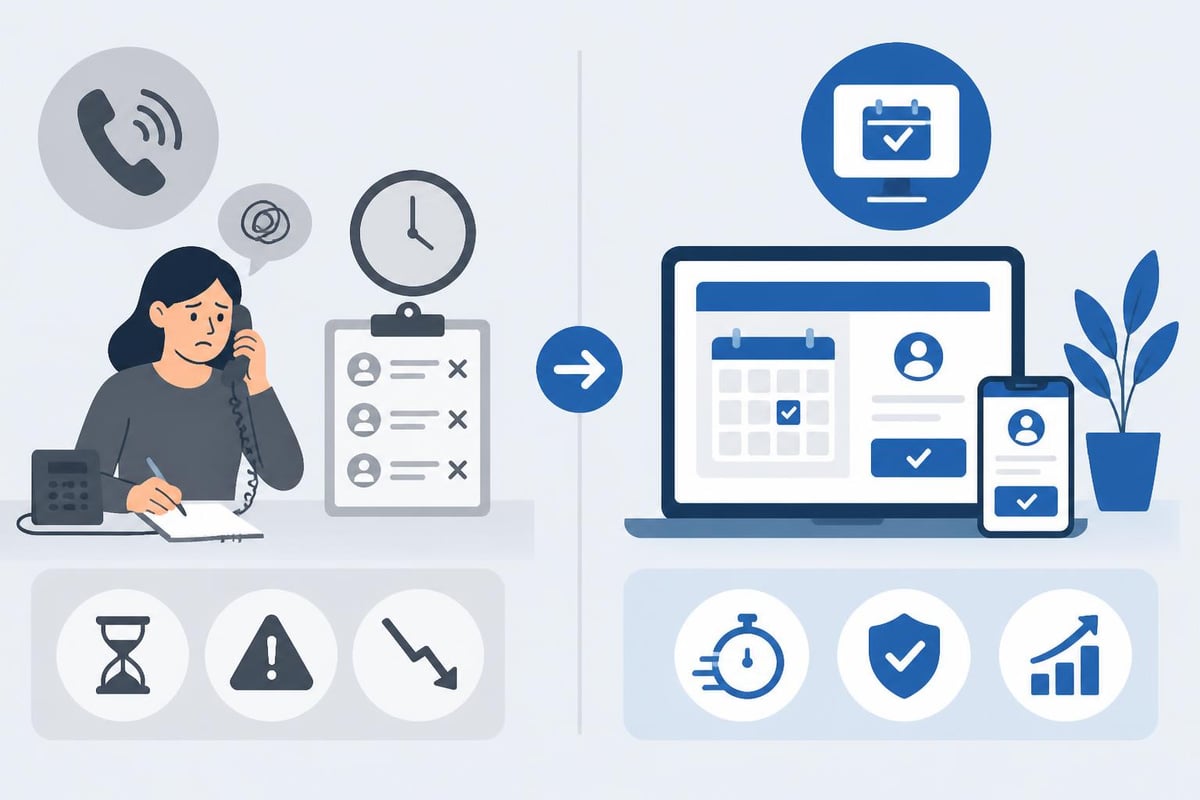
Research from Acuity Scheduling indicates that businesses offering online booking see up to 40% reduction in phone call volume and 25% increase in after-hours bookings. For salons, this translates directly to staff time savings and revenue growth from appointments booked outside traditional business hours.
Selecting the Right Booking Plugin for Salon Services
The WordPress ecosystem offers numerous booking plugins designed for different business types, making selection critical for salon success. Not all booking solutions accommodate the specific requirements of beauty businesses, such as service duration variations, staff assignments, and complex pricing structures.
Essential Features for Salon Booking Systems
When evaluating booking on WordPress options, salon owners should prioritize plugins that handle multi-service appointments seamlessly. Many clients book multiple services simultaneously-haircut plus color, for example-requiring systems that calculate combined duration and pricing accurately.
Must-have capabilities include:
- Service catalog management with detailed descriptions, durations, and pricing tiers
- Staff assignment logic that routes clients to specific stylists or available team members
- Buffer time settings between appointments for cleanup and preparation
- Deposit or prepayment collection to reduce no-show rates
- Automated reminder systems via SMS and email
- Client self-service portal for rebooking and appointment management
According to research published in the Journal of Service Management, appointment reminder systems reduce no-show rates by up to 38% when implemented consistently. For salons where no-shows represent significant lost revenue, this feature alone justifies implementing robust booking on WordPress solutions.
Comparing Top WordPress Booking Solutions
| Plugin Feature | Free Tier Available | Staff Management | Payment Processing | Mobile Optimization |
|---|---|---|---|---|
| Booknetic | Yes (Limited) | Advanced | Multiple Gateways | Fully Responsive |
| Amelia | No | Comprehensive | Stripe, PayPal | Native Apps |
| Bookly | Yes | Basic | PayPal, Stripe | Responsive |
| Simply Schedule | Yes | Limited | WooCommerce | Responsive |
The comparison of WordPress booking plugins reveals that while many solutions offer similar core features, the differences emerge in user experience, customization depth, and ongoing support quality. Salons should test multiple options using their actual service menu and booking scenarios before committing to a platform.
Implementing Booking on WordPress: Step-by-Step Process
Successfully deploying a booking system requires strategic planning beyond plugin installation. Salon owners must consider client journey mapping, staff training requirements, and data migration from existing systems.
Phase 1: Planning and Preparation
Before installing any booking software, document your current appointment process comprehensively. Identify pain points such as double-bookings, unclear service descriptions, or payment collection difficulties. This baseline assessment ensures your WordPress booking implementation addresses actual operational challenges rather than introducing new complexity.
Create a detailed service catalog including:
- Exact service names and descriptions clients understand
- Realistic duration estimates including preparation and cleanup
- Accurate pricing including any variables (hair length, product usage)
- Staff qualifications required for each service
- Any prerequisites or sequencing requirements
A 2024 study by Software Advice found that 67% of booking system failures stem from inadequate planning rather than technical issues. Taking time to map processes thoroughly dramatically increases implementation success rates.
Phase 2: Installation and Configuration
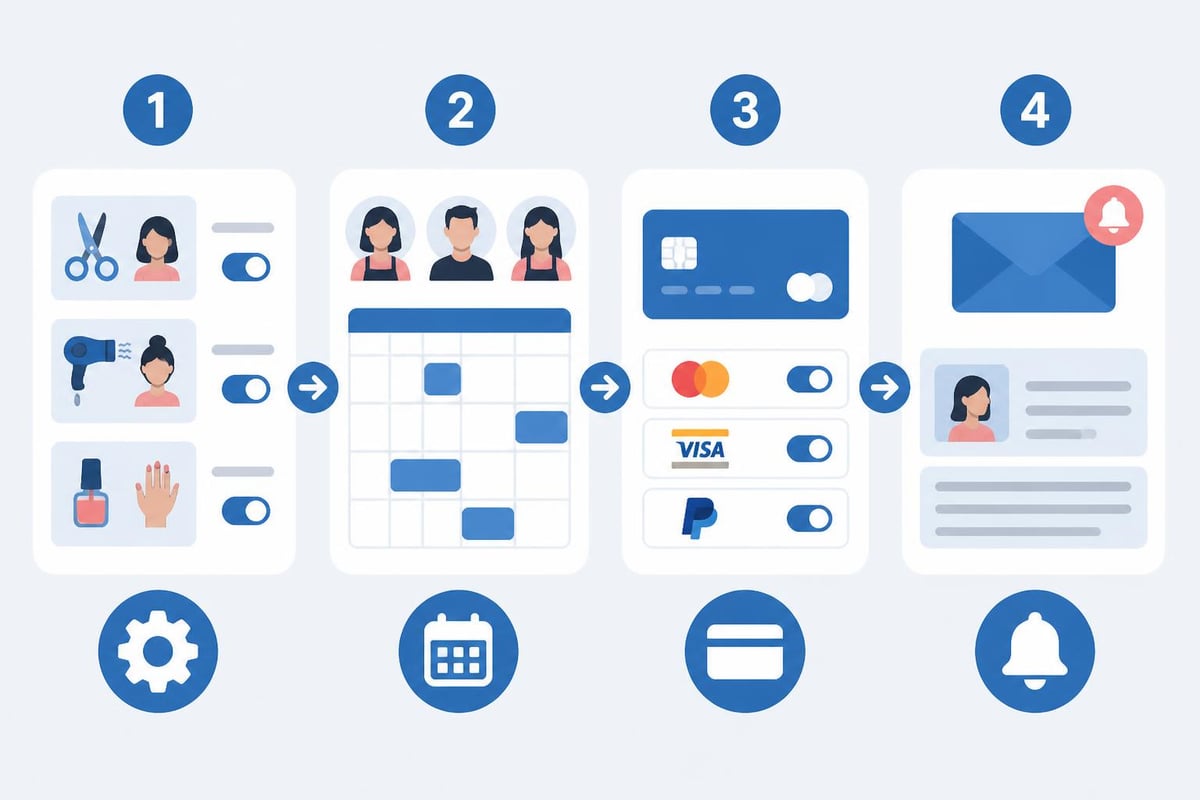
Following proper embedding procedures for booking systems ensures seamless integration with your WordPress site. Most modern booking plugins offer multiple installation methods including shortcodes, blocks, and page builder widgets.
Configuration steps for optimal salon booking:
- Install and activate your chosen booking plugin through WordPress admin panel
- Configure business hours including special hours for different stylists
- Input complete service catalog with accurate timing and pricing
- Set up staff profiles with availability calendars and service permissions
- Configure payment gateway connections for deposit collection
- Design confirmation and reminder email templates with brand voice
- Establish booking rules such as minimum advance notice and maximum future booking window
- Test complete booking flow from multiple devices and scenarios
The configuration phase typically requires 8-12 hours for salons with 5-10 staff members and 20-30 services. Rushing this process leads to client-facing errors that damage trust and potentially lose bookings.
Phase 3: Customization and Branding
Generic booking interfaces reduce client confidence and dilute brand identity. Customizing your WordPress booking system to match your salon's aesthetic creates seamless experience that reinforces professionalism.
Most WordPress booking plugins offer extensive customization options including color schemes, typography, button styles, and layout configurations. Advanced users can apply custom CSS for pixel-perfect brand alignment.
Customization priorities include:
- Color palette matching your website and physical salon space
- Typography consistent with other site elements
- Custom field additions for client preferences or special requests
- Branded confirmation pages that reinforce booking completion
- Mobile-optimized layouts for smartphone booking dominance
Statistics from Google Analytics across salon websites indicate that 68% of beauty service bookings now occur on mobile devices. Any booking on WordPress implementation must prioritize mobile user experience to capture this majority of potential appointments.
Optimizing Booking Flow for Maximum Conversion
Installing a booking system represents just the starting point. Continuous optimization based on actual user behavior separates salons that maximize online booking value from those experiencing disappointing adoption rates.
Analyzing Booking Abandonment
Most booking plugins include analytics showing where potential clients exit the booking process. Common abandonment points for salon bookings include:
- Service selection page when choices overwhelm clients
- Staff selection if process feels impersonal or confusing
- Payment page when deposit requirements surprise clients
- Final confirmation when form fields request excessive information
Heat mapping tools like Hotjar or Microsoft Clarity reveal exactly where clients hesitate or abandon bookings. A 2025 Baymard Institute study found that simplifying checkout forms alone increases completion rates by 26% on average.
Reducing Friction Points
Each click or decision point in your booking flow represents potential abandonment. Streamlining the path from landing to confirmation dramatically improves conversion rates.
Friction reduction strategies:
- Pre-select popular services or package combinations
- Allow "any available staff" option for clients without stylist preference
- Display total price early in the process to prevent checkout shock
- Minimize required form fields to only essential information
- Offer guest checkout without mandatory account creation
- Provide clear progress indicators showing booking completion steps
Testing different booking flows through A/B experiments identifies which configurations work best for your specific client base. What works for high-end spas may differ significantly from quick-service barber shops.
Integrating Marketing Automation
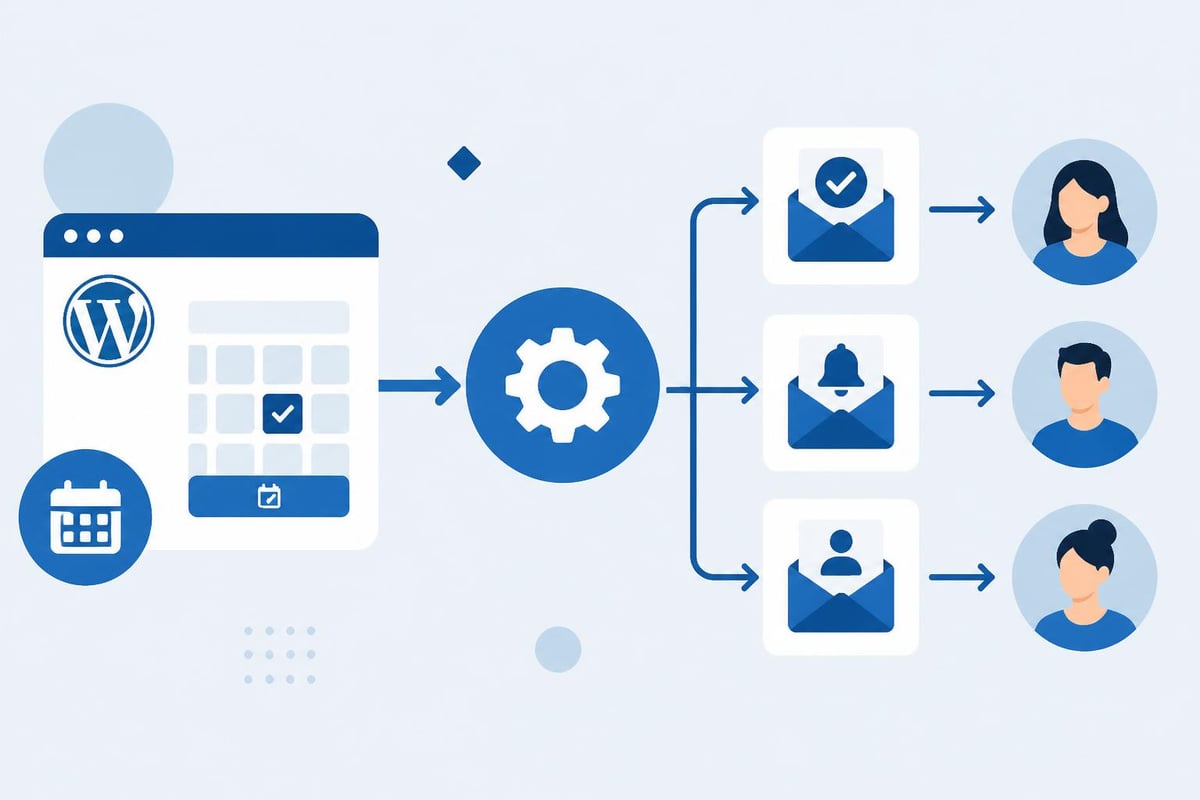
Booking on WordPress becomes exponentially more powerful when integrated with marketing automation platforms. Connecting your booking system to email marketing, SMS campaigns, and customer relationship management tools creates comprehensive client engagement ecosystems.
According to research from the Direct Marketing Association, automated email campaigns generate 320% more revenue than non-automated campaigns. For salons, this translates to strategic opportunities including:
| Automation Type | Trigger Event | Average Impact |
|---|---|---|
| Welcome Series | First booking completion | 15% rebooking rate increase |
| Rebooking Reminders | 3 weeks post-appointment | 28% rebooking capture |
| Birthday Offers | Client birthday month | 12% redemption rate |
| Win-back Campaigns | 90 days inactive | 8% reactivation rate |
| Review Requests | 24 hours post-service | 23% review completion |
Platforms like Zapier enable no-code connections between WordPress booking systems and tools like Mailchimp, Constant Contact, or ActiveCampaign. These integrations ensure every booking contributes to long-term client relationship development rather than remaining isolated transactions.
Managing Staff Schedules and Resources
Effective booking on WordPress requires sophisticated staff management capabilities that reflect real-world salon operations. Unlike simple calendar tools, professional booking systems must handle complex scheduling rules, skills-based routing, and commission tracking.
Advanced Staff Configuration
Each team member brings unique availability patterns, service specializations, and client relationships. Your WordPress booking system should accommodate these variations while preventing scheduling conflicts and maximizing chair utilization.
Critical staff settings include:
- Individual working hours including breaks and lunch periods
- Service permissions limiting bookings to qualified staff only
- Buffer time requirements between appointments varying by service type
- Maximum daily appointment limits to prevent burnout
- Preferred client assignments for relationship continuity
- Commission tracking tied to specific services and products
Research from the Professional Beauty Association indicates that salons optimizing staff schedules through automated systems see 17% improvement in chair utilization rates. This efficiency gain directly impacts profitability without requiring additional marketing investment.
Handling Peak Demand Periods
Salon booking patterns typically show significant clustering around weekends, evenings, and specific seasonal periods. Smart booking systems help distribute demand more evenly while capturing high-intent bookings during peak times.
Implementing dynamic pricing for premium time slots encourages clients to book during off-peak periods when offered incentives. A 2024 study in the Journal of Revenue Management found that time-based pricing increases off-peak bookings by 22% while maintaining premium period revenue.
Demand management strategies:
- Offer 10-15% discounts for Tuesday-Thursday morning appointments
- Implement waitlist functionality for fully booked popular times
- Create package deals encouraging longer appointments during slow periods
- Use booking limits to reserve capacity for walk-in clients
- Enable overbooking with intelligent queuing for express services
The implementation best practices for WordPress booking software emphasize the importance of balancing automation with human oversight, particularly during transition periods when staff and clients adapt to new systems.
Payment Processing and Financial Management
Integrating payment collection within your booking on WordPress system addresses one of the most significant challenges salon owners face: reducing no-shows while streamlining financial operations.
Configuring Deposit and Prepayment Options
Requiring deposits for appointments transforms client commitment levels. Data from booking platform Vagaro shows that appointments with deposits have 72% lower no-show rates compared to those without financial commitment.
Your WordPress booking implementation should support flexible deposit structures:
- Percentage-based deposits (typically 20-50% of service cost)
- Fixed-amount deposits for all services
- Full prepayment requirements for first-time clients or historically unreliable customers
- Waived deposits for established VIP clients
- Deposit forfeiture policies with clear communication
Payment gateway selection impacts both client experience and your operational costs. Stripe and PayPal dominate WordPress booking integrations, but comparing transaction fees, settlement times, and feature sets ensures optimal financial alignment.
| Payment Processor | Transaction Fee | Settlement Time | Recurring Billing | Dispute Handling |
|---|---|---|---|---|
| Stripe | 2.9% + $0.30 | 2 business days | Native support | Comprehensive |
| PayPal | 2.99% + $0.49 | Instant available | Via subscriptions | Good |
| Square | 2.9% + $0.30 | 1-2 business days | Native support | Excellent |
Managing Refunds and Cancellations
Clear cancellation policies embedded within your booking system protect revenue while maintaining client relationships. Automated policy enforcement removes uncomfortable conversations while ensuring consistent application across all clients.
According to consumer behavior research, 83% of clients find clearly stated cancellation policies more trustworthy than ambiguous terms. Your WordPress booking configuration should display policies at multiple touchpoints throughout the booking process.
Effective policy structures include:
- 24-48 hour cancellation windows for full refund eligibility
- Graduated refund percentages based on cancellation timing
- Automatic rebooking incentives for cancelled appointments
- Exception handling for emergencies with documentation requirements
- Integration with scheduling software to automatically release cancelled slots
Security and Data Protection Considerations
Managing client information through booking on WordPress systems creates significant privacy and security responsibilities. The beauty industry handles sensitive personal data including contact information, payment details, and sometimes health-related information.
GDPR and Privacy Compliance
Even salons operating exclusively in the United States should implement data protection best practices reflecting GDPR standards. These regulations set global benchmarks for client data handling that increasingly inform consumer expectations everywhere.
Essential privacy protections include:
- Clear consent collection for data storage and communication
- Accessible privacy policies explaining data usage
- Client data export capabilities upon request
- Secure data deletion procedures for account closures
- Staff access controls limiting who views client information
- Encrypted transmission for all payment and personal data
The WordPress booking system integration guides emphasize selecting plugins that maintain active security updates and compliance certifications. Outdated booking software creates vulnerabilities that expose both client data and business liability.
Backup and Disaster Recovery
Booking data represents critical business information requiring robust backup procedures. Losing appointment history, client preferences, or upcoming bookings can devastate salon operations.
WordPress-specific backup plugins like UpdraftPlus or BackupBuddy should run daily backups of both database and files to redundant locations. Cloud storage providers like Dropbox, Google Drive, or dedicated WordPress backup services ensure data survival even if primary hosting fails.
Testing restoration procedures quarterly confirms that backups actually work when needed. Many businesses discover backup failures only when attempting recovery, making regular testing essential for true protection.
Training Staff for Booking System Success
Technology implementation succeeds or fails based on user adoption. Your WordPress booking system delivers value only when staff members embrace it confidently and clients experience consistent, professional interactions.
Creating Effective Training Programs
Comprehensive staff training should occur before system launch, covering both technical operation and customer service aspects of the new booking process.
Training curriculum components:
- System navigation and appointment creation from admin perspective
- Handling booking modifications and cancellations
- Managing client accounts and preference documentation
- Processing payments and applying promotions
- Troubleshooting common technical issues
- Explaining new booking options to clients
- Transitioning existing clients to online booking
Role-playing exercises where staff practice explaining the booking system to clients build confidence and identify communication challenges before they impact real customer interactions. According to training effectiveness research, hands-on practice improves skill retention by 75% compared to passive observation alone.
Measuring Adoption and Performance
Establishing clear metrics for booking system success enables data-driven optimization and staff accountability. Track both quantitative performance indicators and qualitative client feedback.
Key performance indicators for booking on WordPress systems:
- Percentage of appointments booked online versus phone/in-person
- Average booking completion time and abandonment rates
- No-show rates comparing before and after implementation
- Client satisfaction scores related to booking experience
- Staff time spent on appointment management tasks
- Revenue captured through automated deposit collection
Monthly review sessions with staff create opportunities to address challenges, celebrate successes, and continuously refine processes. Systems thinking research demonstrates that regular feedback loops accelerate improvement by 40% compared to annual review cycles.
Mobile Optimization and Client Experience
The dominance of mobile booking demands that your WordPress implementation delivers flawless smartphone and tablet experiences. Responsive design alone proves insufficient when complex booking forms require precision input on small screens.
Mobile-First Design Principles
Rather than adapting desktop booking flows for mobile devices, designing specifically for mobile usage patterns creates superior experiences. Mobile users demonstrate different behaviors: shorter attention spans, thumb-based navigation, and context-specific needs.
Mobile optimization priorities:
- Large, tap-friendly buttons spaced for thumb accuracy
- Minimal text input through dropdowns and selection tools
- Prominent display of essential information like price and duration
- Single-column layouts that eliminate horizontal scrolling
- Instant validation feedback for form entries
- Apple Pay and Google Pay integration for streamlined payment
Testing booking flows on actual devices reveals issues invisible on desktop simulators. According to usability research from the Nielsen Norman Group, mobile usability testing identifies 85% more issues than desktop testing alone when interfaces serve both platforms.
Progressive Web App Capabilities
Advanced WordPress booking implementations can leverage progressive web app (PWA) technology, enabling app-like experiences without requiring native application downloads. PWAs offer offline functionality, home screen installation, and push notification capabilities.
For salons, PWA features create competitive advantages through:
- Home screen icons that increase booking frequency
- Push notifications for appointment reminders
- Offline access to upcoming appointment details
- Faster loading through intelligent caching
- Installation prompts that feel native rather than web-based
While implementing PWA functionality requires more technical expertise than standard WordPress booking plugins, the engagement improvements justify investment for tech-forward salons. Data from Google indicates that PWAs see 52% higher conversion rates compared to standard mobile websites.
Integration with Salon Management Ecosystems
Booking on WordPress reaches maximum value when connected to comprehensive salon management tools. Isolated booking systems create data silos that require manual reconciliation and duplicate entry.
Point of Sale Integration
Connecting your WordPress booking system with point of sale software creates seamless experiences from appointment booking through service delivery and checkout. Clients appreciate not repeating information, while staff benefit from unified client histories.
Popular salon POS systems like Square Appointments, Vagaro, and Salon Iris offer varying integration capabilities with WordPress. Some provide native plugins, while others require middleware platforms like Zapier for data synchronization.
Integration benefits include:
- Automatic client profile creation from first booking
- Service history visibility during appointment consultations
- Product purchase tracking for personalized recommendations
- Commission calculation based on actual services performed
- Inventory deduction for products used during services
Email Marketing Platform Connections
Every booking represents a marketing opportunity when integrated with email platforms. Capturing client email addresses during booking enables nurture campaigns that drive retention and increase lifetime value.
Platforms like Mailchimp, Constant Contact, and Klaviyo offer WordPress integrations that automatically segment clients based on services booked, spending patterns, and engagement levels. According to email marketing benchmarks from Campaign Monitor, segmented campaigns generate 760% more revenue than non-segmented broadcasts.
Automated campaign opportunities:
- Welcome series for first-time clients introducing salon culture
- Service-specific care tips following color or treatment appointments
- Seasonal promotion announcements for relevant services
- Loyalty program communications based on visit frequency
- Educational content establishing expertise and authority
The detailed guides on creating booking systems in WordPress often overlook these integration opportunities, focusing solely on scheduling functionality. However, strategic connections multiply booking system value exponentially.
Troubleshooting Common Implementation Challenges
Even carefully planned booking on WordPress implementations encounter obstacles. Understanding common challenges and solutions accelerates problem resolution while minimizing client-facing disruptions.
Technical Issues and Solutions
WordPress conflicts between themes, plugins, and custom code create the most frequent technical problems. Booking systems that work perfectly in testing environments sometimes malfunction when deployed to production sites with complex plugin ecosystems.
Common technical challenges:
| Problem | Likely Cause | Solution Approach |
|---|---|---|
| Booking form not displaying | Theme CSS conflicts | Add custom CSS or switch themes |
| Double bookings occurring | Cache interference | Disable page caching for booking pages |
| Payment processing failing | API key misconfiguration | Verify gateway credentials |
| Email notifications not sending | Server email limitations | Configure SMTP plugin |
| Mobile layout breaking | Viewport settings | Adjust responsive breakpoints |
Maintaining detailed documentation of all customizations, plugin versions, and configuration settings enables faster troubleshooting when issues arise. Many salon owners discover that problems stem from automatic plugin updates changing functionality without warning.
Client Adoption Barriers
Technical perfection means nothing if clients don't use your booking system. Resistance to online booking often reflects deeper concerns about technology, privacy, or relationship changes with familiar staff members.
Addressing adoption barriers requires empathy and clear communication about benefits rather than forced transitions. According to change management research, voluntary adoption driven by perceived value outperforms mandated changes by 3:1 in sustained usage rates.
Strategies for encouraging client adoption:
- Highlight convenience benefits like 24/7 booking availability
- Offer first-time booking incentives like discounts or bonus services
- Provide assisted booking during initial appointments
- Maintain phone booking options for resistant clients
- Share success stories from clients who love online booking
- Emphasize security and privacy protections
Gradual rollouts starting with tech-savvy clients create ambassadors who naturally encourage peers to try online booking. Patience during transition periods prevents alienating established clients while building momentum toward widespread adoption.
Implementing booking on WordPress transforms salon operations from reactive scheduling chaos to proactive appointment management that serves both business efficiency and client convenience. The investment in proper planning, configuration, and ongoing optimization pays dividends through reduced administrative burden, decreased no-shows, and increased booking capture outside traditional business hours. Salon Booking System offers comprehensive WordPress-compatible solutions specifically designed for beauty professionals, combining powerful scheduling features with user-friendly interfaces that both staff and clients appreciate. Since 2016, salons have trusted our platform to streamline their booking processes while maintaining the personal touch that defines exceptional service experiences.