Finding the right booking engine WordPress solution can transform how your salon manages appointments and serves clients. With WordPress powering over 43% of all websites globally in 2026, integrating a robust booking system into your existing site offers both flexibility and control. For salon owners, hairdressers, and beauty professionals, this combination provides a cost-effective way to streamline operations while maintaining brand consistency across your digital presence.
Understanding WordPress Booking Engines for Salon Businesses
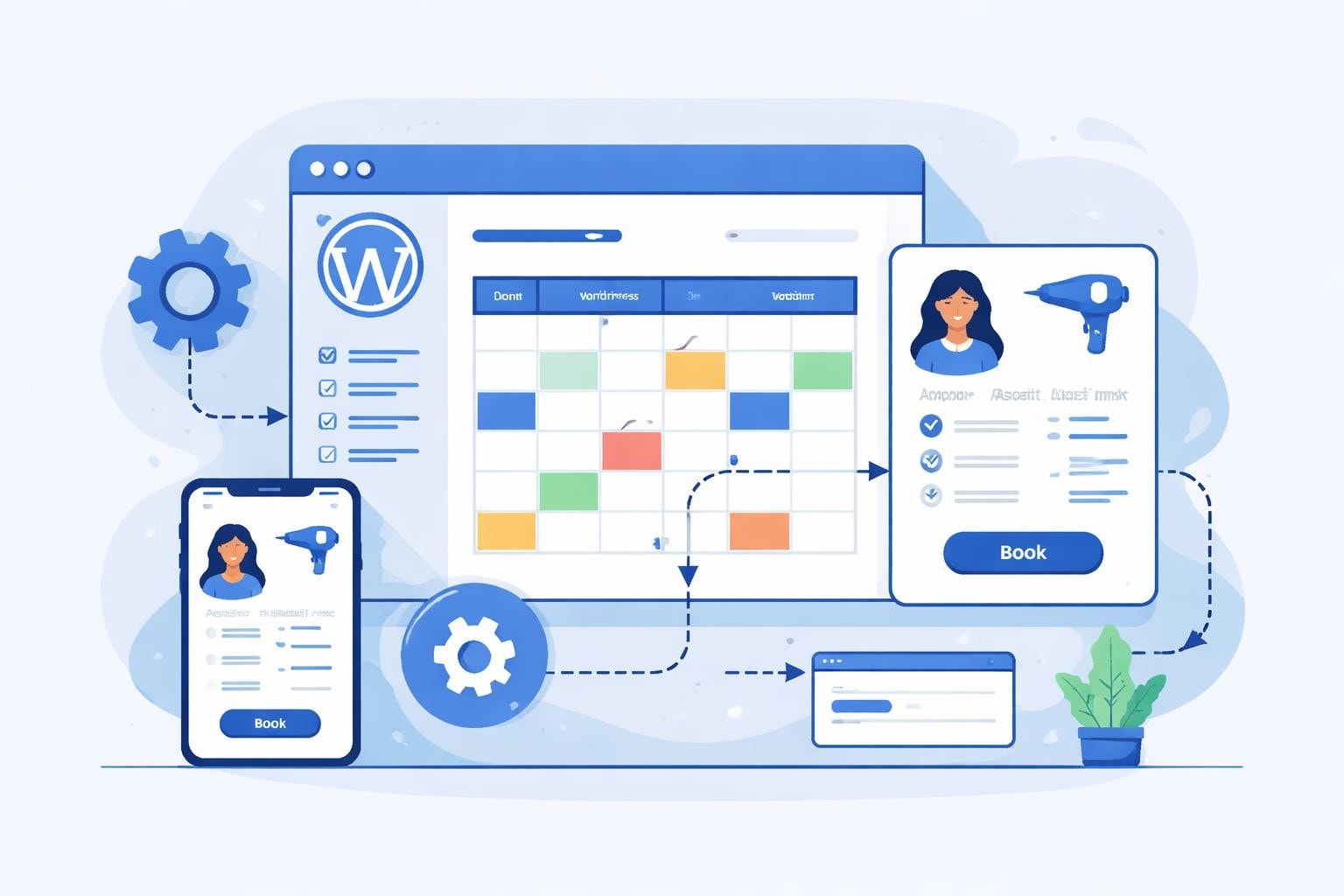
A booking engine WordPress integration brings together two powerful platforms: the world's most popular content management system and specialized scheduling software designed for service-based businesses. This partnership creates a seamless booking experience where clients can schedule appointments without leaving your website.
The architecture typically involves either a standalone plugin that runs entirely within WordPress or a hybrid solution that embeds external booking functionality through shortcodes or widgets. Each approach offers distinct advantages depending on your technical expertise, budget, and specific salon requirements.
Key Components of Effective Salon Booking Systems
Essential features every salon booking engine should include:
- Real-time availability calendar synchronized across all team members
- Service menu with customizable duration and pricing
- Staff selection and assignment capabilities
- Automated email and SMS confirmations
- Payment processing integration for deposits or full payments
- Client management database with booking history
According to research from Square, 67% of consumers prefer booking appointments online rather than calling, making a robust booking engine essential for modern salons. The convenience factor directly impacts your conversion rates and overall revenue potential.
Technical Setup: Installing Your Booking Engine WordPress Solution
Implementation begins with selecting the right plugin or integration method for your salon's specific needs. The WordPress ecosystem offers numerous options, from lightweight appointment schedulers to comprehensive business management platforms.
Step-by-Step Installation Process
For plugin-based solutions:
- Access your WordPress dashboard and navigate to Plugins > Add New
- Search for your chosen booking system or upload the plugin file
- Activate the plugin and complete initial configuration
- Set up your services, pricing, and staff profiles
- Configure notification templates and payment gateways
- Embed booking forms using shortcodes or blocks
The installation process for booking engines on WordPress typically takes 30-45 minutes for basic setup, though full customization may require additional time. Many salon owners find that dedicating an afternoon to proper configuration pays dividends in reduced administrative overhead.
Shortcode Integration and Customization
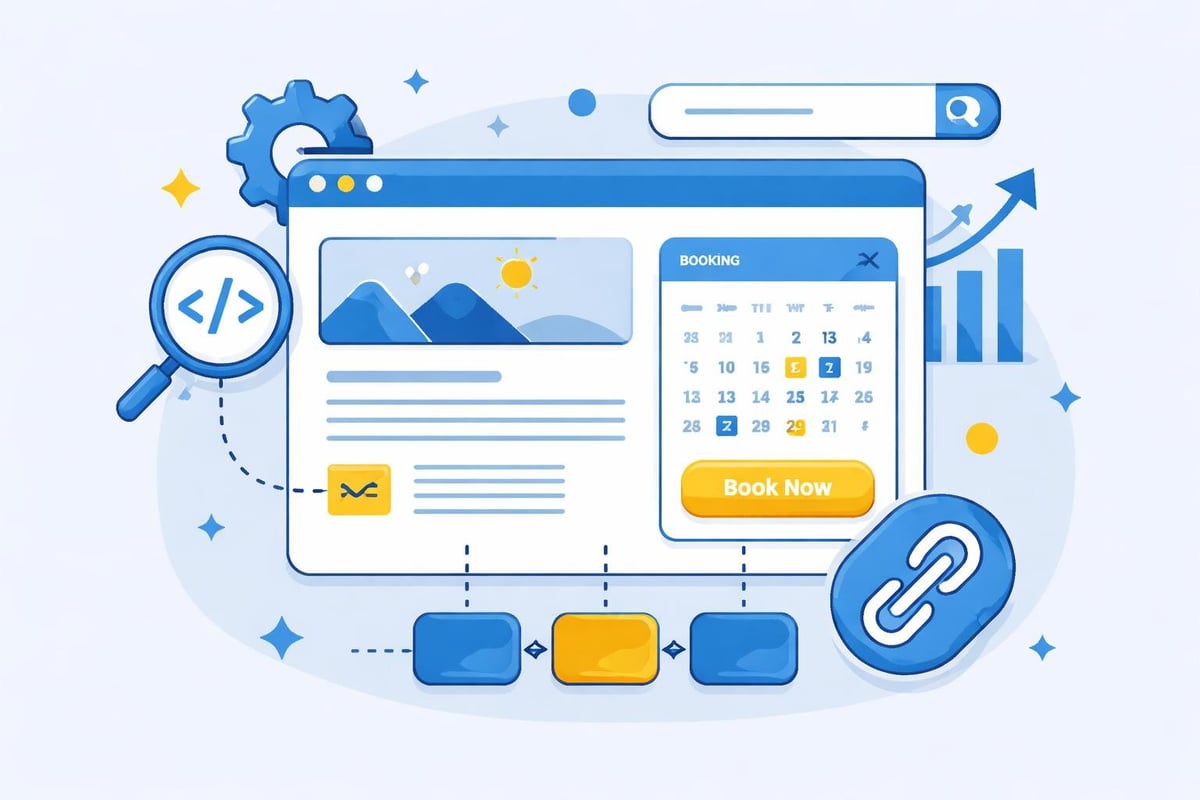
Modern booking engine WordPress implementations leverage shortcodes for maximum flexibility. These simple text snippets allow you to embed full booking calendars, service selection menus, or quick appointment buttons anywhere on your site.
Common shortcode implementations include:
- Full-page booking forms on dedicated scheduling pages
- Sidebar widgets for quick appointment access
- Service-specific booking buttons on individual treatment pages
- Staff profile pages with individual calendars
Customization parameters typically control:
| Parameter | Function | Example Use |
|---|---|---|
| Service Filter | Display specific treatments only | Show only hair coloring options |
| Staff Selection | Limit to particular team members | Feature senior stylists |
| Time Range | Restrict available booking hours | Evening appointments only |
| Location | Filter by salon branch | Multi-location businesses |
This granular control ensures clients see only relevant options, reducing confusion and accelerating the booking process.
Optimizing User Experience and Conversion Rates
The effectiveness of your booking engine WordPress setup depends heavily on user experience design. Even the most feature-rich system fails if clients abandon the process before completing their reservation.
Mobile Responsiveness and Speed Optimization
With 78% of salon appointment bookings originating from mobile devices in 2026, responsive design is non-negotiable. Your booking interface must adapt seamlessly to smartphones and tablets while maintaining full functionality.
Performance optimization checklist:
- Minimize plugin conflicts by deactivating unused extensions
- Implement caching for faster page load times
- Compress images on booking pages
- Use lazy loading for calendar components
- Test booking flow on multiple devices and browsers
Research from Google indicates that 53% of mobile users abandon sites taking longer than three seconds to load. For salons, this translates directly to lost revenue and missed appointments.
Streamlining the Booking Process
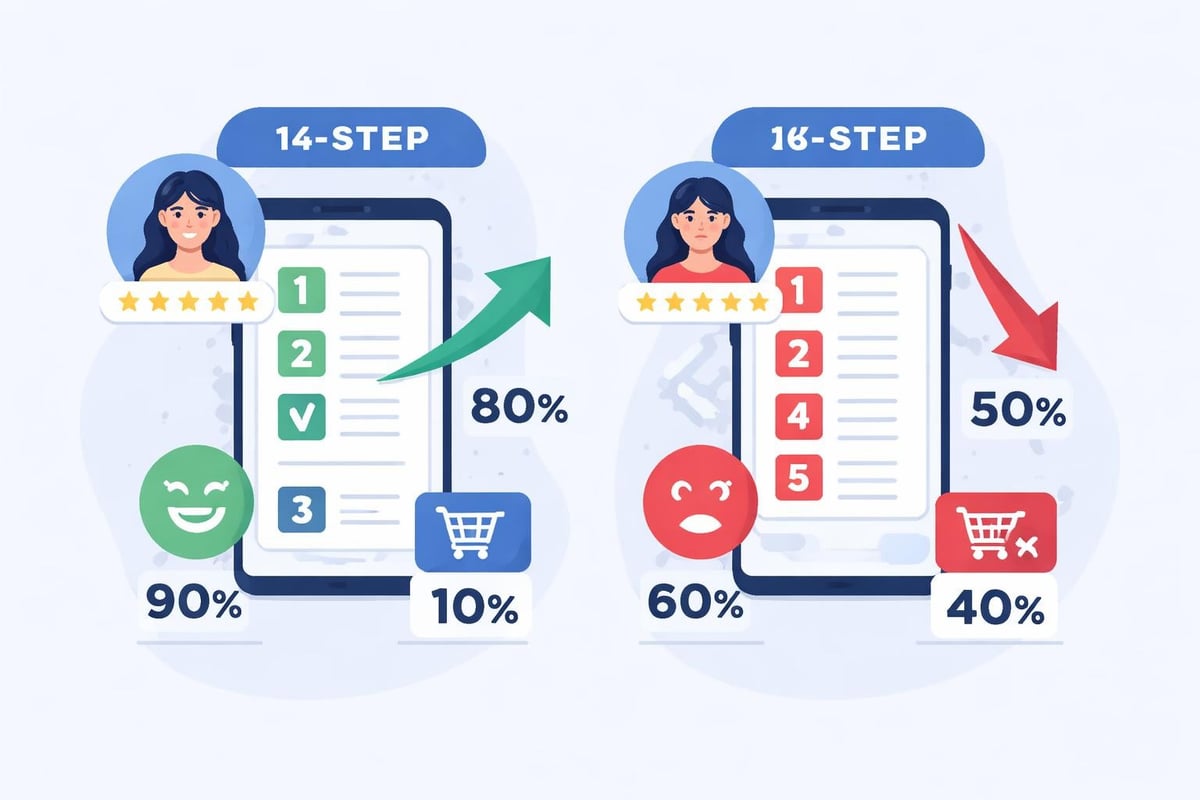
The ideal booking engine WordPress configuration minimizes steps between landing and confirmation. Industry data suggests that each additional required field reduces conversion by approximately 11%.
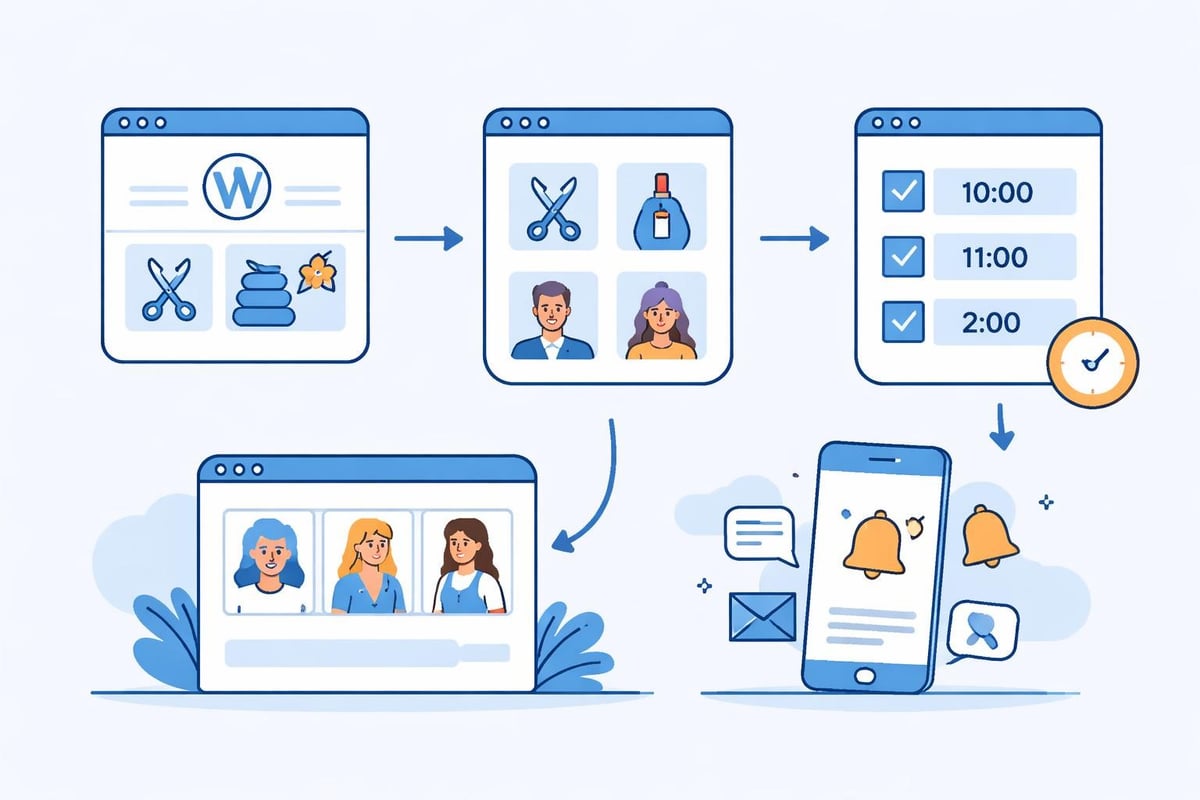
Recommended booking flow structure:
- Service selection (with clear descriptions and pricing)
- Staff preference (optional or automated)
- Date and time selection (visual calendar interface)
- Client information (name, contact details)
- Payment processing (if requiring deposits)
- Confirmation and calendar integration
Best practices for booking engines emphasize clarity, speed, and minimal friction throughout this journey. Consider implementing progress indicators so clients understand how many steps remain.
Advanced Features for Salon-Specific Requirements
Beyond basic appointment scheduling, sophisticated booking engine WordPress solutions offer specialized functionality particularly valuable for beauty and wellness businesses.
Service Dependencies and Multi-Step Treatments
Many salon services require sequential scheduling or compatible time blocks. For example, a balayage treatment might need a consultation slot followed by the actual coloring session, with buffer time for processing.
Advanced booking systems handle these complexities through:
- Service bundling with automatic duration calculation
- Resource allocation for equipment or treatment rooms
- Buffer time insertion between appointments
- Pre-appointment preparation reminders
This sophistication prevents overbooking while maximizing schedule efficiency. According to industry benchmarks, salons using intelligent scheduling systems achieve 23% higher daily appointment capacity compared to manual booking methods.
Payment Integration and Deposit Management
Financial transactions represent a critical component of modern booking engine WordPress implementations. Requiring deposits significantly reduces no-show rates, which average 15-20% across the beauty industry without preventive measures.
| Payment Strategy | No-Show Rate | Implementation Complexity | Client Satisfaction |
|---|---|---|---|
| No deposit required | 18-22% | Low | High |
| Fixed deposit amount | 8-12% | Medium | Medium |
| Percentage-based deposit | 5-8% | Medium | Medium |
| Full prepayment | 2-4% | High | Lower |
Integration with payment processors like Stripe, Square, or PayPal enables secure transactions directly within the booking flow. WordPress booking plugins supporting payment integration typically charge transaction fees ranging from 2.5% to 3.5% plus fixed per-transaction costs.
Automated Communication and Reminder Systems
Client notifications dramatically impact attendance rates and overall satisfaction. A comprehensive booking engine WordPress solution automates communications throughout the appointment lifecycle.
Essential notification triggers:
- Immediate booking confirmation
- 24-hour advance reminder
- 2-hour day-of reminder
- Post-appointment follow-up
- Rebooking encouragement (30 days post-visit)
SMS reminders reduce no-shows by 38% compared to email-only strategies, according to research from Software Advice. Combining both channels provides optimal results while respecting client communication preferences.
SEO Considerations for Booking Pages
Your booking engine WordPress integration presents significant opportunities for organic search visibility. Properly optimized booking pages attract potential clients searching for specific salon services in your area.
Structure and URL Optimization
Creating SEO-friendly booking pages begins with logical site architecture and clean URL structures. Each service category should occupy a distinct page with descriptive, keyword-rich URLs.
Recommended URL hierarchy:
yoursite.com/book/haircuts/
yoursite.com/book/hair-color/
yoursite.com/book/nail-services/
yoursite.com/book/facial-treatments/
This structure signals search engines about your service offerings while making navigation intuitive for users. Avoid dynamic parameters or session IDs in booking URLs, as these create duplicate content issues and confuse search algorithms.
Content Optimization on Booking Pages
Beyond the booking interface itself, surrounding content influences search rankings and conversion rates. Each service page should include:
- Detailed service descriptions (150-300 words minimum)
- Pricing transparency
- Duration information
- Preparation instructions
- Before/after care guidelines
- Staff expertise highlights
Rich content serves dual purposes: educating potential clients while providing search engines with contextual signals about page relevance. Salons with comprehensive service descriptions convert 32% more bookings than those with minimal information.
Security and Compliance for Client Data
Implementing a booking engine WordPress solution requires careful attention to data protection regulations and security best practices. Your system handles sensitive personal information including names, contact details, payment data, and potentially medical history for certain treatments.
GDPR and Data Protection Requirements
The General Data Protection Regulation and similar privacy laws mandate specific safeguards for client information. Your booking engine must provide:
- Clear consent mechanisms for data collection
- Transparent privacy policies accessible during booking
- Client access to personal data upon request
- Secure data storage with encryption
- Right to deletion (erasure) capabilities
- Data breach notification procedures
Most professional booking engine WordPress solutions include built-in compliance features, but salon owners remain ultimately responsible for proper implementation and ongoing adherence.
WordPress Security Hardening
General WordPress security measures complement booking system protections:
Essential security practices:
- Regular updates for WordPress core, themes, and plugins
- Strong password policies for admin accounts
- Two-factor authentication for administrative access
- SSL certificates (HTTPS) for all pages
- Regular automated backups
- Security plugin implementation (Wordfence, Sucuri)
Security considerations for WordPress booking plugins emphasize that vulnerabilities often stem from outdated software rather than inherent plugin weaknesses. Maintaining current versions represents your primary defense against security threats.
Integration with Existing Salon Management Tools
A booking engine WordPress implementation rarely operates in isolation. Modern salons typically use various software tools for point-of-sale transactions, inventory management, client relationship management, and marketing automation.
API Connections and Data Synchronization
Application Programming Interfaces (APIs) enable different software systems to communicate and share data. Your booking engine should connect with:
- POS systems for payment reconciliation
- Email marketing platforms for campaign segmentation
- Accounting software for financial tracking
- SMS providers for text notifications
- Social media platforms for booking widgets
Integration capabilities vary significantly across booking solutions, with enterprise-level systems offering extensive API documentation and pre-built connectors. Evaluate integration requirements before committing to a specific booking engine WordPress platform.
Centralized Calendar Management
Multi-tool environments risk calendar conflicts when different systems maintain separate appointment databases. The optimal configuration designates one authoritative scheduling source that feeds all other platforms.
For WordPress-based booking engines, this typically means:
- Client books appointment through WordPress booking form
- Booking engine updates master calendar database
- API pushes appointment data to POS system
- Confirmation email triggers from marketing platform
- Staff mobile app receives real-time notification
This hierarchical structure prevents double-bookings while ensuring all team members access current schedule information regardless of their preferred interface.
Performance Monitoring and Continuous Improvement
Implementing a booking engine WordPress solution represents the beginning rather than the endpoint of optimization. Systematic monitoring reveals opportunities for refinement and enhancement.
Key Metrics for Booking System Success
Track these performance indicators monthly:
| Metric | Target Range | Diagnostic Value |
|---|---|---|
| Booking conversion rate | 25-40% | User experience effectiveness |
| Average booking completion time | 2-4 minutes | Process efficiency |
| Mobile vs desktop bookings | 60-80% mobile | Responsive design quality |
| No-show rate | Below 8% | Deposit policy effectiveness |
| Rebooking rate | Above 45% | Client satisfaction indicator |
Google Analytics integration with your booking pages provides detailed insight into user behavior, abandonment points, and traffic sources. This data guides iterative improvements to booking flow, page content, and technical performance.
A/B Testing Booking Elements
Systematic experimentation identifies optimal configurations for your specific clientele. Test variables might include:
- Booking button color and placement
- Required versus optional fields
- Deposit amounts and policies
- Service description length and detail
- Calendar display format (monthly, weekly, list view)
WordPress flexibility supports easy A/B testing through plugins like Nelio or Google Optimize, enabling data-driven decisions about booking interface modifications. Run tests for minimum two-week periods to capture sufficient data across different client segments and booking patterns.
Managing Multi-Location Salon Businesses
Salon chains or businesses with multiple branches face additional complexity when implementing booking engine WordPress solutions. The system must handle location-specific inventory, staff, pricing, and availability while maintaining unified brand presentation.
Location Filtering and Selection
Effective multi-location booking interfaces present location choice early in the booking flow, then filter all subsequent options accordingly. This prevents client confusion and booking errors.
Implementation approaches:
- Automatic detection based on IP geolocation
- Manual selection from dropdown or map interface
- URL-based location designation (subdirectories or subdomains)
- Post code or address-based location finder
Each location should maintain independent service menus, pricing, and staff rosters while sharing core booking engine infrastructure. This balance preserves local autonomy while achieving operational efficiency through centralized management.
Centralized Reporting Across Locations
Business intelligence requires aggregated data across all salon locations. Your booking engine WordPress implementation should provide:
- Consolidated revenue reporting
- Cross-location performance comparisons
- Client movement between branches
- Service popularity by location
- Staff productivity benchmarking
These insights inform strategic decisions about resource allocation, marketing investment, and expansion opportunities. Salons using centralized booking data achieve 18% higher revenue per location compared to those relying on location-specific reporting alone.
Accessibility and Inclusive Design Principles
Modern booking engine WordPress solutions must serve clients with varying abilities and technological comfort levels. Accessibility extends your potential client base while demonstrating social responsibility.
WCAG Compliance Standards
Web Content Accessibility Guidelines (WCAG) 2.1 Level AA compliance ensures your booking system accommodates users with visual, auditory, motor, or cognitive disabilities.
Key accessibility requirements:
- Keyboard navigation support for all booking functions
- Screen reader compatibility with proper ARIA labels
- Sufficient color contrast ratios (minimum 4.5:1)
- Text resizing without functionality loss
- Clear error messages with correction guidance
- Time-extension options for booking completion
Many premium WordPress themes and booking plugins include accessibility features by default, but verification through automated testing tools (WAVE, axe) confirms compliance. Manual testing with actual assistive technologies provides additional assurance.
The right booking engine WordPress implementation transforms your salon's operational efficiency while enhancing client convenience and satisfaction. By focusing on user experience optimization, security best practices, and systematic performance monitoring, you create a scheduling system that drives revenue growth and competitive advantage. Salon Booking System offers a comprehensive solution specifically designed for beauty professionals, combining intuitive WordPress integration with advanced features like automated notifications, flexible payment processing, and sophisticated scheduling rules that have supported salon success since 2016.