Choosing the right booking system for your salon can dramatically impact your revenue, client satisfaction, and operational efficiency. With over 60,000 WordPress plugins available in the official repository, identifying the best WordPress reservation plugin requires careful evaluation of features that matter specifically to beauty professionals. According to research from Square, 63% of beauty and wellness clients prefer booking appointments online rather than calling, making your plugin choice a critical business decision that affects your bottom line.
Understanding What Makes a Reservation Plugin Right for Salons
The best WordPress reservation plugin for your salon must address unique industry challenges that generic booking systems often overlook. Salon professionals juggle multiple service providers, variable service durations, product inventory, and complex pricing structures-all while maintaining a seamless client experience.
Core Features Every Salon Needs
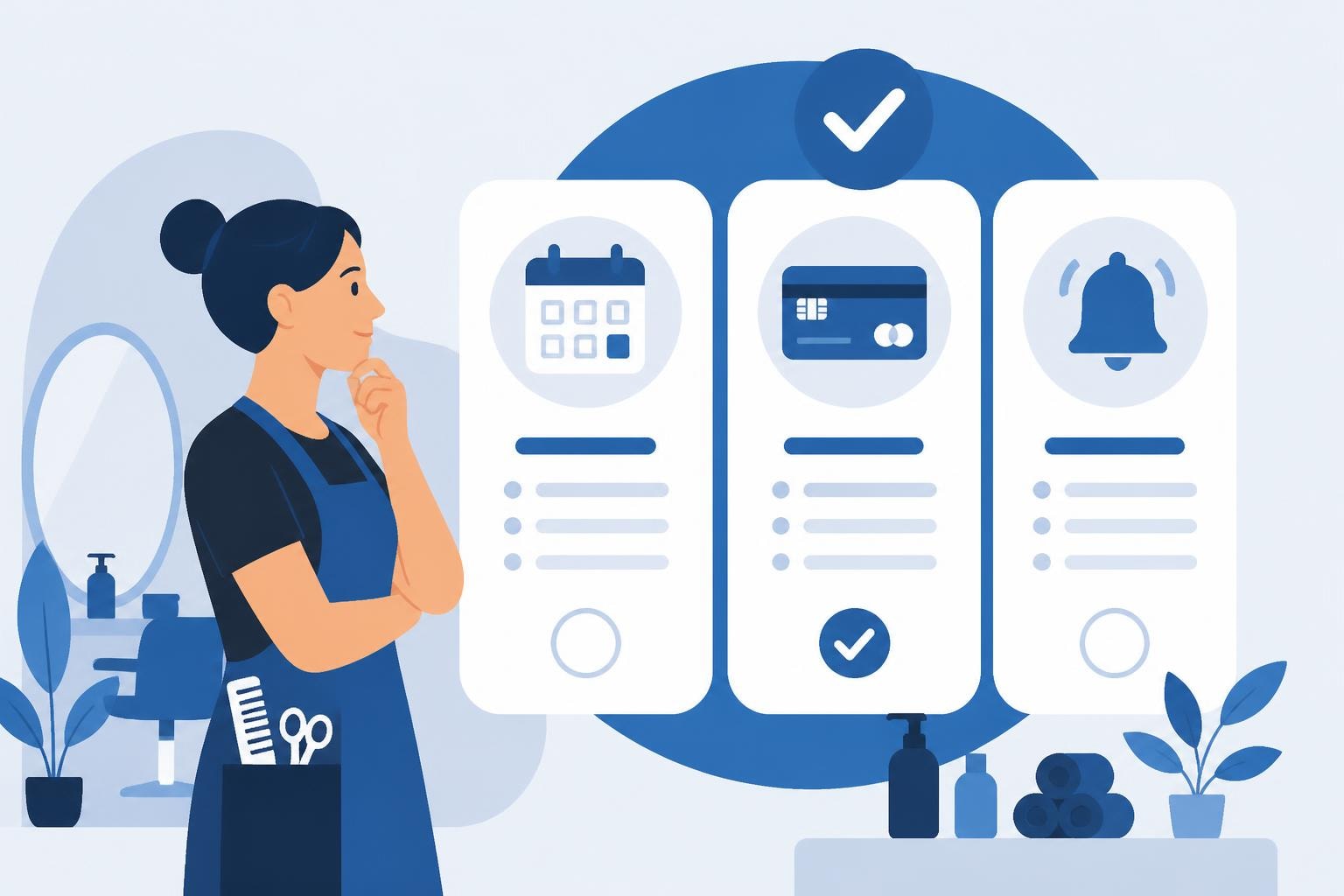
When evaluating WordPress reservation plugins, prioritize functionality that directly solves daily operational challenges. The essential features include:
- Multiple staff calendars with individual availability settings
- Service duration customization for different treatments
- Buffer time management between appointments
- Deposit and payment processing to reduce no-shows
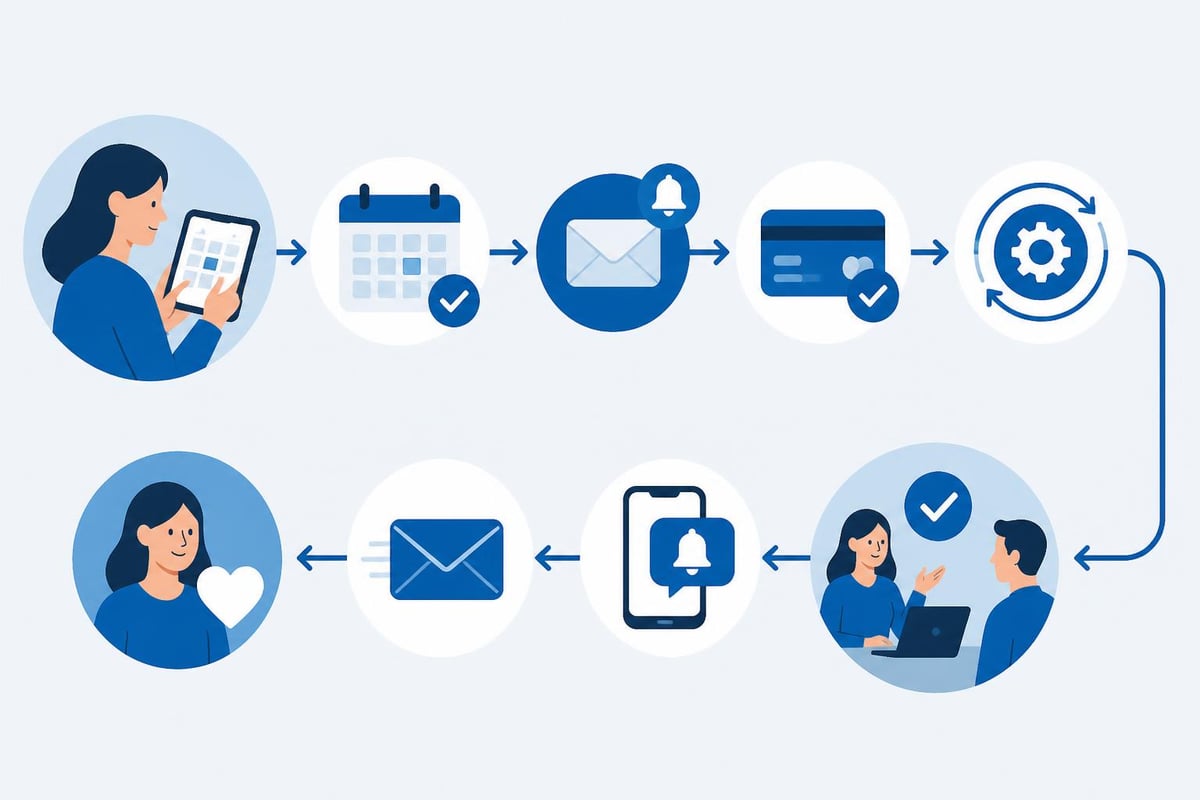
- Automated reminders via SMS and email
- Client database management with service history
- Waitlist functionality to maximize bookings
- Group booking options for parties or events
A study by GetApp found that salons using automated booking systems reduce no-show rates by 42% compared to manual scheduling. This single metric can justify the investment in quality reservation software.
Integration Capabilities Matter
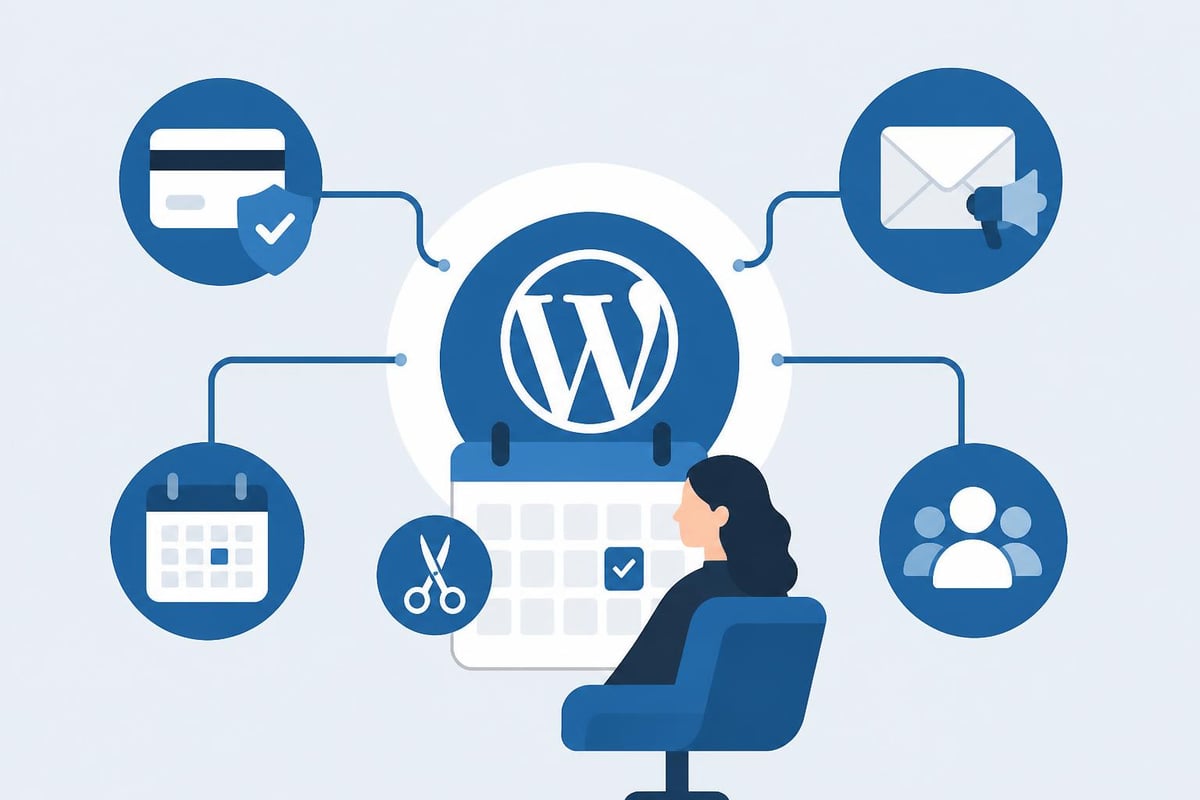
Your reservation plugin doesn't exist in isolation. It must connect seamlessly with your existing business tools and processes. The top WordPress booking plugins offer integration with payment gateways, email marketing platforms, and accounting software.
Consider these integration priorities:
Payment Processing: Stripe, PayPal, Square, and other merchant services should integrate natively without custom coding. Processing deposits at booking time reduces no-shows by up to 80% according to industry benchmarks.
Communication Tools: Integration with Mailchimp, Constant Contact, or similar platforms enables targeted marketing campaigns based on booking history and client preferences.
Calendar Synchronization: Two-way sync with Google Calendar, Outlook, or Apple Calendar prevents double-bookings and keeps staff schedules current across all platforms.
Evaluating Plugin Performance and Reliability
Performance issues can cost you clients. Research from Google indicates that 53% of mobile users abandon sites that take longer than three seconds to load. Your reservation plugin must maintain speed even during peak booking periods.
Technical Performance Metrics
| Performance Factor | Acceptable Standard | Impact on User Experience |
|---|---|---|
| Page Load Time | Under 2 seconds | Direct correlation to booking completion |
| Server Response | Under 200ms | Affects calendar loading speed |
| Mobile Optimization | 90+ Google PageSpeed score | Critical for client bookings |
| Database Queries | Optimized for scale | Prevents slowdowns with booking growth |
Test potential plugins in staging environments before deploying to your live site. Monitor page load times specifically on booking pages, as these represent your revenue-generating touchpoints.
Security and Compliance Considerations
Salon booking systems handle sensitive client information including payment details, phone numbers, and email addresses. The best WordPress reservation plugin must implement robust security measures:
- PCI DSS compliance for payment processing
- SSL certificate compatibility
- Regular security updates and patches
- Data encryption for stored client information
- GDPR compliance features for international clients
- Role-based access control for staff permissions
According to IBM's Cost of a Data Breach Report 2025, the average data breach costs small businesses $2.98 million. Investing in secure booking infrastructure protects both your clients and your business reputation.
Automation Features That Save Time and Increase Revenue
The most significant advantage of modern reservation plugins extends beyond basic scheduling. WordPress booking plugins designed for automation handle repetitive administrative tasks, freeing staff to focus on client service.
Automated Reminder Systems
No-shows cost the beauty industry an estimated $800 billion annually according to analysis by Scheduling Institute. Automated reminders via SMS and email reduce this loss substantially:
- First reminder: Sent 7 days before appointment (confirmation request)
- Second reminder: Sent 24 hours before appointment (final confirmation)
- Final reminder: Sent 2 hours before appointment (driving directions option)
Salons implementing triple-reminder systems report no-show rates below 5%, compared to industry averages of 15-20% without automation.
Dynamic Pricing and Upselling
Advanced reservation plugins enable revenue optimization through intelligent pricing strategies:
- Peak hour pricing: Charge premium rates for Friday evenings and Saturdays
- Package promotions: Automatically suggest service bundles at booking
- Seasonal adjustments: Modify prices for holiday periods or special events
- First-time client discounts: Attract new customers with automated special offers
- Loyalty rewards: Apply automatic discounts for repeat clients
Salons using dynamic pricing report average revenue increases of 18-23% within the first six months of implementation.
Comparing Top Reservation Plugin Options
The WordPress ecosystem offers numerous reservation solutions, but salon-specific requirements narrow the field considerably. When researching comprehensive booking plugin guides, focus on plugins with proven track records in the beauty industry.
Premium vs. Free Plugin Considerations
| Feature Category | Free Plugins | Premium Plugins |
|---|---|---|
| Basic scheduling | Usually included | Enhanced capabilities |
| Staff management | Limited (1-2 staff) | Unlimited staff members |
| Payment processing | Often restricted | Multiple gateway options |
| Automated reminders | Email only | SMS + Email + WhatsApp |
| Custom branding | Limited | Full white-label options |
| Support quality | Community forums | Priority dedicated support |
| Update frequency | Inconsistent | Regular security patches |
For established salons processing more than 50 appointments weekly, premium plugins typically deliver ROI within 2-3 months through reduced no-shows and improved booking efficiency alone.
Plugin Scalability for Growing Businesses
Your chosen reservation system should accommodate business growth without requiring platform migration. Consider these scalability factors:
Multi-location support: Can the plugin handle multiple salon locations with separate calendars, staff, and inventory management?
Franchise capabilities: Does the system support parent-child relationships if you plan to expand through franchising?
API accessibility: Can developers extend functionality through documented APIs as your needs evolve?
Database optimization: Will performance remain stable as your client database grows to thousands of records?
According to detailed plugin comparisons, the best WordPress reservation plugin options provide clear upgrade paths that preserve your data and customizations.
Mobile Experience and Client Expectations
Mobile devices account for 76% of online salon bookings according to 2025 data from Phorest Salon Software. Your reservation plugin must deliver flawless mobile functionality or risk losing three-quarters of potential bookings.
Mobile-First Design Requirements
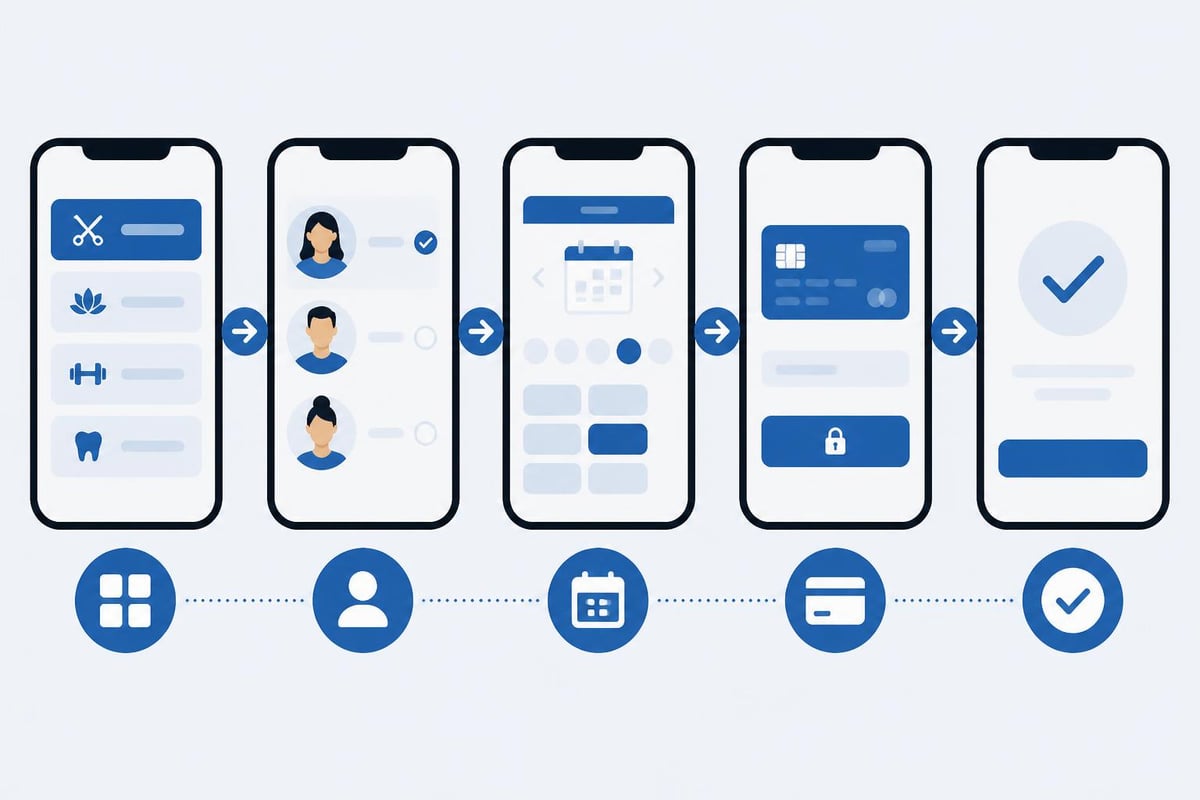
Modern clients expect mobile booking experiences that match consumer apps like Uber or DoorDash:
- One-thumb navigation: All critical functions accessible without hand repositioning
- Minimal input fields: Reduce typing through smart defaults and saved profiles
- Visual service selection: Images and descriptions help clients choose treatments
- Real-time availability: Instant calendar updates without page refreshes
- Mobile payment options: Apple Pay, Google Pay, and mobile wallet integration
Test your booking process on actual mobile devices, not just responsive design checkers. Complete multiple test bookings on both iOS and Android platforms to identify friction points.
Progressive Web App Capabilities
The most advanced reservation plugins offer PWA functionality, allowing clients to "install" your booking system on their home screens. PWAs provide:
- Offline access to booking history and upcoming appointments
- Push notification capabilities for reminders and special offers
- Near-instant loading through intelligent caching
- App-like interface without App Store approval requirements
Salons implementing PWA-enabled booking systems report 34% higher repeat booking rates compared to standard mobile websites.
Advanced Features for Competitive Advantage
As client expectations evolve, differentiation through booking technology becomes increasingly important. The best WordPress reservation plugin for 2026 includes features that were considered advanced just two years ago.
Intelligent Scheduling Algorithms
Machine learning-powered scheduling optimizes revenue and client satisfaction simultaneously:
- Gap filling: Automatically suggests appointments that minimize downtime
- Staff load balancing: Distributes bookings evenly across team members
- Service sequencing: Orders treatments logically for multi-service bookings
- Resource optimization: Coordinates equipment and room availability
- Preference learning: Recommends times based on individual client history
Salons using AI-enhanced scheduling report 12-15% higher utilization rates compared to manual booking management.
Client Self-Service Portal
Empowering clients to manage their own appointments reduces administrative burden while increasing satisfaction:
- Booking modification: Clients reschedule without calling
- Cancellation management: Automated waitlist notifications fill cancellations
- Package tracking: Visual displays of prepaid service usage
- Favorite stylist selection: Clients bookmark preferred providers
- Service history access: Complete treatment records for reference
- Loyalty point balance: Real-time rewards program information
According to research by Zenoti, 68% of salon clients prefer self-service options for routine tasks like rescheduling or checking appointment details.
Cost Analysis and Return on Investment
Investment in quality reservation technology ranges from free (with limitations) to $500+ monthly for enterprise solutions. Understanding total cost of ownership guides smart purchasing decisions.
Pricing Structure Breakdown
Most WordPress reservation plugins follow one of these models:
One-time purchase: $89-$299 for lifetime access with limited updates
Annual subscription: $149-$499 yearly with ongoing support and updates
Monthly SaaS: $29-$199 per month with included hosting and maintenance
Transaction fees: Free base software with 1-3% commission per booking
Calculate your annual booking volume and average transaction value to determine which model offers the best value. For salons processing 500+ monthly bookings, subscription models typically prove most cost-effective.
Hidden Costs to Consider
| Cost Category | Typical Range | Impact on Total Ownership |
|---|---|---|
| SMS messaging | $0.02-$0.10 per message | Significant for high-volume reminders |
| Payment processing | 2.9% + $0.30 per transaction | Standard across platforms |
| Premium support | $50-$200/month | Valuable during setup and growth |
| Custom development | $1,000-$10,000 | Required for unique workflows |
| Staff training | $200-$500 | One-time investment |
| Migration services | $300-$2,000 | If switching from another system |
Factor these ongoing expenses into your budget planning. The cheapest plugin option frequently becomes the most expensive when hidden costs accumulate.
Implementation Best Practices
Selecting the best WordPress reservation plugin represents only half the battle. Successful implementation requires strategic planning and systematic execution.
Pre-Launch Preparation Checklist
Before activating your reservation system for client use:
- Audit existing processes: Document current scheduling workflows to identify automation opportunities
- Define service catalog: Create detailed descriptions with accurate durations and pricing
- Configure staff schedules: Input working hours, breaks, and time-off requests
- Set buffer times: Build in realistic preparation and cleanup periods between appointments
- Establish pricing rules: Program packages, memberships, and promotional discounts
- Test payment processing: Verify all transaction types in sandbox mode
- Create email templates: Customize automated messages with your brand voice
- Import client database: Migrate existing customer information carefully
- Train team members: Ensure all staff understand the new system
- Develop contingency plan: Prepare backup procedures for technical issues
Allow 2-4 weeks for proper implementation rather than rushing deployment. According to expert reviews of booking solutions, salons that invest adequate time in setup experience 47% fewer post-launch complications.
Ongoing Optimization Strategies
Your reservation system requires continuous refinement to maintain peak performance:
Monthly analytics review: Track booking completion rates, no-show percentages, popular time slots, and revenue per appointment. Use this data to adjust availability, pricing, and marketing strategies.
Client feedback collection: Survey customers about their booking experience quarterly. Implement improvements based on consistent themes in responses.
Feature utilization audit: Many plugins include capabilities that go unused. Review available features semi-annually and implement underutilized tools that could benefit your business.
Performance monitoring: Check page load speeds monthly, especially after WordPress core or theme updates. Optimize as needed to maintain sub-2-second loading times.
Security updates: Apply plugin updates within 48 hours of release to maintain security patches and bug fixes.
Customization and White-Label Options
Brand consistency across all client touchpoints, including your booking interface, reinforces professionalism and builds trust. The best WordPress reservation plugin offers extensive customization capabilities.
Branding Customization Elements
Control these visual elements to match your salon's identity:
- Color schemes aligned with your brand palette
- Logo placement in booking interface and email communications
- Custom domain names for booking pages
- Typography consistent with your website design
- Custom CSS for advanced design modifications
- Branded mobile app experiences
- Personalized confirmation and reminder templates
Salons maintaining brand consistency throughout the booking process report 28% higher client retention rates according to research by Vagaro.
Workflow Customization
Beyond aesthetics, configure operational workflows to match your business model:
Service dependencies: Require certain treatments before others (color correction before highlights)
Staff specializations: Restrict specific services to qualified team members
Booking windows: Set different advance booking periods for new vs. existing clients
Minimum notice periods: Prevent last-minute bookings that disrupt schedules
Maximum booking limits: Cap appointments per client to ensure fair access
Approval workflows: Review and confirm high-value bookings manually
These customizations transform generic booking software into a tailored solution that supports your unique operational requirements.
Support and Documentation Quality
Even the most intuitive plugin requires occasional assistance. Support quality differentiates excellent solutions from adequate ones, especially during critical situations like payment processing issues or scheduling conflicts.
Evaluating Support Channels
Premium plugins typically offer multiple support pathways:
- Knowledge base: Searchable documentation with tutorials and FAQs
- Video tutorials: Visual walkthroughs for complex features
- Email support: Detailed technical assistance with 24-48 hour response times
- Live chat: Real-time help during business hours
- Phone support: Direct access for urgent issues
- Community forums: Peer-to-peer assistance and feature discussions
- Priority support: Faster response times for premium subscribers
Test support responsiveness before purchasing by submitting pre-sale questions. Response quality and speed during the evaluation phase typically reflect post-purchase support standards.
Documentation Completeness
Comprehensive documentation accelerates implementation and reduces dependence on support tickets:
- Step-by-step setup guides for initial configuration
- Troubleshooting resources for common issues
- API documentation for custom development
- Code examples for typical modifications
- Migration guides when switching from competitors
- Best practice recommendations for your industry
- Regular webinars covering new features and techniques
Plugins with incomplete documentation create hidden costs through extended implementation timelines and frequent support requests.
Migration Considerations When Switching Plugins
Salons already using booking software face unique challenges when selecting the best WordPress reservation plugin as a replacement. Data migration, client communication, and operational continuity require careful planning.
Data Migration Planning
Transferring historical booking data, client information, and financial records demands systematic execution:
Client database export: Extract customer names, contact information, service preferences, and booking history from your current system.
Appointment history preservation: Maintain records of past appointments for reference and reporting purposes, even if they don't appear in active calendars.
Financial data transfer: Import package balances, gift certificate values, and outstanding invoices to ensure accounting accuracy.
Staff schedule migration: Recreate working hours, time-off requests, and specialization settings in the new platform.
Most professional migration services charge $500-$2,000 depending on database size and complexity. This investment prevents data loss and minimizes business disruption.
Transition Timeline
Plan a 30-45 day transition period:
- Days 1-7: Configure new system in staging environment
- Days 8-14: Import data and verify accuracy
- Days 15-21: Train staff on new interface and workflows
- Days 22-28: Run parallel systems (accept bookings in both)
- Days 29-35: Switch all new bookings to new platform
- Days 36-45: Monitor performance and address issues
This gradual approach minimizes risk while allowing adequate time for team adaptation and system refinement.
Future-Proofing Your Booking Technology
Technology investments should serve your business for 3-5 years minimum. Selecting the best WordPress reservation plugin requires assessing current capabilities alongside future potential.
Emerging Technology Integration
Forward-thinking reservation plugins prepare for upcoming technology trends:
Voice booking: Integration with Amazon Alexa and Google Assistant for hands-free appointment scheduling
Chatbot interfaces: AI-powered conversational booking through Facebook Messenger and WhatsApp
Augmented reality: Virtual try-on capabilities for hair colors and styles before booking
Blockchain verification: Decentralized storage of professional credentials and licenses
IoT integration: Automatic equipment calibration and maintenance scheduling based on usage patterns
While these technologies remain nascent in 2026, plugins with open API architectures position your salon to adopt innovations as they mature.
Plugin Longevity Indicators
Assess these factors to predict long-term plugin viability:
- Active development: Regular updates within the past 60 days
- User base growth: Increasing active installations year-over-year
- WordPress compatibility: Quick updates following WordPress core releases
- Financial stability: Evidence of sustainable business model
- Community engagement: Active user forums and feature request consideration
- Security track record: Rapid response to vulnerability discoveries
- Industry partnerships: Integrations with recognized beauty industry platforms
According to WordPress plugin repository statistics, plugins with 10,000+ active installations and consistent update schedules demonstrate the highest long-term reliability.
Selecting the right reservation technology directly impacts your salon's efficiency, revenue, and client satisfaction. The best WordPress reservation plugin combines essential features like automated reminders and payment processing with industry-specific capabilities that address unique salon workflows. If you're looking for a comprehensive solution specifically designed for beauty professionals, Salon Booking System offers the scheduling tools, automation features, and client management capabilities that salons have trusted since 2016 to streamline operations and enhance customer experiences.