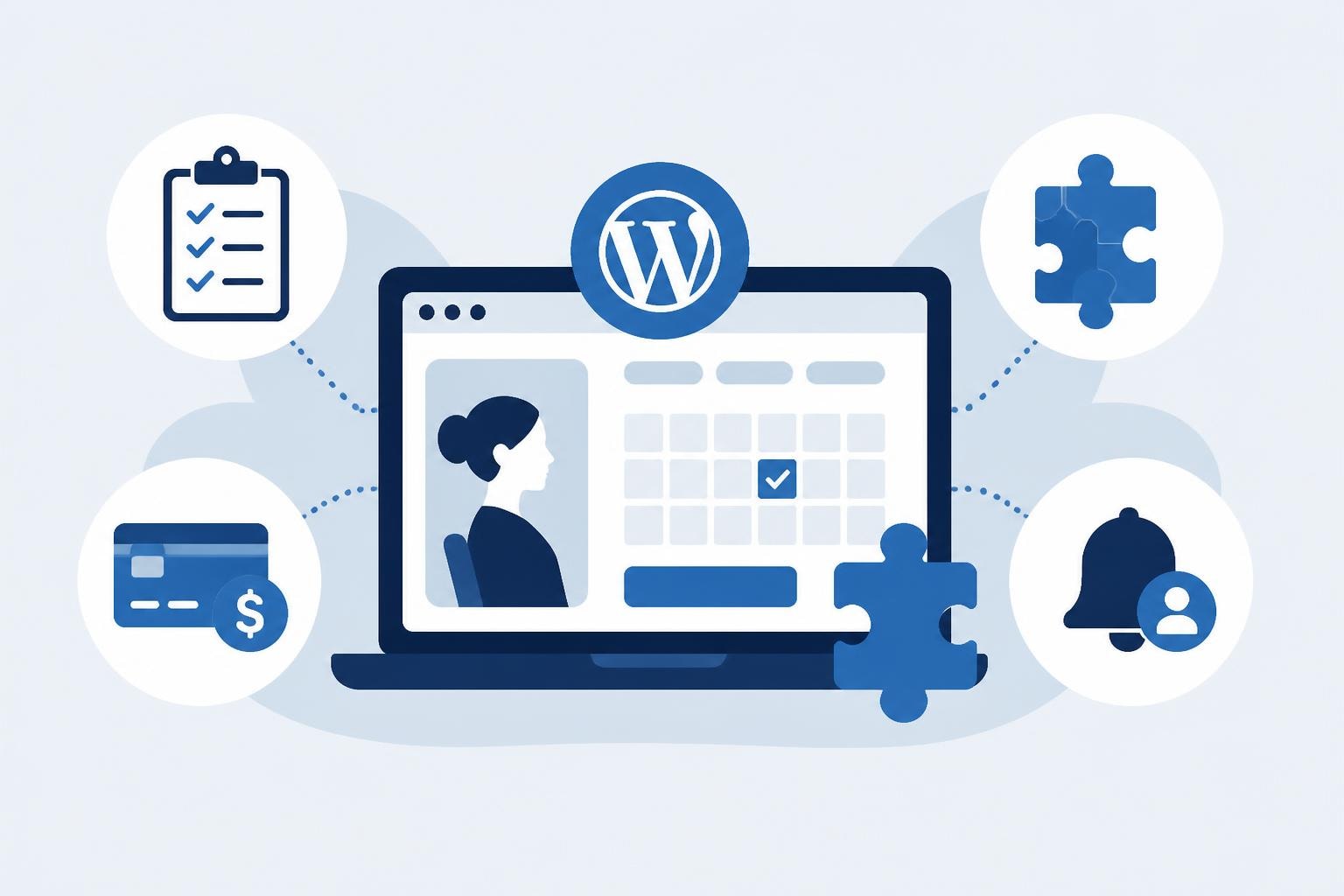
Managing client appointments effectively represents one of the most critical operational challenges salon owners face in 2026. A robust appointment booking plugin WordPress solution can transform how beauty professionals handle scheduling, reduce administrative burden, and significantly improve customer satisfaction. According to recent industry research, salons using automated booking systems report a 37% reduction in appointment conflicts and a 42% decrease in no-show rates compared to manual scheduling methods. For salon owners seeking to modernize their operations, understanding how to select and implement the right WordPress booking solution has become essential for competitive success.
Understanding the Core Requirements for Salon Booking Systems
Every salon operates with unique scheduling complexities that generic booking tools simply cannot accommodate. Hairdressers require different time allocations for cuts versus color treatments, nail technicians need specific equipment availability tracking, and spa managers must coordinate multiple service providers across overlapping appointments.
An effective appointment booking plugin WordPress must address these specific requirements:
- Multiple service duration management with buffer times between appointments
- Staff calendar synchronization across different treatment rooms and workstations
- Dynamic pricing structures for peak hours, special services, and package deals
- Automated reminder systems via SMS, email, and push notifications
- Integration with payment processors for deposits and prepayments
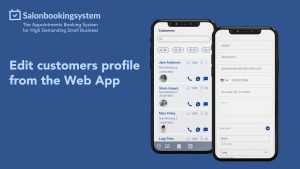
- Client history tracking for personalized service recommendations
The WordPress plugin repository’s appointment booking section showcases hundreds of options, but fewer than twenty percent offer the specialized features beauty professionals genuinely need. This disconnect between generic booking tools and industry-specific requirements has led to frustration among salon owners who invest in systems that fail to match their workflow.
Evaluating Plugin Architecture and Performance
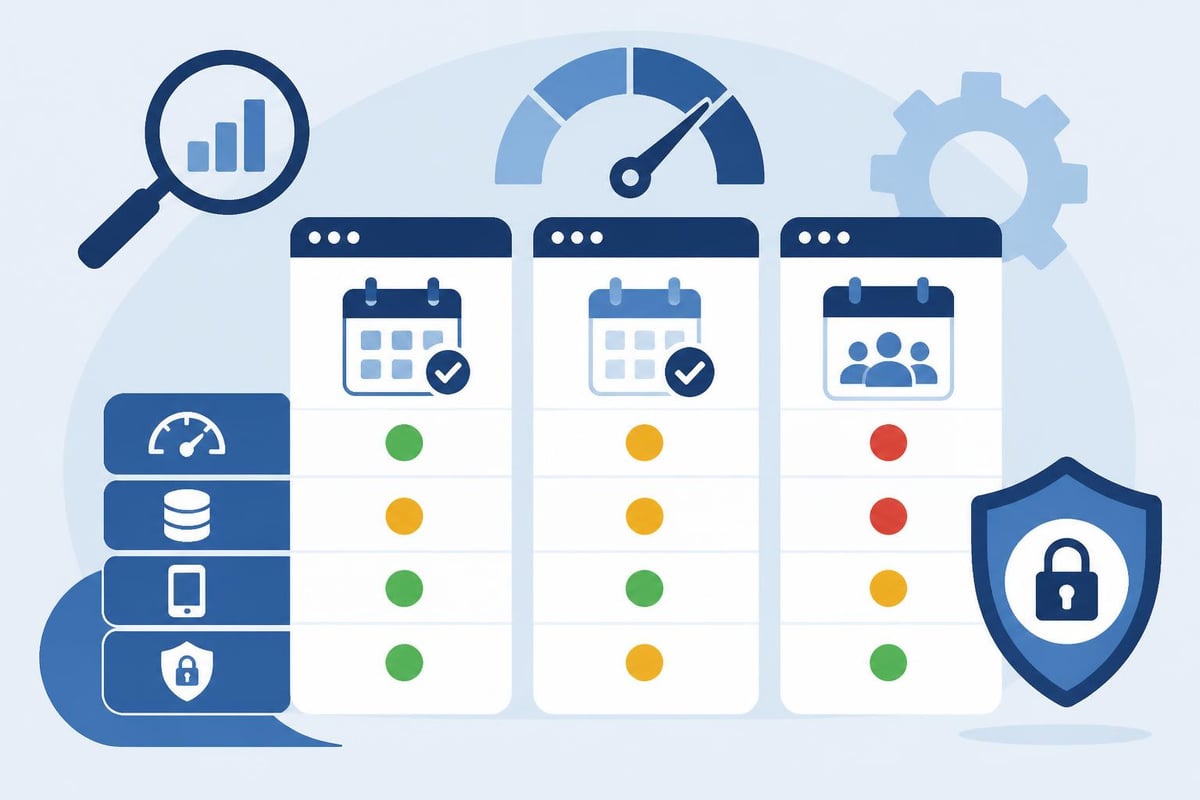
Performance metrics matter significantly when implementing an appointment booking plugin WordPress solution. Your booking system becomes the primary interface between your business and potential clients, which means slow loading times or complex navigation directly impact conversion rates.
Research published in technical journals examining WordPress plugin vulnerabilities reveals that poorly coded booking systems create security risks while degrading overall site performance. Professional salon websites should maintain page load times under three seconds, yet many booking plugins add four to seven seconds of additional loading time.
| Performance Metric | Premium Plugins | Free Plugins | Impact on Bookings |
|---|---|---|---|
| Average Load Time | 1.8 seconds | 4.3 seconds | 23% conversion drop per second |
| Mobile Optimization | 94% responsive | 67% responsive | 52% of bookings occur mobile |
| Database Queries | 12-18 per page | 35-60 per page | Affects site speed overall |
| Security Updates | Monthly | Quarterly or less | Critical for client data |
Essential Features for Beauty Industry Scheduling
The beauty industry presents distinct scheduling challenges that require specialized functionality. A hairstylist might need to block time for a balayage appointment while simultaneously managing a junior stylist's blow-dry schedule in the same space.
Service Bundling and Package Management
Modern clients increasingly seek comprehensive beauty experiences rather than single services. Your appointment booking plugin WordPress should facilitate package creation where clients book multiple consecutive or related services with automatic time calculation.
For instance, a "wedding preparation package" might combine hair styling, makeup application, and nail services across two different providers. The system must coordinate these providers' calendars, calculate total duration including setup and cleanup time, and present a single booking interface to the client.
Key package management capabilities include:
- Multi-service bundling with automatic time allocation
- Provider assignment based on expertise and availability
- Dynamic pricing that reflects package discounts
- Cross-service deposit requirements
- Coordinated reminder sequences for complex appointments
Many salon owners discover their chosen appointment booking plugin WordPress lacks adequate package functionality only after implementation, forcing manual workarounds that negate automation benefits.
Client Communication and Engagement Tools
Communication represents the difference between a booking system and a client relationship platform. According to industry surveys conducted in 2025, salons with automated pre-appointment communications experience 31% fewer no-shows and generate 18% more rebooking immediately after service completion.
Your WordPress booking solution should orchestrate multi-channel communications across the client journey. This includes booking confirmations sent immediately, reminder messages dispatched 24 and 2 hours before appointments, and follow-up requests for feedback or rebooking within 48 hours of service completion.
The comprehensive comparison of WordPress appointment booking plugins published in early 2026 reveals significant variation in communication capabilities across popular solutions, with many requiring third-party integration to achieve adequate notification functionality.
Integration Capabilities with Business Tools
No booking system operates in isolation within a modern salon business. Your appointment booking plugin WordPress must connect seamlessly with payment processors, accounting software, marketing platforms, and customer relationship management tools.
Payment Processing and Financial Integration
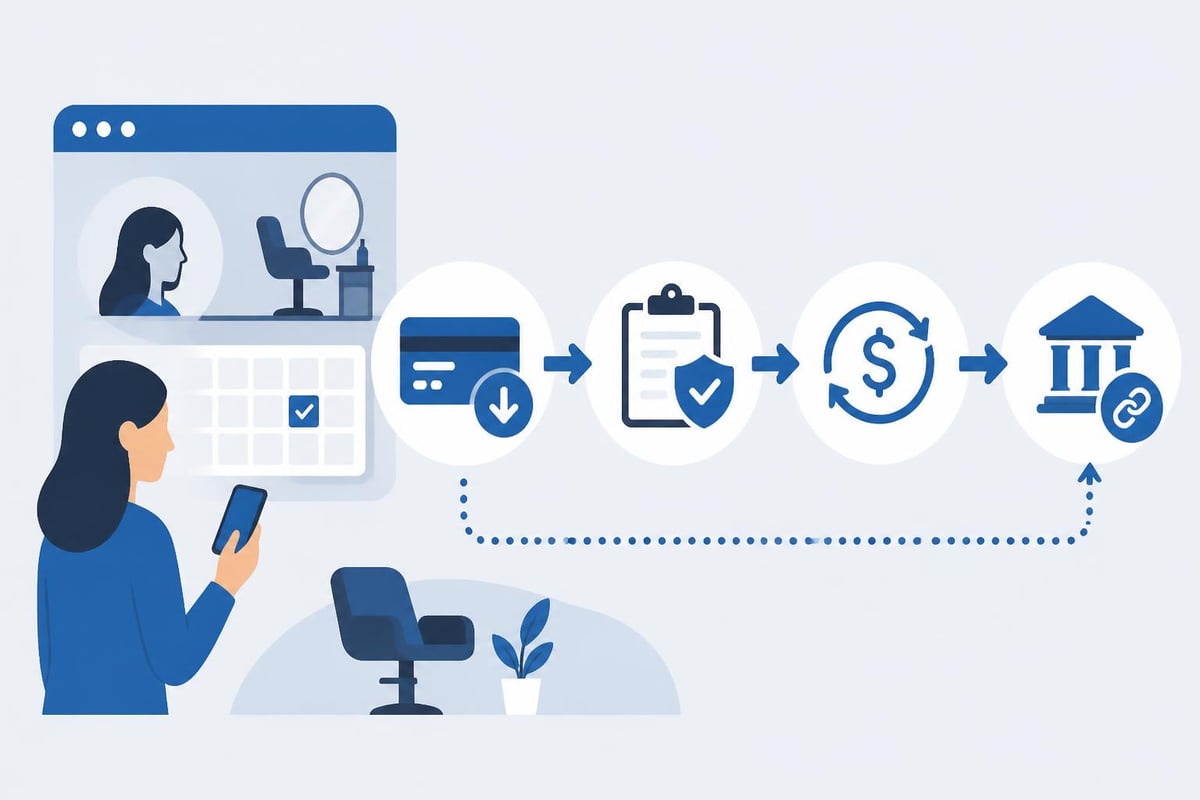
Requiring deposits for appointments has become standard practice for reducing no-shows, with 73% of salons implementing deposit policies as of 2026. Your booking plugin must integrate with payment processors supporting both one-time payments and stored payment methods for regular clients.
Critical payment integration features:
- Support for multiple payment gateways (Stripe, PayPal, Square)
- Configurable deposit percentages by service type
- Automatic refund processing for cancellations within policy
- Split payment options for group bookings
- Integration with accounting software for revenue tracking
Several appointment booking plugin WordPress options on the booking system plugins repository offer basic payment functionality but lack the sophisticated financial management tools salons require for professional operations.
Marketing Platform Synchronization
Strategic salon owners leverage booking data to power targeted marketing campaigns. When a client books a color service, that data should automatically trigger email sequences about color maintenance products. When appointment frequency decreases, automated win-back campaigns should deploy.
Your WordPress booking solution should integrate with email marketing platforms, allowing segmentation based on:
- Service preferences and booking history
- Appointment frequency and recency patterns
- Total lifetime value and average transaction size
- Preferred providers and time slot patterns
- Product purchase history when point-of-sale systems connect
This level of integration transforms your appointment booking plugin WordPress from a scheduling tool into a comprehensive client intelligence system. Platforms like RankPill can help salons optimize their content strategy around these booking patterns, creating targeted blog posts and SEO content that attracts clients searching for specific services.
Mobile Experience and Accessibility Considerations
Mobile bookings now represent 68% of all salon appointments according to 2026 industry data, making mobile optimization non-negotiable. Your appointment booking plugin WordPress must deliver an exceptional experience across all device types, screen sizes, and operating systems.
Responsive Design and Touch Optimization
Beauty clients often book appointments during brief moments throughout their day, using smartphones while commuting or during lunch breaks. The booking interface must present clearly on small screens, with adequately sized touch targets and streamlined navigation.
Testing protocols should include:
- Minimum touch target size of 44×44 pixels for all interactive elements
- Form field optimization with appropriate keyboard types for email and phone entry
- Calendar interfaces designed specifically for mobile interaction patterns
- One-handed operation capability for smartphone users
- Load time under 2.5 seconds on 4G connections
Many appointment booking plugin WordPress solutions that appear excellent on desktop become frustrating on mobile devices, with tiny calendar controls, excessive scrolling requirements, and forms that trigger page jumps when keyboards appear.
Accessibility Standards Compliance
Professional salons serve diverse client populations, including those with visual, motor, or cognitive impairments. Your booking system should meet WCAG 2.1 Level AA accessibility standards, ensuring all clients can book independently regardless of ability.
| Accessibility Feature | Implementation | Client Benefit |
|---|---|---|
| Screen reader support | Proper ARIA labels and semantic HTML | Enables blind clients to book independently |
| Keyboard navigation | Complete functionality without mouse | Assists clients with motor impairments |
| Color contrast ratios | Minimum 4.5:1 for text | Helps clients with low vision |
| Focus indicators | Visible keyboard focus states | Guides navigation for all users |
| Error prevention | Clear validation and confirmation | Reduces booking mistakes |
Advanced Scheduling Rules and Business Logic
Sophisticated salons require complex scheduling logic that reflects real-world operational constraints. Your appointment booking plugin WordPress should accommodate rules around provider availability, service compatibility, equipment limitations, and strategic business objectives.
Resource Allocation and Conflict Prevention
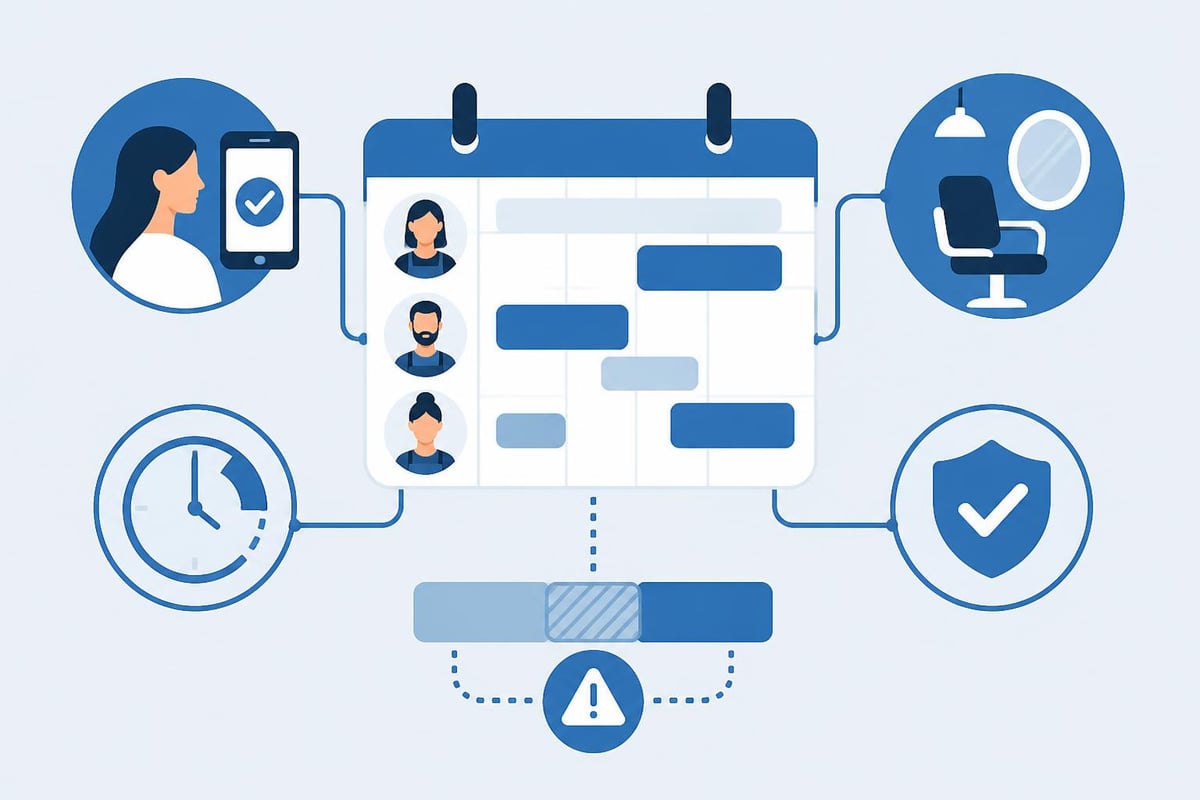
Beyond simple calendar blocking, professional scheduling systems manage multiple resource types simultaneously. A Brazilian blowout requires not just a stylist's time but also specific ventilation equipment, extended processing time, and buffer periods before and after for salon air quality.
Resource management capabilities should include:
- Equipment availability tracking separate from staff schedules
- Room assignment based on service type and requirements
- Automatic buffer time insertion based on service characteristics
- Provider skill matching to ensure qualified staff handle specialized services
- Concurrent appointment limits to prevent overloading facilities
Research on strategies for offering appointment slots demonstrates that thoughtful slot allocation can increase booking rates by up to 28% while reducing operational conflicts.
Strategic Availability Management
Smart salon owners use scheduling rules to guide clients toward business objectives. Premium time slots during Saturday mornings might require higher deposits, while Tuesday afternoon appointments offer promotional discounts to balance weekly capacity.
Your appointment booking plugin WordPress should enable:
- Dynamic pricing based on day, time, provider, and demand levels
- Promotional windows with automatic discount application
- VIP client priority access to preferred time slots
- New client incentive structures separate from returning clients
- Seasonal adjustment templates for holiday and vacation periods
This strategic approach transforms scheduling from a passive calendar into an active revenue optimization tool.
Data Security and Privacy Compliance
Salon booking systems collect sensitive client information including names, contact details, payment information, and sometimes health-related service notes. Your appointment booking plugin WordPress must implement robust security measures and comply with privacy regulations.
GDPR and Data Protection Standards
Even U.S.-based salons must consider GDPR compliance if they serve any clients from European Union countries. Privacy regulations require clear consent for data collection, transparent usage policies, and client rights to data access and deletion.
Essential privacy features include:
- Explicit consent capture during booking process
- Secure data encryption for stored client information
- Data retention policies with automatic deletion schedules
- Client portal access for viewing and downloading personal data
- One-click data deletion functionality for client requests
The comprehensive analysis of WordPress plugins across categories emphasizes security as a primary selection criterion, noting that booking plugins handle particularly sensitive information.
Payment Card Industry (PCI) Compliance
If your appointment booking plugin WordPress processes credit card payments directly, PCI DSS compliance becomes mandatory. Most modern solutions avoid this complexity by redirecting to payment processor pages, but understanding your compliance obligations remains critical.
| Compliance Requirement | Implementation Approach | Risk Mitigation |
|---|---|---|
| Secure data transmission | SSL/TLS encryption | Prevents data interception |
| Limited data storage | Tokenization through processor | Reduces breach liability |
| Access controls | Role-based permissions | Restricts sensitive data access |
| Regular security audits | Automated vulnerability scanning | Identifies risks proactively |
| Incident response plan | Documented procedures | Minimizes breach impact |
Customization and Branding Capabilities
Your booking interface represents your salon's brand as much as your physical space or social media presence. The appointment booking plugin WordPress you select should offer extensive customization to match your established visual identity and user experience standards.
Visual Design Flexibility
Generic booking forms with default styling undermine professional salon branding. Your solution should provide comprehensive design control including color schemes, typography, layout options, and custom CSS capabilities for advanced modifications.
Salons with strong brand identities report 34% higher perceived value from clients when booking interfaces match overall brand presentation. This perception directly impacts willingness to pay premium prices and acceptance of deposit policies.
Key customization features:
- Complete color palette control matching brand guidelines
- Typography selection from web fonts or uploaded custom fonts
- Layout templates for different booking flow preferences
- Logo integration and custom imagery throughout booking process
- White-label options removing plugin branding entirely
Localization and Multi-Language Support
Salons in diverse communities benefit significantly from offering booking in clients' preferred languages. Your appointment booking plugin WordPress should support comprehensive translation, including service names, provider bios, confirmation messages, and reminder communications.
This extends beyond simple text translation to include:
- Date and time format localization based on regional standards
- Currency display matching client location or preferences
- Right-to-left language support for Arabic and Hebrew
- Cultural considerations in communication tone and timing
- Local holiday recognition for availability management
Reporting and Analytics Functionality
Data-driven salon management requires comprehensive reporting from your appointment booking plugin WordPress. Understanding booking patterns, popular services, peak demand periods, and client retention metrics enables strategic business decisions.
Performance Metrics and Business Intelligence
Professional booking systems generate actionable insights rather than simple appointment lists. Your analytics should reveal trends, opportunities, and potential problems before they impact revenue.
Essential reporting capabilities include:
- Booking conversion rates by traffic source and time
- Service popularity trends with seasonal pattern identification
- Provider performance comparisons including booking rates and revenue
- No-show and cancellation analysis with pattern recognition
- Client lifetime value tracking and retention metrics
- Revenue forecasting based on booking pipeline
According to online booking WordPress plugins reviews, analytics capabilities vary dramatically across solutions, with many offering only basic appointment lists rather than business intelligence.
Client Behavior Analysis
Understanding how clients interact with your booking system reveals optimization opportunities. Tracking metrics like time-to-book, abandoned booking attempts, and preference patterns helps refine the booking experience.
| Behavioral Metric | Business Insight | Optimization Opportunity |
|---|---|---|
| Average booking time | Process efficiency indicator | Simplify complex flows |
| Mobile vs desktop usage | Device preference patterns | Prioritize mobile optimization |
| Abandoned bookings | Friction point identification | Address conversion barriers |
| Rebooking rate | Client satisfaction measure | Improve service quality |
| Preferred time slots | Demand pattern analysis | Adjust pricing and availability |
Migration Strategy from Legacy Systems
Transitioning to a new appointment booking plugin WordPress requires careful planning to prevent appointment loss, client confusion, or operational disruption. Professional migration balances thorough preparation with swift execution.
Data Transfer and Preservation
Your existing client database, appointment history, and service records represent valuable business assets that must transfer completely to your new system. This requires:
- Complete data export from current system in compatible format
- Data cleaning to remove duplicates and correct formatting issues
- Field mapping between old and new system structures
- Test import on staging environment before production migration
- Verification procedures confirming complete data transfer
Many salon owners underestimate migration complexity, discovering compatibility issues only after committing to a new appointment booking plugin WordPress. Thorough testing prevents these costly surprises.
Client Communication During Transition
Clients accustomed to your current booking process need clear communication about changes, benefits, and any actions they must take. A well-planned communication sequence includes:
- Advance notice (14-21 days) explaining upcoming changes
- Tutorial content showing new booking process
- Direct support availability during transition period
- Grandfather policies for existing appointments and packages
- Follow-up surveys gathering feedback on new experience
Professional transitions actually increase client engagement when positioned as service improvements rather than technical necessities.
Cost Analysis and Return on Investment
Appointment booking plugin WordPress solutions range from free options to enterprise systems costing thousands annually. Understanding total cost of ownership and expected return helps justify investment and select appropriate solutions.
Pricing Models and Hidden Costs
Published pricing rarely reflects actual ownership costs. Consider these factors when evaluating options:
Direct costs:
- Base subscription or license fees
- Per-appointment transaction charges
- Payment processing fees (typically 2.9% + $0.30)
- SMS notification costs (usually $0.02-$0.05 per message)
- Premium support or priority assistance fees
Indirect costs:
- Implementation time and potential professional services
- Staff training requirements and learning curve productivity impact
- Customization or development work for specific needs
- Integration expenses for connecting other business tools
- Migration costs from previous systems
Free appointment booking plugin WordPress options like Appointly eliminate direct costs but often require significant customization work or lack critical features professional salons require.
Calculating Expected Returns
ROI from booking automation extends beyond simple time savings to encompass multiple revenue and efficiency improvements:
| Benefit Category | Typical Impact | Annual Value (100 appts/week) |
|---|---|---|
| No-show reduction | 25-40% decrease | $8,400 – $13,400 |
| Staff time savings | 6-10 hours/week | $9,360 – $15,600 |
| Increased bookings | 15-25% growth | $31,200 – $52,000 |
| Reduced phone interruptions | 70-85% decrease | Better client experience |
| Marketing automation | 12-18% rebooking lift | $7,800 – $11,700 |
Even modest systems paying for themselves within the first month represents common experience among salon owners implementing professional appointment booking plugin WordPress solutions.
Support and Documentation Considerations
Technical challenges with booking systems directly impact revenue when clients cannot complete appointments. Your appointment booking plugin WordPress provider's support quality and documentation comprehensiveness become critical selection factors.
Support Channel Availability and Response Times
Professional operations require rapid support response when booking functionality fails. Evaluate providers based on:
- Available support channels (email, phone, live chat, ticket system)
- Support hours and timezone coverage matching your operation
- Average response times for different priority levels
- Escalation procedures for critical issues affecting bookings
- Community forums or knowledge bases for self-service solutions
Premium plugins typically offer priority support with guaranteed response times, while free solutions rely on community forums where answers may take days.
Documentation Quality and Training Resources
Comprehensive documentation reduces support dependency and empowers staff to maximize system capabilities. Look for:
- Step-by-step setup guides with screenshots and videos
- Feature documentation explaining all capabilities and configurations
- Troubleshooting guides addressing common issues
- Video tutorials demonstrating key workflows
- Regular webinars for advanced features and best practices
Providers investing in quality documentation demonstrate commitment to customer success beyond just selling software.
Future-Proofing and Scalability Factors
Business growth requires systems that scale without requiring replacement. Your appointment booking plugin WordPress should accommodate expansion across multiple dimensions.
Multi-Location Support
Salon businesses frequently expand to additional locations, requiring booking systems that manage:
- Separate calendars and staff rosters per location
- Location-specific services and pricing structures
- Unified client records across all locations
- Consolidated reporting with location-level breakdowns
- Individual branding and customization per location
Testing multi-location capabilities before expansion prevents expensive migrations during critical growth phases.
Franchise and White-Label Capabilities
Ambitious salon owners considering franchise models need white-label appointment booking plugin WordPress solutions where each franchise operates independently while maintaining brand consistency. This requires sophisticated permission structures, template management, and centralized oversight capabilities.
Selecting the right appointment booking plugin WordPress transforms salon operations from reactive scheduling chaos into proactive client relationship management. The features, integrations, and considerations outlined above provide a framework for evaluating solutions against your specific business requirements. If you're ready to implement a scheduling solution specifically designed for beauty professionals, Salon Booking System offers comprehensive appointment management with online payments, customer notifications, and advanced scheduling rules trusted by salon owners since 2016.