Managing salon appointments efficiently requires robust scheduling tools that won't drain your budget. For salon owners working with WordPress websites, selecting the right appointment booking plugin wordpress free option can transform how you handle client bookings, reduce administrative burden, and improve customer satisfaction. According to a 2025 study by Accenture, businesses that implement digital booking systems experience a 40% reduction in scheduling errors and a 25% increase in customer retention rates. This article examines practical solutions for salons seeking cost-effective WordPress booking plugins while maintaining professional functionality.
Understanding Free WordPress Booking Plugin Capabilities
Free appointment booking plugins offer substantial functionality for salons operating on limited budgets. These tools provide essential scheduling features including calendar management, service selection, time slot availability, and basic client notifications. While premium versions unlock advanced capabilities, many free plugins deliver sufficient power for small to medium-sized salons.
Key features typically included in free versions:
- Basic calendar interface with daily, weekly, and monthly views
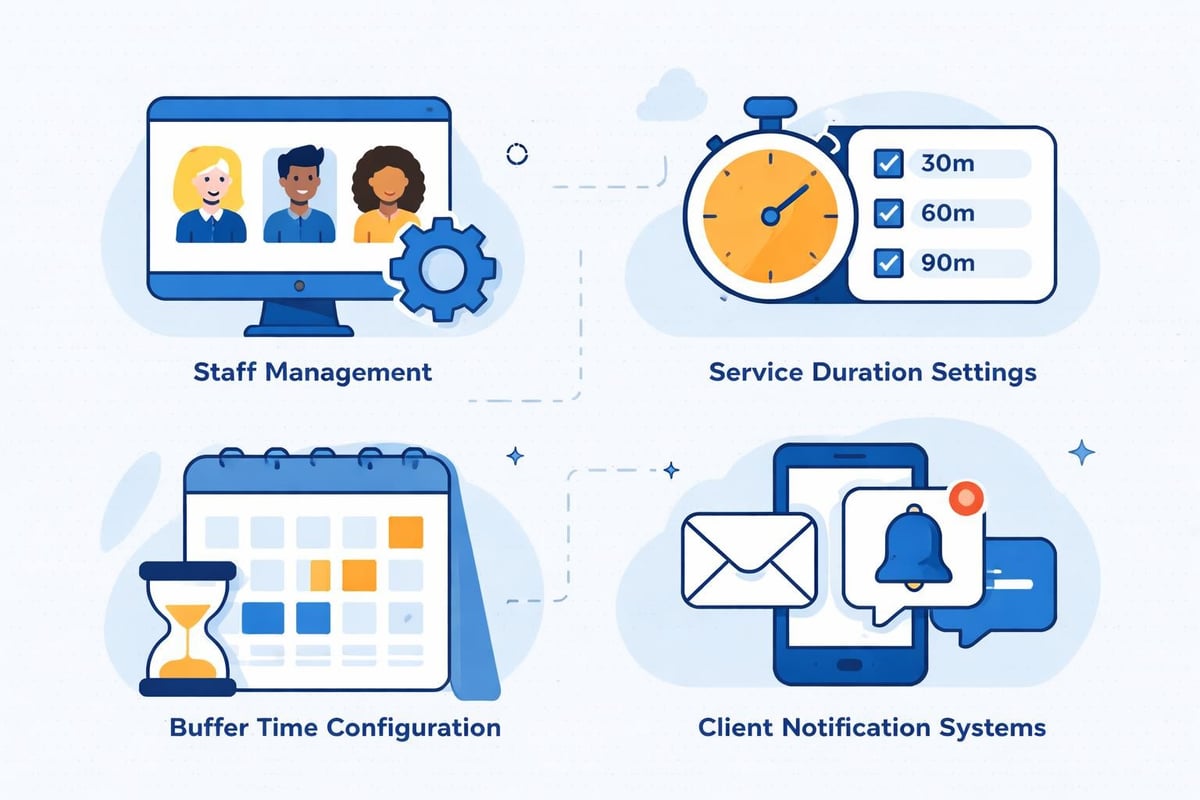
- Service and staff member management
- Time slot configuration with buffer periods
- Email notifications for bookings and confirmations
- Customer information collection forms
- WordPress dashboard integration
The primary limitation centers on scalability and customization. Free plugins often restrict the number of services, staff members, or monthly bookings. Additionally, advanced features like payment processing, SMS notifications, automated marketing, and detailed analytics typically require premium upgrades.
Evaluating Plugin Requirements for Salon Operations
Salons face unique scheduling challenges compared to other service businesses. Multiple staff members with varying schedules, different service durations, back-to-back appointment management, and specialized equipment availability create complexity that standard booking tools may not address adequately.
Before selecting an appointment booking plugin wordpress free, assess your operational requirements:
- Service complexity: Do you offer simple haircuts or complex multi-hour treatments requiring sequential steps?
- Staff scheduling: How many stylists work simultaneously, and do they have individual specializations?
- Client management: What information do you need to collect before appointments?
- Booking volume: How many appointments do you typically process daily or monthly?
- Integration needs: Must the system connect with payment processors, marketing tools, or CRM platforms?
According to research from the National Cosmetology Association, 68% of salon clients prefer booking appointments online outside business hours. Your chosen plugin must accommodate this preference while maintaining scheduling accuracy and preventing double-bookings.
Top Free WordPress Appointment Booking Plugins for Salons
Several appointment booking plugin wordpress free options stand out for salon applications. Each offers distinct advantages depending on your specific operational model and technical comfort level.
Bookly Lite: Comprehensive Scheduling Foundation
Bookly’s free version provides robust appointment management suitable for salons with straightforward scheduling needs. The plugin supports multiple services and staff members, making it ideal for small salon teams.
| Feature | Free Version | Premium Required |
|---|---|---|
| Staff members | Unlimited | Unlimited |
| Services | Unlimited | Unlimited |
| Payment collection | Limited | Full gateway integration |
| SMS notifications | No | Yes |
| Google Calendar sync | Basic | Two-way sync |
| Custom fields | 5 maximum | Unlimited |
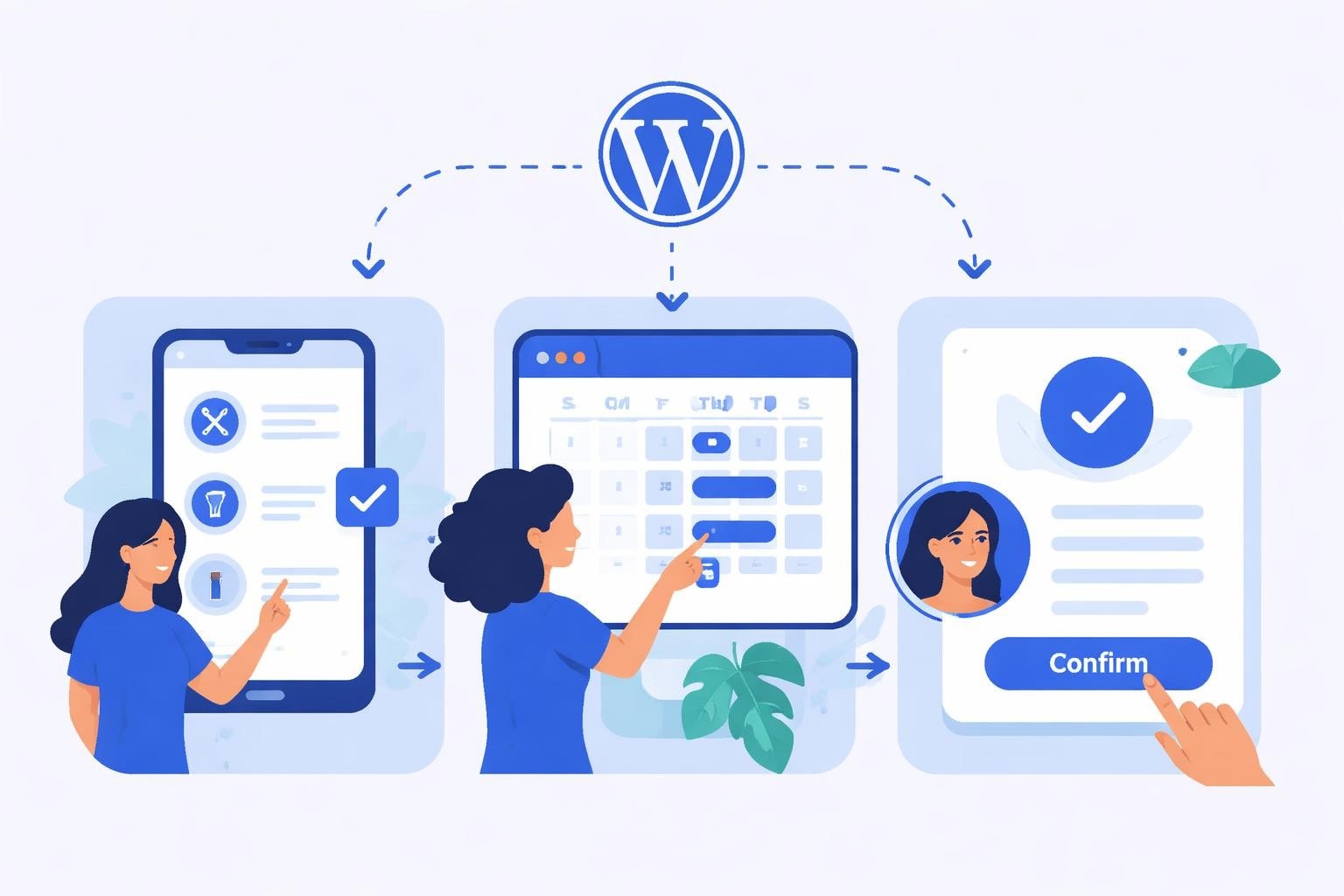
The interface presents a professional booking flow with service selection, staff choice (optional), date and time selection, and customer information collection. Clients receive automated email confirmations, reducing no-show rates by providing clear appointment details.
Optimization tip: Configure buffer times between appointments to account for cleanup and preparation. Most salons benefit from 10-15 minute buffers between services to maintain schedule accuracy.
Bookster: Modern Interface with Multi-Location Support
For salons operating multiple locations or planning expansion, Bookster offers location-based scheduling in its free tier. The plugin's contemporary design appeals to younger demographics while maintaining functional simplicity.
The system allows clients to select their preferred location before choosing services and times. This approach works particularly well for salon chains or businesses with booth rental models where different stylists operate semi-independently.
Key advantages for salons:
- Clean, mobile-responsive booking interface
- Location-based service availability
- Staff assignment to specific locations
- Basic reporting on booking patterns
- WordPress block editor integration for easy page building
MotoPress Appointment Booking Lite: Service-Focused Design
MotoPress Appointment Lite emphasizes service categories and pricing transparency. This approach benefits salons offering tiered pricing structures or package deals.
The plugin allows you to organize services into categories (haircuts, coloring, treatments, styling) making navigation intuitive for clients unfamiliar with specific service names. Pricing displays prominently, helping clients make informed decisions before proceeding with bookings.
However, the free version limits you to two services and one staff member, making it suitable primarily for solo stylists or very small operations. It serves as an excellent starting point before scaling to more comprehensive solutions.
Installation and Configuration Best Practices
Implementing an appointment booking plugin wordpress free requires strategic planning to ensure smooth operation from launch. Rushed implementation often leads to scheduling conflicts, confused clients, and staff frustration.
Step-by-Step Setup Process
-
Backup your WordPress site using your hosting provider's tools or a backup plugin. This precaution protects against configuration issues during installation.
-
Install and activate your chosen plugin through the WordPress dashboard under Plugins > Add New. Search for your selected plugin and click Install Now, then Activate.
-
Configure general settings including business name, time zone, date and time formats, and default booking duration increments. Ensure your time zone matches your physical location to prevent appointment timing errors.
-
Add staff members with accurate schedules. Include days off, working hours, and break times. Many scheduling problems stem from inaccurate staff availability data.
-
Create service listings with precise durations. Account for actual service time plus necessary preparation and cleanup. For example, if a haircut takes 30 minutes but you need 40 minutes between clients, set the service duration to 40 minutes.
-
Set buffer times to prevent back-to-back scheduling without adequate transition periods. Research from the Professional Beauty Association indicates that salons maintaining 15-minute buffers experience 34% fewer delayed appointments.
-
Customize email notifications with your salon's branding and clear appointment details. Include address, parking information, cancellation policies, and arrival instructions.
-
Test the booking flow thoroughly before going live. Complete test bookings for each service type and staff member, verifying that confirmations arrive correctly and calendar entries appear accurately.
Optimizing the Client Booking Experience
The booking interface represents a critical client touchpoint. According to Microsoft research, 54% of consumers abandon online forms they consider too long or complicated. Streamline your booking process to minimize abandonment:
Service presentation strategy:
- Use descriptive but concise service names
- Include duration and pricing for transparency
- Add brief descriptions explaining what's included
- Group related services into logical categories
Form field optimization:
- Request only essential information initially
- Use dropdown menus for standardized data
- Implement auto-fill for returning clients
- Add optional fields for special requests
Mobile responsiveness verification:
- Test booking flow on multiple device sizes
- Ensure touch targets are adequately sized
- Verify text readability without zooming
- Confirm payment fields function correctly on mobile
A comprehensive guide to WordPress booking plugins can provide additional insights into optimizing the client experience across different platforms.
Addressing Common Implementation Challenges
Even straightforward appointment booking plugin wordpress free options present configuration challenges for salon owners unfamiliar with WordPress customization.
Time Zone and Scheduling Conflicts
Time zone misconfiguration ranks among the most frequent implementation errors. When your WordPress site displays appointments in a different time zone than your actual business location, chaos ensues.
Resolution steps:
- Verify WordPress general settings show your correct time zone
- Confirm booking plugin settings match WordPress time zone
- Test bookings and check displayed times in confirmation emails
- If using a content delivery network (CDN), ensure it doesn't override time zone settings
Staff Schedule Management Complexity
Salons with multiple stylists working varied schedules require careful calendar management. Free plugins may limit automated schedule handling, requiring manual updates for vacation days, sick leave, or schedule changes.
Practical approaches:
| Challenge | Solution |
|---|---|
| Last-minute schedule changes | Enable admin-only booking override capabilities |
| Vacation blackout dates | Update availability calendars during slower periods |
| Varying weekly schedules | Use recurring schedule templates then modify exceptions |
| Staff-specific service limitations | Assign services only to qualified team members |
Service Duration Accuracy
Underestimating service duration leads to overlapping appointments and client dissatisfaction. A study by Schedulicity found that 41% of service businesses struggle with time estimation, resulting in rushed services or significant wait times.
Calculate realistic service durations by timing actual appointments over several weeks. Include consultation time, service execution, and transition preparation. Add buffer time as a separate setting rather than inflating service duration, maintaining accurate reporting on actual service time.
Integration Strategies for Enhanced Functionality
Free booking plugins function as foundational tools, but strategic integrations expand capabilities without necessarily requiring premium upgrades.
Email Marketing Platform Connections
Connecting your appointment booking plugin wordpress free with email marketing tools like Mailchimp enables automated client nurturing. When clients book appointments, their information flows to your email list, triggering:
- Welcome sequences for first-time clients
- Pre-appointment reminders with preparation instructions
- Post-appointment follow-ups requesting reviews
- Targeted promotions based on service history
Most free booking plugins export client data in CSV format, allowing manual imports to marketing platforms. While not as seamless as automated integration, this approach works effectively for salons processing moderate booking volumes.
Social Media Booking Integration
According to Pew Research Center, 72% of adults use at least one social media platform in 2026. Embedding booking functionality directly into your social media presence reduces friction in the customer journey.
Implementation methods:
-
Facebook page tab: Many free booking plugins generate embeddable code for Facebook page tabs, allowing clients to book without leaving the platform.
-
Instagram bio link: Use services like Linktree to create a landing page featuring your booking plugin shortcode prominently.
-
Pinterest rich pins: If you share style inspiration on Pinterest, link directly to booking pages rather than generic homepage destinations.

Platforms like Bookslots and similar tools offer straightforward embedding options that work across various digital channels.
Google Business Profile Synchronization
Google Business Profiles allow direct appointment bookings from search results and Maps listings. While this feature typically requires third-party integration services, some appointment booking plugin wordpress free options offer basic Google Calendar synchronization.
Configure two-way sync when available to ensure bookings made through your website reflect in Google Calendar and vice versa. This prevents double-bookings when clients contact you through multiple channels.
Scaling Considerations and Premium Transition Timing
Free booking plugins serve specific business stages effectively, but growth inevitably demands additional capabilities. Understanding when to transition from free to premium solutions prevents operational disruptions.
Indicators You've Outgrown Free Plugins
Volume thresholds:
- Processing more than 100 appointments monthly
- Managing more than three staff members with complex schedules
- Offering more than ten distinct services
- Operating multiple locations requiring centralized management
Functionality requirements:
- Payment collection at booking time to reduce no-shows
- SMS notifications for higher engagement than email
- Advanced reporting on stylist productivity and service popularity
- Automated marketing campaigns triggered by booking behavior
- Integration with point-of-sale systems for comprehensive client records
Research from Square indicates that salons collecting deposits at booking time experience 45% fewer no-shows compared to those relying solely on email confirmations. If no-shows significantly impact your revenue, payment-enabled booking becomes essential.
Transitioning Without Losing Appointment Data
When upgrading from a free appointment booking plugin wordpress free to a more robust solution, data preservation requires careful planning:
- Export all client data from your current plugin in CSV format
- Document all service configurations including durations, prices, and descriptions
- Screenshot staff schedules and settings for reference during new system setup
- Notify clients of any booking system changes if the interface differs substantially
- Maintain parallel systems briefly to ensure no appointments fall through gaps during transition
Some plugins like Truebooker offer migration assistance when upgrading to premium tiers, simplifying the transition process.
Security and Data Protection Considerations
Client information protection remains paramount when implementing online booking systems. The California Consumer Privacy Act (CCPA) and similar regulations impose requirements on how businesses collect, store, and use customer data.
Essential Security Measures
Plugin selection criteria:
- Regular updates addressing security vulnerabilities
- Compliance with WordPress coding standards
- Transparent privacy policy regarding data usage
- Secure data transmission using SSL certificates
- User permission controls limiting staff access to sensitive information
Before implementing any appointment booking plugin wordpress free, verify that your hosting provider includes SSL certification. The padlock icon in your browser address bar indicates secure connections protecting client data during transmission.
Client data handling policies:
- Collect only information necessary for appointment management
- Clearly communicate how you'll use client data
- Provide opt-in options for marketing communications
- Establish data retention policies deleting old records appropriately
- Implement strong password requirements for admin access
Backup and Recovery Protocols
Technical failures happen regardless of plugin quality. Establish automated backup procedures protecting against data loss:
- Daily automated backups of your WordPress database
- Weekly full site backups including plugins and themes
- Off-site backup storage separate from your hosting server
- Regular backup restoration tests verifying functionality
- Documented recovery procedures accessible to multiple team members
Many WordPress hosting providers include automated backups in their service packages. Verify backup frequency and retention duration meet your business requirements.
Performance Optimization for Fast Booking Experiences
Page load speed directly impacts booking completion rates. Google research demonstrates that 53% of mobile users abandon pages taking longer than three seconds to load. Slow booking interfaces translate directly to lost revenue.
Technical Performance Improvements
Plugin-specific optimizations:
- Disable unused features within your booking plugin settings to reduce code execution
- Limit calendar range to prevent loading excessive date options
- Optimize images in service descriptions using compression tools
- Implement caching through plugins like WP Rocket or W3 Total Cache
- Use lazy loading for images and calendar elements appearing below the fold
Hosting considerations:
The server environment significantly affects booking system performance. Shared hosting plans often struggle with the database queries booking plugins generate. As your appointment volume grows, consider:
| Hosting Type | Suitable For | Typical Performance |
|---|---|---|
| Shared hosting | Solo stylists, <50 monthly bookings | 3-5 second load times |
| Managed WordPress | Small salons, <200 monthly bookings | 1-2 second load times |
| VPS or dedicated | Multi-location operations, >200 bookings | <1 second load times |
Testing tools like GTmetrix or Google PageSpeed Insights identify specific performance bottlenecks affecting your booking pages. Address flagged issues systematically, starting with those offering the largest impact.
Mobile-First Design Implementation
With 63% of salon bookings originating from mobile devices according to industry analytics, mobile optimization transcends optional enhancements. Your appointment booking plugin wordpress free must deliver seamless mobile experiences.
Mobile optimization checklist:
- Touch-friendly buttons sized at least 44×44 pixels
- Single-column layouts preventing horizontal scrolling
- Minimal text input requirements (consider dropdowns instead)
- Click-to-call phone numbers for clients preferring personal booking
- Simplified navigation reducing steps to appointment confirmation
Resources like this tutorial on setting up WordPress appointment booking systems demonstrate mobile-responsive configurations that enhance user experience across devices.
Measuring Booking System Performance
Implementation represents only the beginning. Continuous monitoring and optimization ensure your booking system effectively serves both business and client needs.
Key Performance Metrics
Conversion tracking:
- Booking page visit-to-completion ratio
- Average time from page load to confirmed booking
- Abandonment points in the booking flow
- Mobile versus desktop completion rates
- Service popularity based on booking frequency
Operational efficiency indicators:
- Average time between bookings per stylist
- Percentage of available time slots filled
- Booking lead time (how far in advance clients book)
- Repeat booking rate for satisfied clients
- No-show and cancellation rates
Google Analytics integration with goal tracking provides visibility into booking funnel performance. Configure goals marking completed bookings, then analyze user behavior identifying improvement opportunities.
Client Feedback Integration
Quantitative metrics reveal what happens but not why. Direct client feedback explains booking system friction points that data alone might miss.
Feedback collection methods:
- Post-booking surveys asking about experience difficulty
- Review monitoring on Google, Facebook, and Yelp mentioning booking processes
- Direct conversations during appointments about scheduling preferences
- A/B testing different booking flows to identify optimal configurations
- Heatmap analysis showing where clients click and scroll during booking
Implement changes incrementally based on feedback, measuring impact before additional modifications. This methodical approach isolates which changes improve performance versus those having neutral or negative effects.
Selecting and implementing the right appointment booking plugin wordpress free establishes the foundation for efficient salon operations while respecting budget constraints. By carefully evaluating features, optimizing configuration, and monitoring performance metrics, salon owners can provide seamless booking experiences that increase client satisfaction and reduce administrative burden. Salon Booking System offers comprehensive scheduling solutions purpose-built for salons, combining the essential features discussed throughout this article with advanced capabilities including online payments, customer notifications, and sophisticated scheduling rules that have helped salon professionals efficiently manage appointments since 2016.